Quick answer
AI prank videos are video-to-video: film a few seconds of your real room, then drop in a character who was never there — a plumber, cleaning lady, firefighter with smoke, or a snake on the floor. Keep the camera steady and the joke harmless. Starrd's Pranks templates insert the character into your real footage in one tap.
What You're Trying to Make
A few seconds of your real kitchen — same counter, same light, same phone-held shake — except now there's a shirtless plumber under the sink saying "almost done here," or a python coiled on the tile, or a firefighter filling the doorway through drifting smoke. You didn't film any of those people. You filmed an empty room. The AI put them in.
That's the difference between this and every other template: you don't upload photos and get a generated scene. You upload your own footage and the AI adds someone to it. It reads less like an edit and more like proof — which is exactly why the reply comes back in seconds.
The best prank clips look boring before the character shows up. A plain, well-lit, slightly-too-long shot of your kitchen is the perfect canvas — it's the realism of the room that makes the fake person believable.
Fastest way — film a few seconds of your real room and run it through a Starrd Pranks template: the plumber, cleaning lady, kitchen fire, or snake gets dropped into your own footage with the line pre-filled, no prompt to write and no editing. Want to build the insert by hand instead? The full method's below. ↓
Wait — Isn't This the Old AI Prank Photo Trend?
It's the grown-up version. In 2025 the prank was a static photo: photoshop a stranger into a picture of your house, send it to your partner, watch them spiral. It worked, but it was easy to debunk — one still image, no movement, "that's clearly fake."
The 2026 version is video-to-video. Instead of one frozen frame, you give the AI a moving clip of your real room and it inserts a character who walks, turns, and talks inside your actual footage. Your real lighting and background stay put, the character has a voice, and the clip survives a second look. That's the whole upgrade: it holds up to "wait, play that again."
The Fastest Way — Use a Pranks Template on Starrd
If you just want the reaction and not the prompt engineering, the Starrd Pranks templates do the whole thing in one tap. You film the clip, pick the prank, and the character + default line are pre-filled. These are the four live right now:
Shirtless Plumber
Film your kitchen or bathroom and we add the plumber who 'came to fix the sink.' Send it to your partner and wait. One clip, one tap.
Cleaning Lady
A cleaning lady who showed up to tidy — at your door, in your hallway, in your living room. 'Hi! I'm here to clean.'
Kitchen Fire
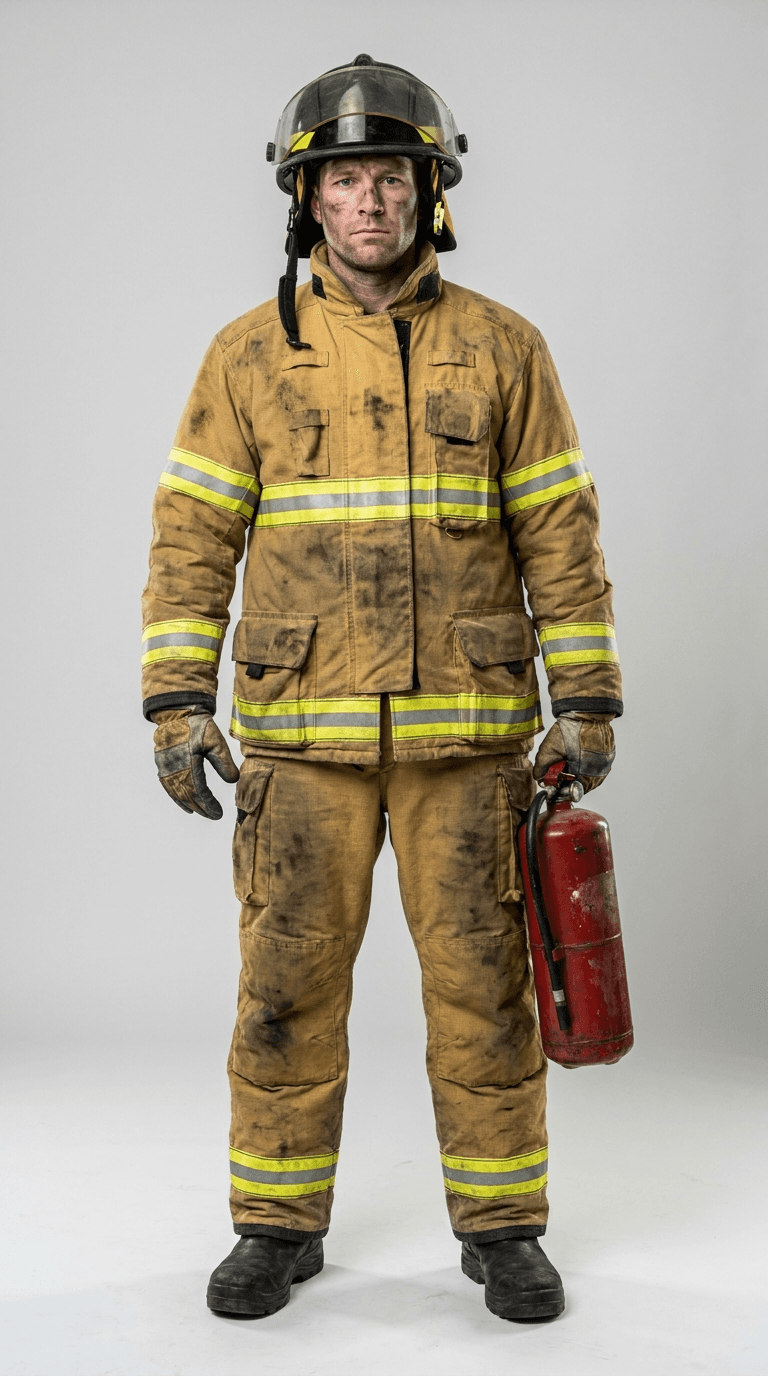
A firefighter and drifting smoke in your doorway — 'the kitchen caught fire.' 'Sir, you need to step outside. Now.'
Snake In The Kitchen
A giant python on your kitchen floor that 'got in somehow.' Send it to mom and wait for the scream.
You can also describe a custom prank — "a soaking-wet clown at my door," "a goat in the living room" — and the AI generates that character and inserts it. Want to build one from scratch instead? Here's the recipe.
Or Build It Yourself — What You Need
Three things:
- A short clip of your room (5–12 seconds), filmed with the character's empty spot in frame.
- A character to insert — either a reference image of the person, or a text description the AI turns into one. (Scene-only pranks, like "a pipe burst," skip this.)
- A multimodal AI video model — one that accepts a reference video and a reference image in the same generation. In practice that means Seedance 2.0.
That last point is the catch. Most AI video tools are image-to-video: they generate a scene from a still photo and can't take your real footage as input. The prank only works on a model that re-renders your clip with the character added.
Step 1 — Film the Right Clip
This is where the prank is won or lost. The model uses your video as a reference and re-renders it, so give it an easy, clean scene to work from.
- Hold the camera fairly steady. A static handheld shot or a slow, deliberate pan. No whip-pans, no fast walking — motion blur is the enemy of a clean insert.
- Leave an empty spot for the character. A doorway, a stretch of floor, an open corner. If every inch of frame is full, the model has nowhere to put the person and starts warping your furniture.
- Light it well. Daylight or normal room lights. Dark, grainy footage makes the seams obvious.
- Give it 5–12 seconds. Long enough for the character to appear and do something; short enough to send.
- Frame it like you'd actually film it. A casual "look what's happening in my kitchen" angle reads as real. A perfect tripod composition reads as staged.
Film the room as if the character is already there and you're casually catching it on camera — glance toward the empty doorway, let the shot breathe. You're filming the "before"; the AI fills in the "during."
Step 2 — Pick Your Prank
The four presets above cover the proven formats, but the pattern is simple: someone who has a believable reason to be in your home, doing something mundane, that your person did not expect. The plumber is "fixing the sink." The cleaning lady "is here to clean." The believability is in the boredom of it.
Scene-only pranks work too — no character, just something that "happened": a burst pipe, a flooded floor, a window someone left open with the curtains blowing. Anything you can describe, the AI can insert.
Step 3 — Write the Insert Prompt
The prompt does two jobs: describe the character and lock your camera so the model doesn't redecorate the room. Name the character, give them one small action and one line of dialogue in a voice that contrasts with yours, and explicitly tell the model to keep your scene.
Keep the original room, lighting, and camera exactly as in the reference video — static handheld shot, the camera does not move. Add one new person: a friendly, slightly oblivious plumber in his 30s, shirtless, tool belt, kneeling at the sink with a wrench. Halfway through he glances toward the camera, gives a casual wave, and says in a relaxed, cheerful voice, "Hey! Almost done with the sink." Keep the original background audio. He is the only thing added to the scene; do not change anything else in the room.
Two rules that matter:
- Lock the camera in words. "Static shot, camera does not move, same room and lighting." Seedance treats your video as a reference, not an inpaint, so without this it will gently drift.
- Contrast the voice. Give the inserted character a voice that doesn't match yours, and keep your original background audio. The mix of your real room noise and a stranger's calm voice is what sells it.
Step 4 — Pick a Model
For this trend, the model choice is basically made for you:
- Seedance 2.0 — the one that works. It's multimodal: reference video (
@video1) + reference character image (@image1) + prompt, all in one call, and it generates the character's voice. This is the engine behind the Starrd Pranks templates. - Image-to-video models (most others) — can't take your real footage as input, so they can't do the "insert into my actual room" trick at all. They're for the photo-based templates, not this.
If you're using Starrd, this is already handled — the Pranks templates run on Seedance 2.0 under the hood.
Step 5 — Generate and Check the Seams
When it comes back, watch for three things:
- Did the camera hold? If the room drifted or warped, your clip was too shaky or too full — refilm steadier with more empty space.
- Do the feet and shadows land? The fastest tell is a character floating or casting no shadow. A cleaner, flatter floor in your clip helps the model ground them.
- Does the voice fit the scene? If it sounds studio-clean against your noisy kitchen, regenerate — a little room tone on the line makes it real.
It's not pixel-locked, so one or two regenerations to get a clean take is normal.
Step 6 — Send It for the Reaction
The send is part of the format. The clips that blow up are the ones sent cold — no caption, no "look at this," just the video dropped into the chat with your partner or your mom. The panic in the reply is the content. Screen-record the conversation and that becomes the post.
Then — and this matters — tell them it was fake.
Keep It a Harmless Joke
The whole point is the laugh after the reveal, so keep it pointed at people who'll laugh with you and tell them quickly.
- Prank people who can take it — a partner, a parent, a close friend. Not strangers, not someone you're trying to actually deceive.
- Skip the genuinely scary ones. A realistic intruder or a real-seeming emergency can cause real panic in someone who doesn't know it's fake. The funny ones are funny because they're a little absurd — a shirtless plumber, a snake, a clown.
- Reveal it. A prank ends with "gotcha," not with someone still believing it an hour later.
- Never use it to harass, threaten, or impersonate. That's not a prank, and it's not what these tools are for.
Don't send a realistic emergency (a real-looking break-in, a medical scare) to someone who could genuinely be frightened, and don't use AI footage to deceive anyone who isn't in on the joke. Keep it obviously a bit, keep it on people who'll laugh, and reveal it.
Common Mistakes That Tank Your Prank
- Filming too fast or too dark. Shaky, blurry, dim clips give the model nothing clean to insert into. Slow down, turn on a light.
- No empty space in frame. If the room is packed wall to wall, the character has nowhere to go and your furniture warps. Leave a door, a corner, a strip of floor open.
- Not locking the camera in the prompt. Forget the "static shot, same room" instruction and the scene drifts. Always pin it.
- A voice that's too clean. A crisp, contextless line over a noisy real room is a tell. Match the energy of the footage.
- Picking it too scary. A clip that actually frightens someone isn't a viral prank, it's a problem. Absurd beats alarming.
Related Reading
- How to Make the Shirtless Plumber Prank Video — the partner-jealousy classic, start to finish.
- How to Make the AI Repairman Prank Video — the appliance-repair cousin: "here to fix the washer."
- How to Make the AI Pool Boy Prank Video — the same jealousy bit, out by the pool.
- How to Make the AI Personal Trainer Prank Video — the muscular trainer "here for your session."
- How to Make the AI Cleaning Lady Prank Video — the female counterpart: the maid who "showed up to clean."
- How to Make the AI Firefighter Prank Video — the "your kitchen's on fire" scare for the group chat.
- How to Make the Snake in the Kitchen Prank Video — the parent-scream one, start to finish.
- Viral AI Video Trends (2026): The Monthly Roundup — where the prank trend sits among everything else worth making this month.
- Seedance 2.0: Complete Guide — what the multimodal model can do and how to get started.
- Seedance 2.0 Prompt Guide — camera locks, time-segmented prompts, and the language that keeps a scene stable.