Quick answer
To make a "Your Next Opponent Is You" AI video, upload a recent photo (and optionally a childhood photo) to Starrd's Your Next Opponent Is You template. AI stages a cinematic face-off between your present self and your younger self — the walk-in, the reveal, the "...you" wide shot — in one tap. No editing or prompts.
The "Your Next Opponent Is You" Trend
You've seen it on your feed: a dramatic dark arena, a deep voice says "Congratulations, you've moved on to the next level. Your next opponent is…" — beat — "…you," and the camera reveals a person standing across from a younger version of themselves. It's the motivational face-off of the moment: you are your own biggest opponent.
Most people make it the hard way — forging a child photo, staging the shots, syncing the audio in CapCut. This is the one-tap version. You upload a photo and you get the whole cinematic face-off: your present self walking into the light, your younger self revealed across the floor, the dramatic "…you," and the staredown — set up so you can drop the trending sound right on top.
The Original Video and the Song Behind It
Know Your Meme traces the trend to TikToker @shannon__cahill, who posted the original video on May 12, 2026 — a bodybuilding-progress comparison that cast her past self as the opponent, and picked up over 416,000 views within a month. The audio pairs a remixed instrumental of Eclipse's song "Welcome to My Crib" with the voice-over people quote — "Congratulations, you've moved on to the next level. Your next opponent is… you" — though the exact source of that voice is unclear; it may be AI-generated.
From that first bodybuilding post, the trend spread through more fitness content (a Greek-statue-themed edit, a viral soldier video, a Kobe Bryant tribute) before widening into the AI face-off format this template builds: someone confronting an alternate version of themselves in dramatic lighting.
If you've seen the sound credited to "Xundr": that's not the attribution Know Your Meme documents — its traceable source is the Eclipse remix above. Either way, there's no single source film or show behind the VS-screen visual itself — it's a framing convention people rebuilt for AI face-offs, which is exactly why it's straightforward to recreate with your own photos.
Provenance and the earliest circulating uploads are tracked on Know Your Meme.
The Fastest Way
The Starrd Your Next Opponent Is You template has the whole thing built — the dark VS-screen arena, the walk-in and reveal staging, the same-person-at-two-ages likeness, and the catchphrase voice-over. Upload your photo, tap once, done.
Your Next Opponent Is You
Face off against your younger self in a cinematic VS-screen showdown. Upload one photo (we age-down a younger you) or two (childhood + now). 'Your next opponent is… you.'
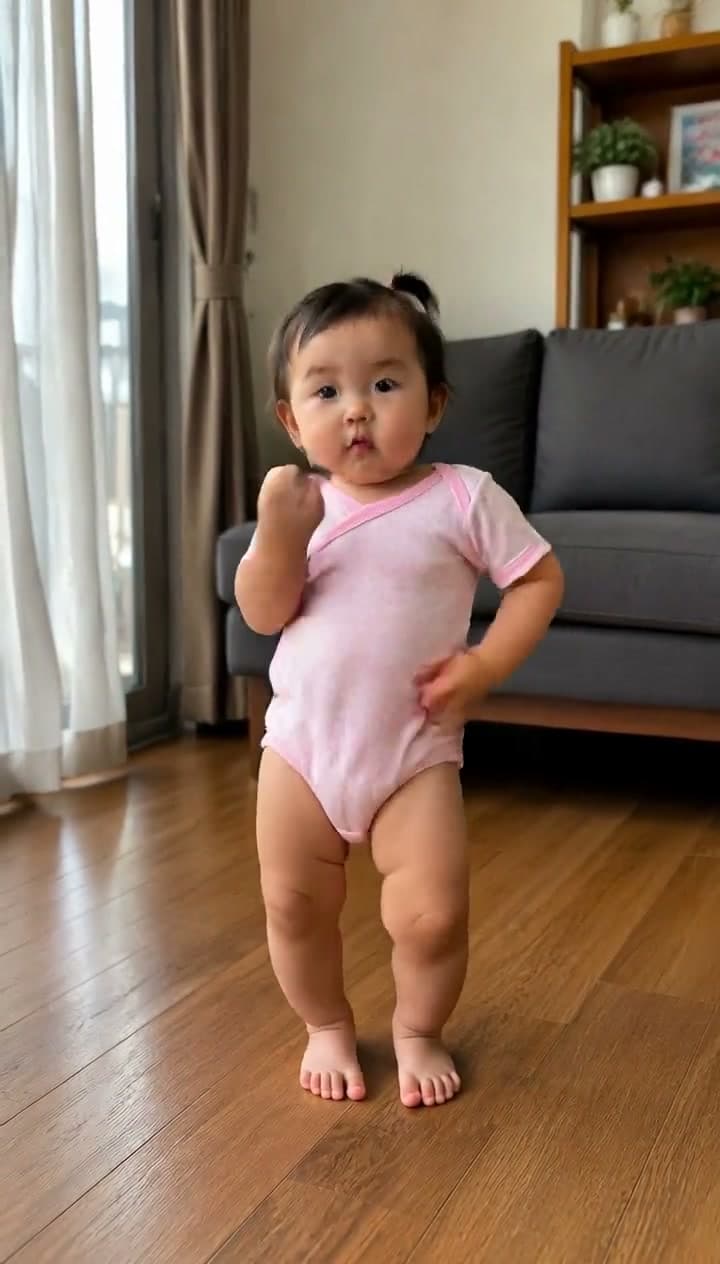
Want the dance instead? The same sound also picked up a remixed, heavier-beat version with a full routine — the cut the AI baby dance wave runs on. That's a separate Starrd template in the Dance category:
Your Next Opponent Is You Dance
The dance cut of the trend — drop any photo and watch them hit the routine to the remixed sound. A sway, a point, finger guns on '…you.' Babies, pets, anyone.
If you'd rather understand exactly what it's doing (or build it by hand), three steps.
Step 1 — Upload Your Photo(s)
The whole face-off is built off your face, so give the AI a clean one to lock onto.
- One photo or two. One recent photo and the AI generates a younger version of you. Two photos — a real childhood photo plus a recent one — and it uses both real faces. Two is the more authentic version: that's really you as a kid.
- Front-facing, well lit. Eyes visible, face not in shadow, minimal filters. The AI has to keep the same face structure and eyes across both ages — a clear photo is what makes the two selves read as one person.
- One person. This stars a single lead at two ages — just you.
Want to flip it? Add a Director's Note like "face my older self" and the AI ages you up instead — a future-you face-off. The default is your younger self.
Step 2 — Pick the Template
Everything that makes it read as the trend is pre-loaded, so there's nothing to configure:
- The staging — a dark cinematic arena, a single shaft of light, volumetric haze, a glossy reflective floor. A "VS" stage.
- The story — your present self walks in, your younger self is revealed across the floor, the dramatic "…you" wide shot, then the staredown and a final freeze.
- The voice-over — the front-loaded catchphrase ("Congratulations, you've moved on to the next level. Your next opponent is… you") with a held pause before the reveal. The music bed is intentionally left out so you can add the trending sound.
- 12 seconds, 16:9 — full landscape, ready for a sound swap.
Step 3 — Generate, Add the Sound, Share
Tap generate. The AI builds the storyboard, holds your likeness across both ages, and renders the 12-second face-off — a few minutes, no editing.
When it lands, post it with the trending audio: download the clip, drop it into TikTok or CapCut, and add the original "your next opponent is you" sound. That's how the trend spreads — the same audio is what the algorithm recognizes. Then share it.
Want to Write the Prompt Yourself?
If you're building a younger-self face-off by hand in another model, the trick is to lock the dark VS-arena, keep the two selves several feet apart (the gap is the tension), and insist they're the same person at two ages — same eyes, same face structure. Here's a clean shot prompt to start from:
A cinematic motivational face-off in a dark arena VS-stage — a single overhead shaft of light, volumetric haze, glossy reflective floor. On one side, a person's present adult self; far across the floor, their younger child self (same eyes, same face structure, the same person at two ages) — standing several feet apart, never close together. Low-angle wide, silhouettes in the haze, dramatic chiaroscuro, teal-and-amber color grade, film grain, photorealistic live-action. A confident woman's voice-over: "Congratulations. You've moved on to the next level. Your next opponent is… you." No on-screen text or logos.
The hard part by hand is keeping both selves looking like one person — the template handles that with a fixed same-person-at-two-ages reference, which is why the face-off actually lands.
Common Mistakes
- A dark or filtered photo. If the AI can't read your face clearly, the two selves drift into looking like different people. Clean, front-facing, lit.
- Expecting the original sound baked in. The clip ships with the voice-over but no music — that's on purpose. Add the trending audio yourself when you post; it's what makes it ride the trend.
- Letting the two selves stand too close. The face-off reads best with distance across the floor — that gap is the drama. The template keeps them apart.
- Overthinking the wardrobe. You don't dress for it. Bring the face; the AI handles the cinematic staging.
Related Reading
- Seedance 2.0: The Complete Guide — the model that keeps your face consistent across every shot.
- Viral AI Video Trends of 2026 — what's spreading right now and how to make each one.
- How to Make the Your Next Opponent Is You AI Dance — the dance cut of this same sound, built for babies and pets.
- How to Make an AI Dance Video — another one-photo, one-tap trend.