Quick answer
GPT Image 2 is OpenAI's image model from April 2026. GPT Image 2.5 (September 8, 2026) and GPT Image 2.6 (November 4, 2026) each ship in two versions: Flare, built for speed, and Sunburst, built for quality and precise edits. All three take up to 16 reference images and lead at readable text and at keeping a face during edits. GPT Image 2.6 Sunburst is first on the Artificial Analysis text-to-image leaderboard but uses several times more tokens per image; GPT Image 2.5 costs a flat 3 to 8 cents per image through resellers and is the better value. Prompt it with labeled sections, exact text in quotes, numbered references with a job each, and an explicit list of what must not change.
OpenAI shipped three versions of its image model in seven months. Here's what actually changed between them, what each one costs, and how to prompt them, from a team that renders well over a thousand GPT Image stills a week. Facts as of November 19, 2026.
The three versions
| GPT Image 2 | GPT Image 2.5 | GPT Image 2.6 | |
|---|---|---|---|
| Released | April 21, 2026 | September 8, 2026 | November 4, 2026 |
| Versions | One | Flare (speed), Sunburst (quality) | Flare, Sunburst |
| Text-to-image rank | #6 | #2 (Sunburst) | #1 (Sunburst) |
| Editing rank | #13 | #4 | #2 |
| New | 16 references, strong text | Higher quality, up to ~3840 px edges | 50% faster, GIF and SVG, complexity setting |
| Price on KIE | $0.03 / $0.05 / $0.08 | $0.03 / $0.05 / $0.08 | Token-billed |
Ranks: Artificial Analysis, read November 19. Prices per image at 1K / 2K / 4K on KIE. Release notes: OpenAI, OpenAI docs.
Which one should you use? GPT Image 2.5 for almost everything. It's within a few points of 2.6 on blind votes at a flat, predictable price. Use 2.6 Sunburst when a single image has to be as good as possible and cost doesn't matter, or when you need GIF or SVG output.
What it's best at
Text you can read. Posters, menus, game screens and infographics. The GPT models are the most reliable at small, correct lettering.
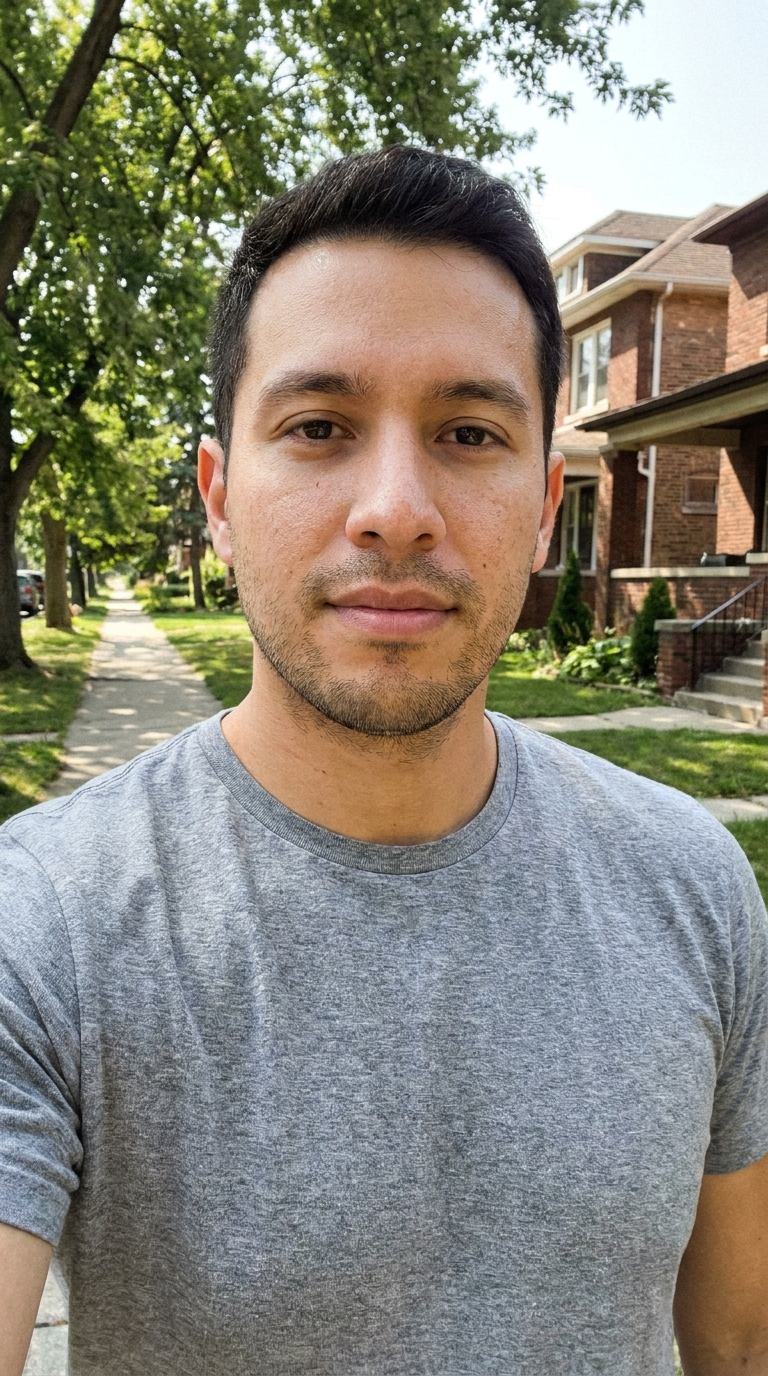
Same source photo
GPT Image 2: a selfie turned into a WANTED card
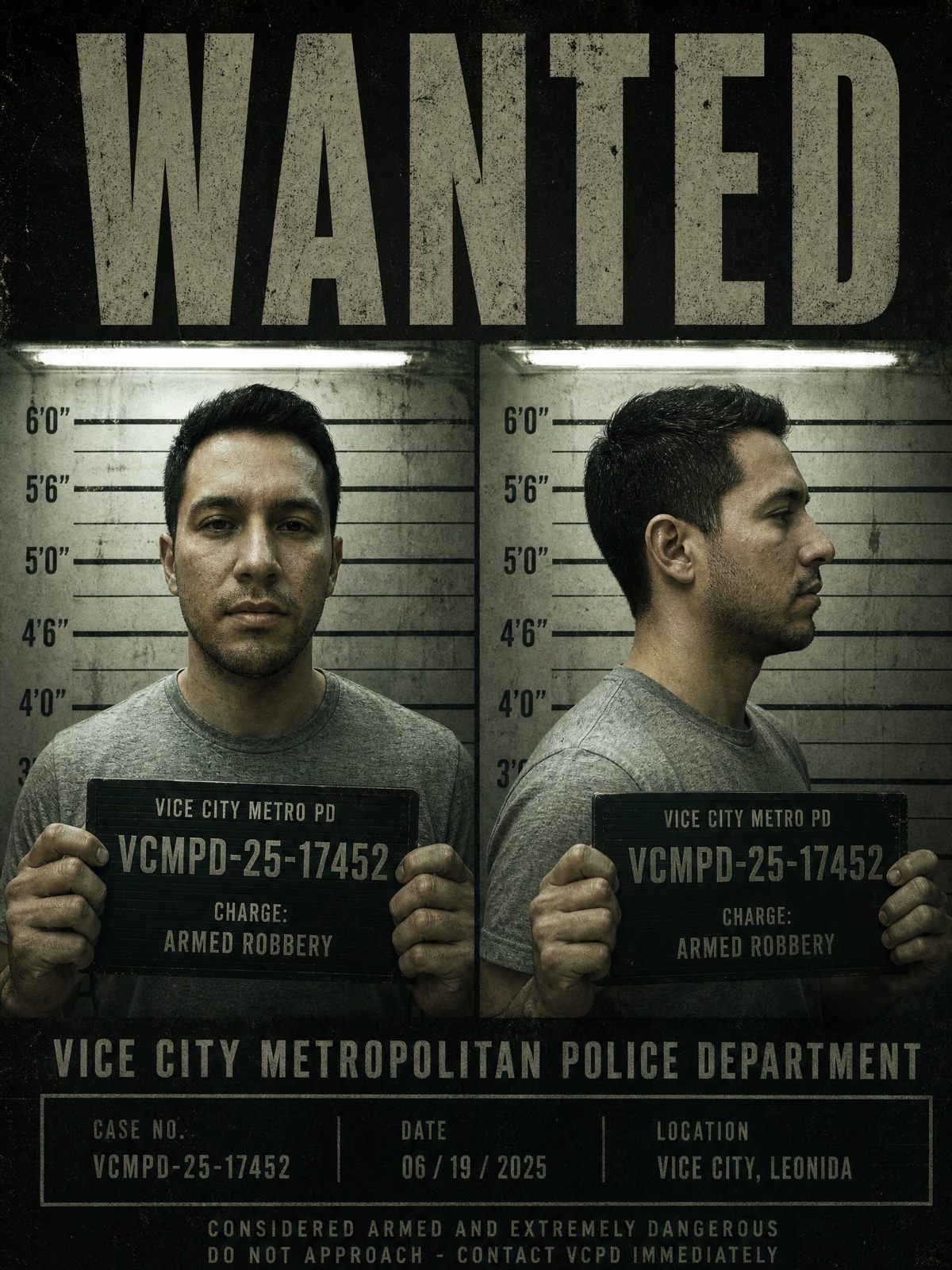
The face holds and the card text is clean, the two things GPT Image does better than anyone.
Keeping a real face. When you list what must not change, GPT Image holds identity better than Nano Banana or Seedream. That's why we moved almost every Starrd template's first frame to GPT Image 2.5 on November 17: on the same photos and prompts, Nano Banana Pro returned cartoon-looking character sheets on templates that asked for photoreal, and GPT 2.5 didn't.
Many references. Up to 16 images in one edit: a face, an outfit, a room, a style frame.
What it's bad at
- Grain. When ChatGPT Images 2.5 launched, Reddit users complained about noisy skies and flat backgrounds, and TechRadar's own tests agreed.
- Plastic skin in product edits, and faces drifting when several people share the frame (OpenAI forum).
- Refusals. It turns down some costumes and heavy makeup other models allow. We keep two templates on Nano Banana Pro for exactly that: a zombie makeup look GPT dropped, and costumes it refused.
- Cost surprises on 2.6. Community tests at 1K found 2.6 uses about 4.2 times the output tokens of 2.5 at low quality and 3.3 times at medium. OpenAI hasn't confirmed this, so check
usage.output_tokenson a real call before you budget. - 4:5 on 2.5. In our tests GPT Image 2.5 rejected 4:5 even though the docs list it. Use 3:4 for portrait.
How to prompt GPT Image
These come from OpenAI's image prompting guide and from our own templates.
- Use labeled sections. Scene, subject, details, constraints. The model follows structure better than one long sentence.
- Put exact text in quotes, then say "no other text". Use medium quality or higher for small lettering.
- Number your references and give each a job. "Image 1 is the subject. Image 2 is the outfit. Image 3 is the background."
- Say what changes, then what doesn't. "Change only the jacket to red leather. Do not change the face, facial features, skin tone, hair, body shape, pose or identity."
- One change per edit. Five changes at once is how faces drift.
- Ask for photoreal explicitly, with "natural skin texture, visible pores", or GPT tends toward a polished look.
- On 2.6, try the
complexitysetting. It defaults to high. Compare low and high at the same quality before you decide it's worth the tokens.
Image 1 is the subject. Keep their face, facial features, skin tone, hair and body shape exactly as in Image 1.Scene: the subject standing on a red carpet at a film premiere, photographers behind a rope, flashes going off.
Details: black tuxedo, slight smile, looking just past the camera. Natural skin texture, visible pores, photoreal.
Text: a step-and-repeat banner behind them reads "PREMIERE" in white. No other text.
Format: vertical 3:4.
Price: what you'll actually pay
- OpenAI API: $5 per million text input tokens, $8 per million image input tokens, $30 per million image output tokens, the same for 2, 2.5 and 2.6. Batch halves output.
- Resellers: KIE sells GPT Image 2 and 2.5 at a flat $0.03 / $0.05 / $0.08 per image (1K / 2K / 4K), and 2.6 by token (plus a $0.025 "Economy" 1K tier).
Using GPT Image 2.5 in Starrd
You don't need an API key. Starrd's Custom mode has GPT Image 2.5 as its default photo model: add up to 10 photos, write the scene, and get 2K images for 10 credits for one or 30 for four.
Open the red carpet prompt in Starrd
Every video template works the same way underneath: GPT Image 2.5 draws you into the first frame, then a video model (Seedance, Kling or Grok) animates it.
One selfie in. The still is GPT Image 2.5; the motion is the video model. 100 credits.
Make thisWant a recurring character instead of a one-off? Character Studio makes a portrait plus a four-view character sheet with GPT Image 2, for 20 credits.
Compare it with the rest of the field in the best AI image generators of 2026.