Quick answer
To make the AI personal trainer prank, film your real living room or workout space, then insert a muscular AI trainer in a tank top who glances at the camera and says 'ready for your session?' — and send it to your partner as playful jealousy bait. Lock the camera so your real background stays put. Starrd's Personal Trainer template does it from one short clip.
The Prank
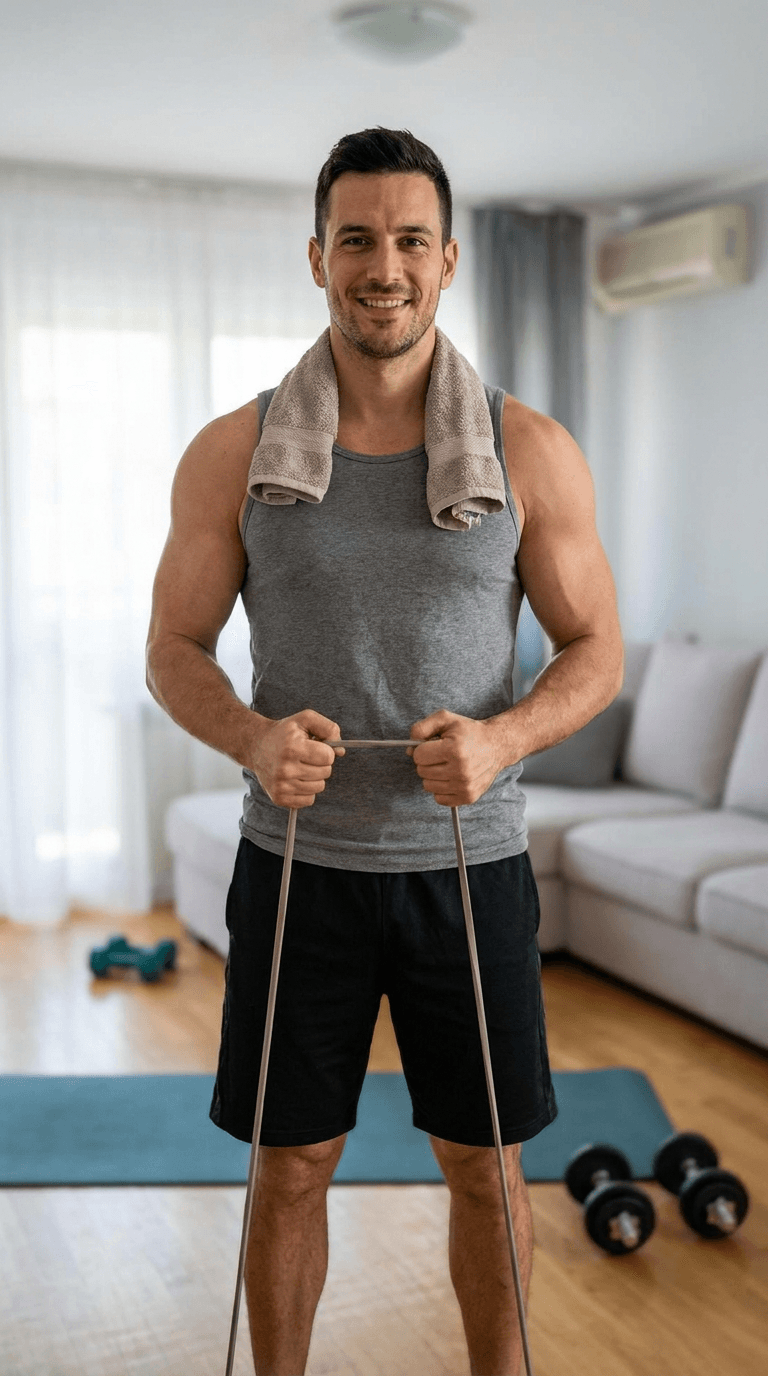
You text your partner a video. No caption. It's your living room — the real one, same couch, same light — and there's a muscular guy in a tank top standing on a yoga mat with a resistance band. He looks toward the camera, gives an easy smile, and says, "Hey — ready for your session?"
You did not book a trainer. The trainer isn't real. But it's your room, filmed on your phone, so for about four seconds your partner's brain goes somewhere fun before the laughing-emoji panic sets in. That's the whole bit: harmless jealousy bait that looks like genuine footage.
This is one specific recipe from the broader AI prank video trend — the at-home cousin of the shirtless plumber. Here's how to nail this one.
The Fastest Way
The Starrd Personal Trainer template has the character and the default line already loaded. You film the clip, tap once, and it's done.
Personal Trainer
Film your living room and we add the trainer who 'came for your session.' Default line: 'Hey — ready for your session?' One clip, one tap.
If you'd rather build it by hand, three steps.
Step 1 — Film the Living Room (or Workout Space)
The realism of the room is what sells the fake person, so give the AI a clean, boring shot to work with.
- Frame an open patch of floor. The trainer appears standing or stretching in an open area — leave that spot clear.
- Hold it fairly steady. A static handheld shot or a slow pan. No fast moves; motion blur breaks the insert.
- Light it normally. Daylight or room lights. Dark, grainy footage makes the seams show.
- Keep it 5–12 seconds and frame it like you casually walked in filming — that "wait, who's here?" energy is the realism.
Leave a yoga mat or a couple of dumbbells in frame — it makes the "I booked a session" cover story land before he even speaks. You're shooting the "before"; the AI fills in the trainer.
Step 2 — The Prompt
Insert the character, give him one small action and the line, and lock your camera so the model keeps your real room.
Keep the original room, lighting, and camera exactly as in the reference video — static handheld shot, the camera does not move. Add one new person: a handsome, muscular personal trainer in his 30s, fitted athletic tank top and gym shorts, towel around his neck, holding a resistance band, standing on an open patch of floor. Halfway through he glances toward the camera, gives an easy smile, and says in a relaxed voice, "Hey — ready for your session?" Keep the original background audio. He is the only thing added; do not change anything else in the room.
The "static shot, camera does not move, same room and lighting" clause is doing the heavy lifting — without it, Seedance treats your clip as a loose reference and the room drifts.
Step 3 — Model and Send
Run it on Seedance 2.0 — the multimodal model that takes your reference video plus the character image and generates the trainer with a voice. (The Starrd template already uses it.)
Then send it cold. No "look at this," no setup — just the clip, dropped into the chat. Screen-record the reply, because the reply is the post. And reveal it quickly: this is a joke, not an accusation.
Keep it a harmless bit on someone who'll laugh, and tell them it's fake right after. Don't use a fake stranger to genuinely accuse, scare, or deceive anyone.
Common Mistakes
- No open floor — nowhere for him to stand, so the model warps your furniture. Clear a patch.
- Too dark or too shaky — the trainer comes out smeared. Slow down, add light.
- Skipping the camera lock — the room drifts mid-clip. Always pin "static shot, same room."
- Letting it land too real — the gag is the reveal. Don't leave anyone actually believing it.
Related Reading
- How to Make an AI Prank Video — the full method behind every video-to-video prank.
- How to Make the Shirtless Plumber Prank Video — the original, start to finish.
- How to Make the AI Pool Boy Prank Video — the same jealousy bit, out by the pool.
- Seedance 2.0 Prompt Guide — camera locks and the language that keeps a scene stable.