Quick answer
To keep an AI character consistent across videos, make one clean reference image of the character first, then generate every video from that image instead of from text alone. Reuse the exact same written description each time, keep the outfit fixed, and change only the setting and the action. Text-only prompts redraw the face on every run, which is why characters drift. Starrd's upcoming Character Studio (coming soon, not live yet) saves a character once so every template starts from the same reference.
The thing that kills most AI characters isn't the idea. It's drift: the hair is shorter in video two, the moustache changes shape in video three, and by video five nobody's sure it's the same character. Here's how to stop that.
Why Characters Drift
A prompt like "a man with a blond bob and a curled moustache" describes thousands of possible people. The model picks a different one each time. Words set the type; only an image sets the person.
The Method
1. Make the reference image first. One clean picture of the character: facing the camera, good light, the whole outfit visible, plain background. This image is the character. Save it.
Here's what that looks like. One portrait, then a sheet made from it so every angle matches:
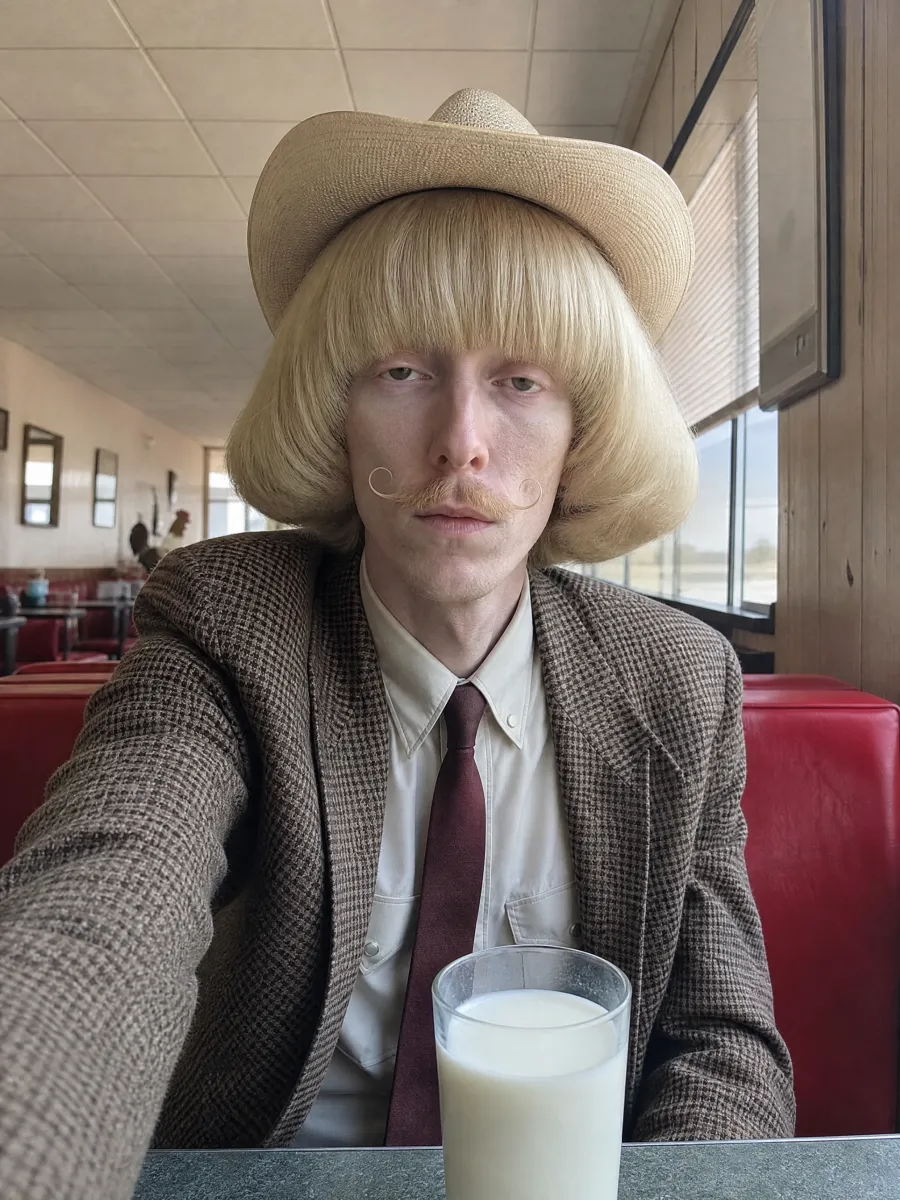
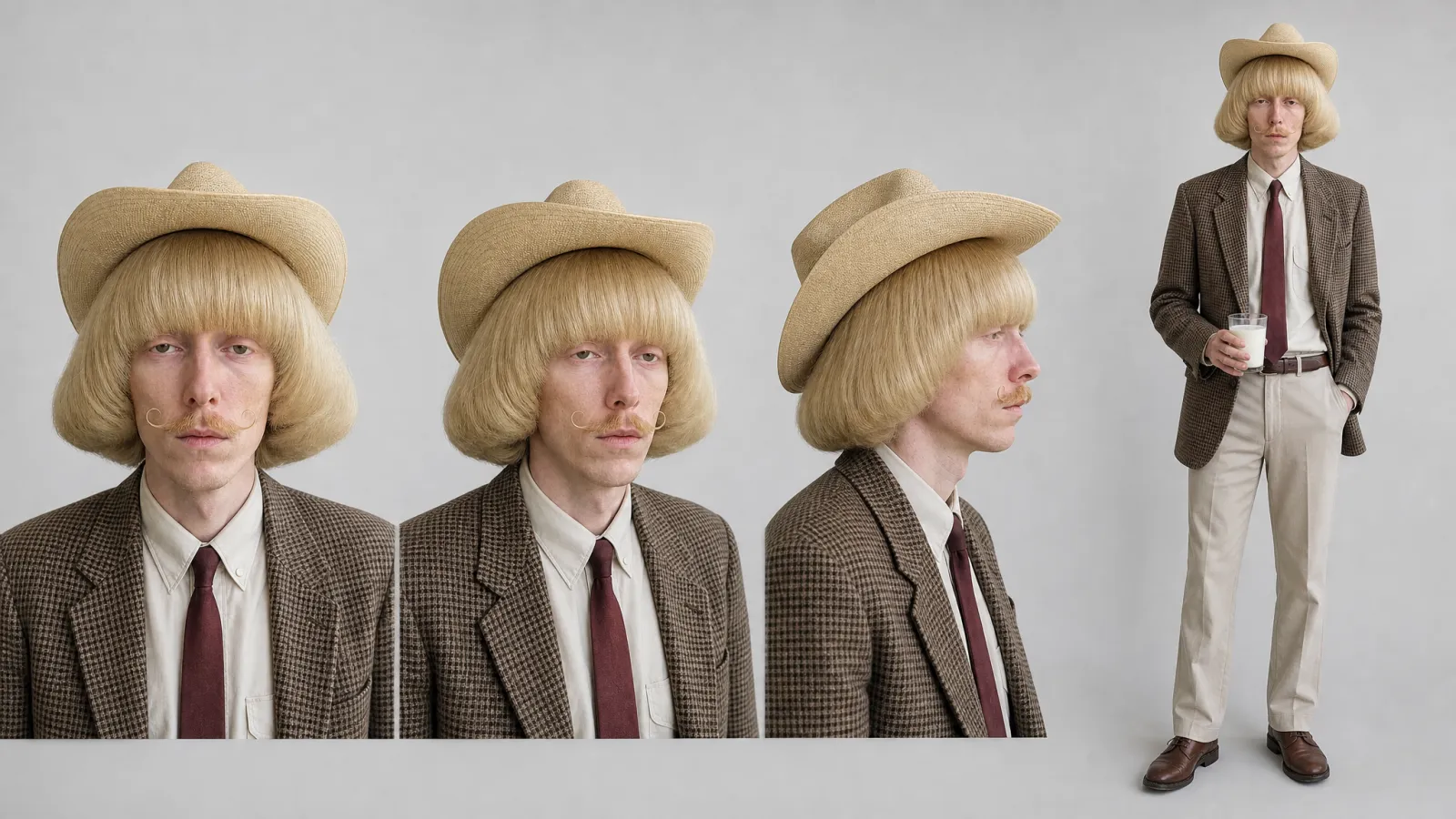
Wade is one of Starrd's own Jean Phil-style example characters (not Jean Phil, not a real person). The sheet was generated from the portrait, so the bob, the hat, the moustache and the blazer stay the same from every angle. That sheet is what you generate videos from.
2. Write the description once. One or two sentences covering the face, hair, outfit and one signature detail. Copy and paste it every time. Don't rephrase it.
3. Generate every video from the reference. Use image-to-video or a reference-image mode, not text-to-video. The model then copies the face from the picture instead of inventing one.
4. Change only the setting and the action. "Same character, now in a laundromat." Keep everything about the character out of the part of the prompt you edit.
5. Check the face before you post. Put the new clip next to the reference. If the face, hair or outfit changed, regenerate. One off-model video teaches viewers the character isn't fixed.
The character from the reference image: a tall man with a short silver buzz cut, a thick black moustache, round gold glasses and a mustard corduroy suit. Same face, same glasses, same suit as the reference. Now: standing in a busy laundromat, folding one sock very seriously.
What Breaks Consistency
Close-ups mixed with wide shots. A tight face shot and a full-body shot can come out as two different people. Pick one framing for your series and keep it.
Busy reference images. A hat, sunglasses and a crowd behind the character give the model too many things to copy. Keep the reference plain.
Changing the outfit early. The outfit is half the recognition. Leave it alone until people know the character.
Rewriting the description. "Silver buzz cut" and "short grey hair" are different instructions. Paste, don't paraphrase.
What Already Works on Starrd
Every Starrd template already keeps one face consistent: yours, from one photo. The same photo gives you the same person in every template:
Same photo, same face, different templates. Works today with a photo of you.
Slap Contest
You at the slap-fighting table, one dramatic knockout slap. Works today with your photo.