
We're experiencing high traffic. Generations are taking longer than usual. Thanks for your patience.

how toai characterhow to make an ai character of yourselfcreate ai character from photoai look alikeai look alike generatorai version of yourselfturn yourself into a charactercharacter studio

How to Make an AI Character of Yourself (From One Photo, 2026)

Turn yourself into an AI character, as a cartoon, a figurine, a movie character or a look-alike you can put in any video. What photo to use, what keeps it looking like you, and what's coming in Starrd's Character Studio.

Starrd Team|October 1, 20263 min read

Quick answer

To make an AI character of yourself, start with one clear, well-lit photo of your face and, if possible, your whole body. Pick one style (cartoon, action figure, 1980s cop, claymation) and keep it fixed, then generate every image or video from that same photo so the character still looks like you. On Starrd you can already drop yourself into any video template from one photo. The upcoming Character Studio (coming soon, not live yet) will add a "You in a Style" character you save once and reuse.

The easiest AI character to make is you. You already have the reference photo, nobody can say you copied them, and your friends will recognise it instantly. Here's how to do it well.

Step 1: Use the Right Photo

  • One person, facing the camera. No group shots.
  • Good, even light. Daylight near a window is best.
  • Nothing on the face. No sunglasses, no hat brim shadow, no heavy filter.
  • Full body if you can. For videos where you move, the model needs to see your shape.
Pro Tip

The photo decides the face; the prompt decides the style. If the result doesn't look like you, change the photo before you change the prompt.

Step 2: Pick One Style and Keep It

A character needs a fixed look. Pick one: cartoon, claymation, action figure, anime, a 1980s cop show, a renaissance painting. Write it in one sentence and reuse that sentence every time.

The style changes how a character is drawn, not who it is. Two of our own examples, both the same Jean Phil-style look in a different style:
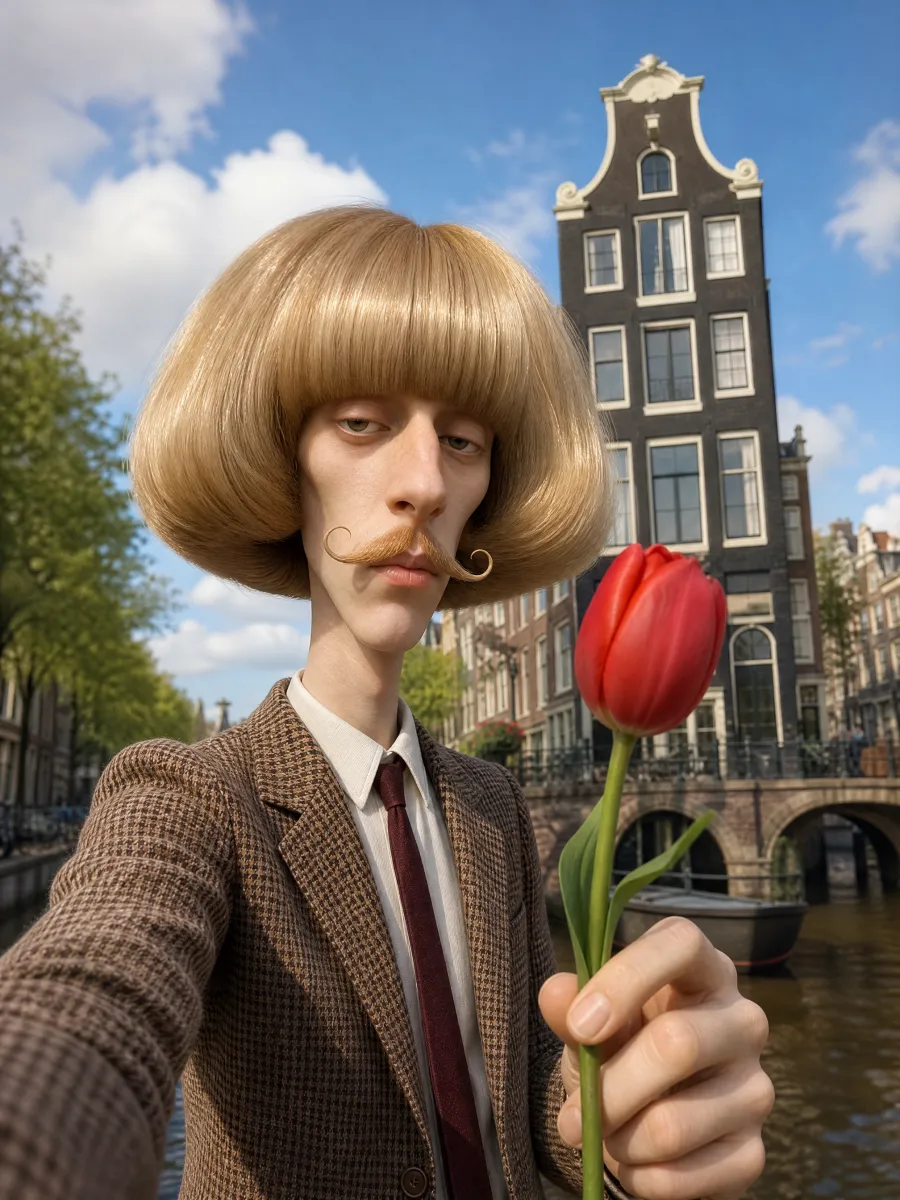
Pim, a 3D animated Jean Phil-style AI character by Starrd with a huge blond bob and curled moustache holding a red tulip3D animated

Pim

3D animated: soft, rounded, feature-film look.
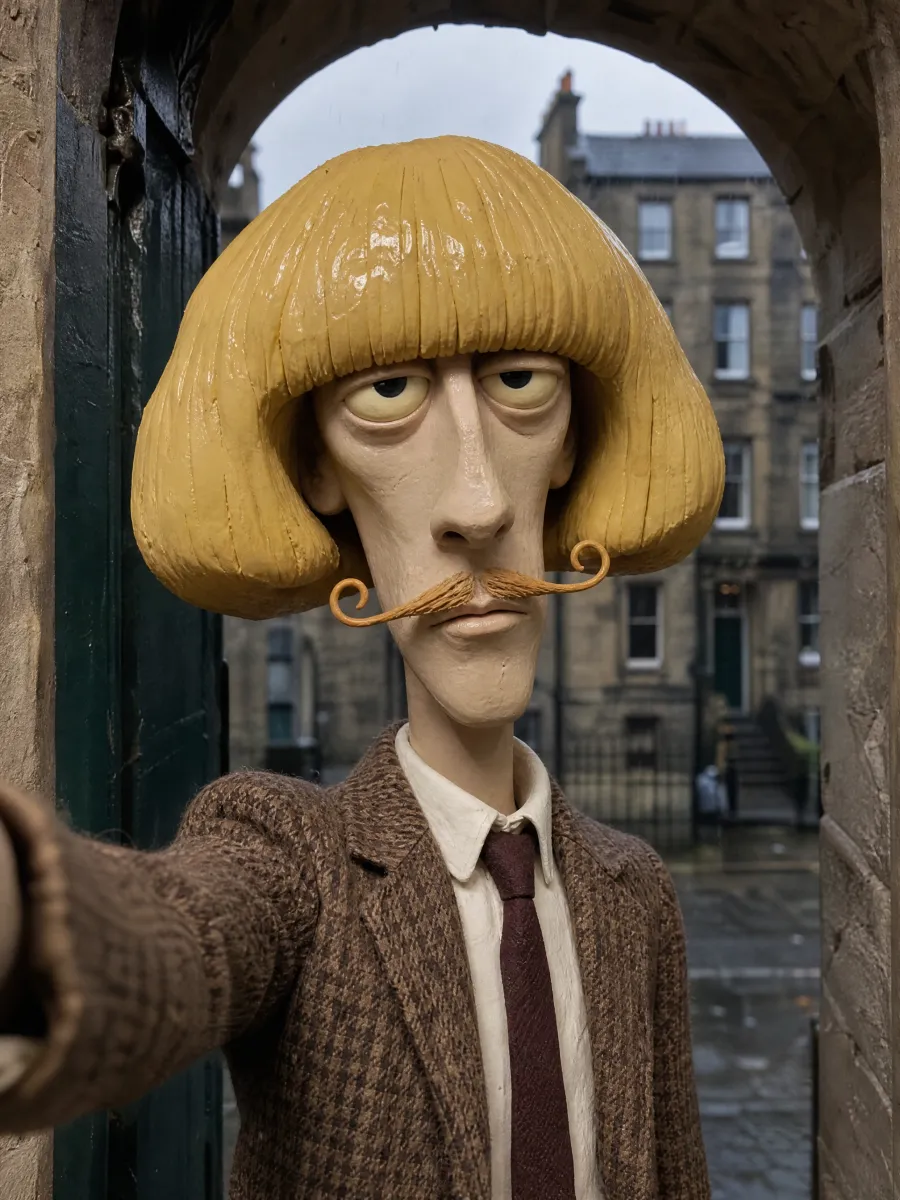
Barnaby, a claymation Jean Phil-style AI character by Starrd with a huge yellow clay bob and curled moustacheClaymation

Barnaby

Claymation: plasticine texture, tiny handmade set.

Starrd's own Jean Phil-style example characters in two non-photo styles, not Jean Phil and not real people. With your own photo, the same styles apply to your face.

Starrd's action figure template is one example of a fixed style built from one selfie:

AI Action Figure

One selfie becomes a boxed action figure. Works today.

Make this

Step 3: Put Your Character in Scenes

Once the look is fixed, change only the scene. Every Starrd template already does this with your plain photo:

Templates that work today from one photo of you. With the Character Studio, a styled version of you can star instead.

Hit The Road Dude

You as the grumpy truck driver from the viral private-property clip. Works today.

Try It

Common Mistakes

A different photo each time. Every new photo is a slightly different you. Pick one and keep using it.

A new style every post. Cartoon one day, anime the next, and it stops being a character.

Using a friend's face without asking. Get a yes first.

Frequently Asked Questions

How do I turn myself into an AI character?

Use one clear photo of yourself as the reference, choose one style, and generate from that photo every time. The photo keeps the face yours; the style turns you into a character.

What photo works best?

One person, facing the camera, good light, nothing covering the face. A full-body photo helps for videos where the character moves. Avoid sunglasses, hats, group shots and heavy filters.

Can I make an AI look-alike of someone else?

Only with their permission. Making a character of a real person who hasn't agreed, especially a public figure, breaks platform rules. Use your own photo, or a made-up face.

Can I put myself in a video on Starrd today?

Yes. Every Starrd template works from one photo of you, from Hit the Road Dude to Slap Contest to Kiss Cam. What's coming is the Character Studio, which will save a styled version of you to reuse across templates.

When is the Character Studio launching?

It's coming soon, with no public date yet. It will let you pick a type such as You in a Style, a few quick options, an optional description and optional reference photos, then use that character in any template.

Part of Make Your Own AI Character

More guides in this series

Related Articles

Ready to create your own video?

Pick a template, upload your photos, and generate a cinematic AI video in minutes.

Browse Templates