Quick answer
As of November 16, 2026, Instagram lets eligible creators add Amazon affiliate links straight to Reels, feed posts and carousels, not just Stories and bios. Connect your Amazon Influencer account in Professional Dashboard → Monetization, then tag Amazon products when you post: Instagram adds your affiliate tag automatically, shows each product's estimated commission rate, and opens the Amazon Shopping app on tap. Up to 30 products per Reel and 20 per feed post. Instagram takes no cut. Amazon product linking launched for US creators in the Amazon Influencer program. Disclose every post (#CommissionsEarned or #ad) and turn on Instagram's AI label for any AI-made video.
What Changed on November 16
Until this week, an Amazon affiliate on Instagram had three places to put a link: a Story sticker, a DM, or the bio. The Reel got the views, but the link was somewhere else. Instagram has now closed that gap: eligible creators can tag Amazon products, with their affiliate link attached, directly on Reels, feed posts and carousels.
The details, from Instagram's announcement and the launch coverage:
| Where | Reels, feed posts, carousels |
| How many | Up to 30 products per Reel, 20 per feed post |
| Tap goes to | The Amazon Shopping app |
| Instagram's cut | None: no commission, no transaction fee |
| Who pays you | Amazon, under its own commission rates |
| Before you post | Each product shows its estimated commission rate |
| Who has it | US creators in the Amazon Influencer program; LTK and ShopMy collection links in the US and Canada |
Instagram told TechCrunch that product links on Reels and posts get about twice as many clicks as bio links. That's Instagram's own number, but the logic holds: a viewer who wants the thing in the video no longer has to leave the video to find it.
The timing matters too. The feature arrived eleven days before Black Friday (November 27), the biggest affiliate week of the year.
Fastest way to fill it — a tagged Reel still needs a Reel. Product Ad Studio turns one photo of the product into a 10 or 15 second vertical clip of a presenter holding it and pitching it to a phone camera. From 100 credits, no filming. How to set up the links comes first, below. ↓
How to Set It Up
- Switch to a professional account (Creator or Business) if you're not on one already. Settings → Account type and tools.
- Join the Amazon Influencer program if you haven't. You apply with your Instagram account and Amazon reviews it. Amazon doesn't publish a hard follower minimum; it looks at audience size and engagement. Being an Amazon Associate alone isn't the same thing.
- Connect the accounts. Professional Dashboard → Monetization → connect your Amazon Influencer account. If the Monetization option for Amazon isn't there, your account isn't eligible yet.
- Optionally connect Amazon Associates too. Then any Amazon product you attach gets your attribution automatically, even when you paste a plain product URL instead of a SiteStripe link.
- Tag products when you post. In the Reel or post composer, use Add products, search or paste the Amazon product, check the estimated commission rate, and publish. Instagram adds the image preview and your tag.
Already on LTK or ShopMy? The same Add products tool takes their links. Paste a collection link and Instagram imports every product it can link, each keeping its LTK or ShopMy attribution.
Disclose It (Two Separate Things)
The feature doesn't disclose anything for you. You need two separate disclosures:
- The affiliate disclosure. Amazon's own guidance lists
#CommissionsEarned,#ador(paid link)as clear wording. Put it at the start of the caption, where people see it without tapping "more". Keep "As an Amazon Associate I earn from qualifying purchases" in your bio. The FTC also expects the disclosure where people will actually see it, and for video that ideally means on screen too. - The AI label, if the video is AI-made. Meta requires its AI label on photorealistic video or realistic-sounding audio that was made or altered with AI, and warns of penalties for skipping it. It's a toggle on upload. A labeled AI Reel can still earn. An unlabeled one risks being taken down.
The Real Bottleneck: One Reel per Product
The links are now free and built into the post. The Reels aren't. An Amazon storefront can carry hundreds of products, and filming each one means unboxing it, lighting it, recording a take you like and editing it. For most affiliates, the number of Reels they can film is the cap on how many products they can earn from.
That's the part AI can take off your plate, for products you already have in hand.
Prompt used
Bella, a real product from a straight-on photo, pitched to a handheld phone camera. No music or captions baked in, so you add a trending sound in Instagram's editor.
How it works in Product Ad Studio:
- Photograph the product you bought or were sent. Straight on, plain background, label readable. Use your own photo, not the Amazon listing image: listing photos belong to the seller, and Amazon's Associates terms restrict how you can use and alter them. A photo of the item on your own counter is also simply more convincing.
- Pick who presents it. Upload a selfie and pick Me for your own face without filming, or one of eight cast presenters if you run a faceless page.
- Pick a room and a format: kitchen counter, bedroom desk, car front seat and more; talk to camera, unboxing, show and try, or walk and talk.
- Approve the line. The studio drafts a short hook and one line from your product description. Edit it to one true thing about the product.
- Choose "Reels, TikTok" on the last step. You get a 9:16 clip, 10 seconds (100 credits) or 15 seconds (150 credits), in a few minutes.
Then post it on Instagram, tag the Amazon product, add your disclosure and turn on the AI label.
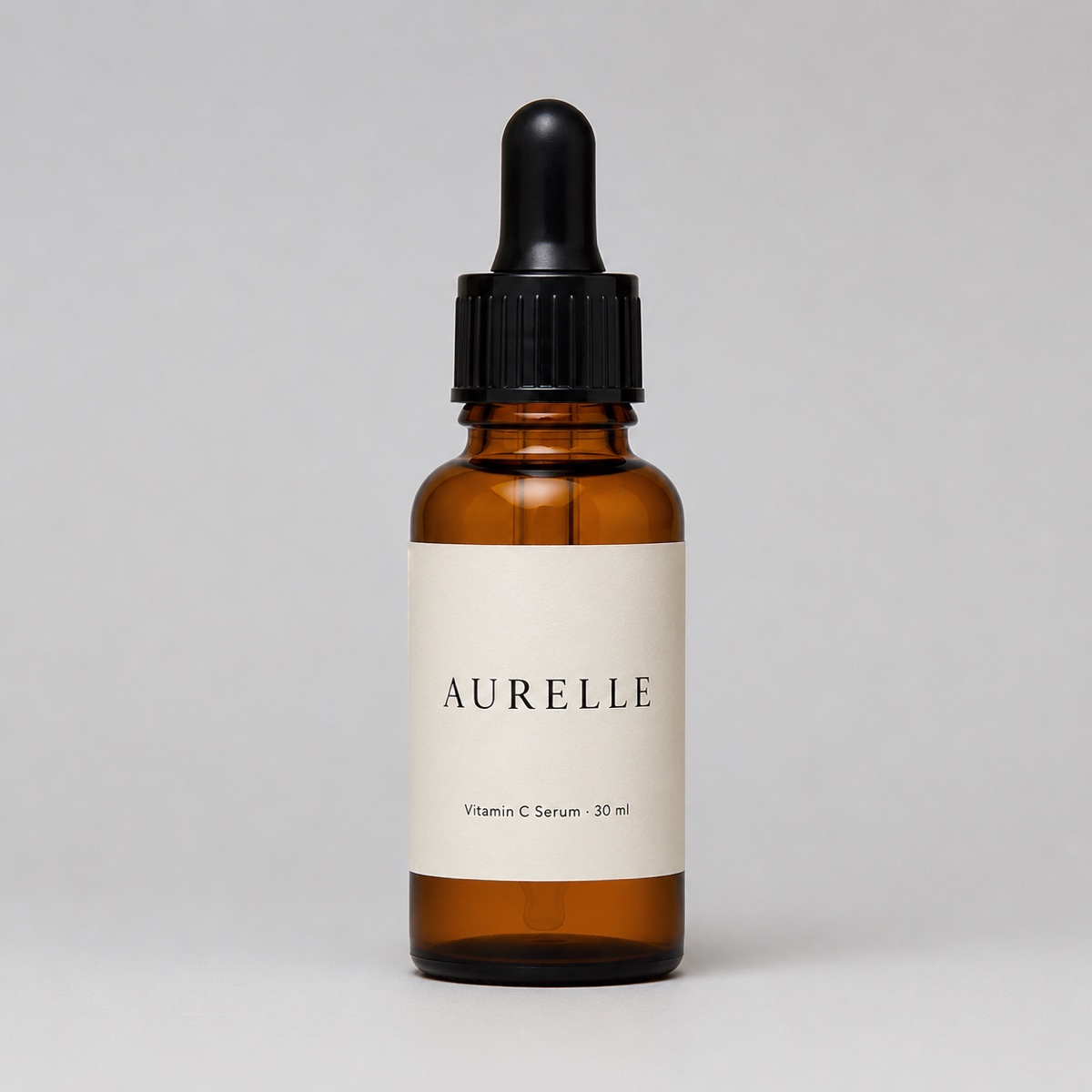
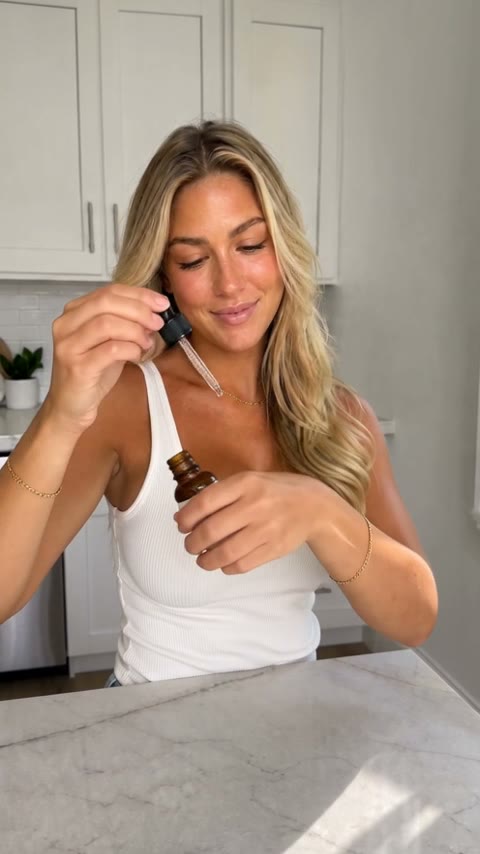
The straight-on photo is the only input. The bottle, colour and label carry into the Reel, with a dedicated close-up.
Product Ad Studio
One photo of the product in, a vertical 10 or 15 second spoken Reel out. A presenter (you, or one of eight) holds it and pitches it to a phone camera. From 100 credits.
What Makes a Tagged Reel Earn
- The product is in frame from the first second. People tap a tag when they've already decided they want the thing. Don't make them wait to see it.
- One claim, said out loud. "Holds a full laptop and still fits under the seat" works. A list of features doesn't.
- Tell them where to tap. End on "it's tagged" or "tap the product". The tag only works if people know it's there.
- Tag only what's in the video. You can tag 30 products, but a Reel about one lamp with 30 tags reads as spam. Save multi-tag posts for "everything on my desk" carousels.
- Test hooks in batches. When each Reel takes minutes instead of an afternoon, make three versions of one product with different hooks and keep the one that gets taps.
What Not to Do With AI
The FTC's rule on fake reviews, in force since October 2024, bans testimonials that misrepresent who is speaking or what they experienced, and it names AI-generated reviews specifically. For an affiliate, that means:
- An AI presenter can show and describe a product. It can't vouch for it. Avoid scripts like "I've used this every day for three months" coming from a presenter who doesn't exist. Use "this one folds flat and holds four pairs" instead.
- Don't caption it as a review. "Found this under $30, linked" is honest. "My honest review" over an AI presenter isn't.
- If it's your own face via Me, a claim from your own real experience is yours to make. It still needs the AI label, because the video is generated.
Related Reading
- How to make faceless Amazon affiliate Reels with AI: running a no-face affiliate page, with ten honest scripts.
- How to make a UGC ad with AI from one product photo: every option in Product Ad Studio explained.
- UGC ad script examples: 30 hooks and lines that fit
- How to make a TikTok Shop product video without filming yourself