Quick answer
You do not need to film yourself to have a TikTok Shop product video. Start from one clean product photo, and an AI product ad studio generates a presenter holding your exact product, talking to a handheld phone camera in a real-looking room, with a two-line script spoken and lip-synced. Starrd's Product Ad Studio renders a vertical 10 or 15 second clip with no music, captions or logo baked in, so you post it as-is or drop it into CapCut. From 100 credits, a few minutes.
Why the Product Card Wants a Person
A TikTok Shop card with a spinning product render gets treated like an ad. The same product held by a person who says one true sentence about it gets treated like a recommendation. That is the whole gap, and it is why sellers pay creators for clips that take a day to arrange and a week to arrive.
You can skip the arranging. Start from the product photo you already have.
Prompt used
Sofia, storefront, unboxing beat. The can, the label and the colour are the ones in the photo.
Fastest way — Product Ad Studio: upload the product, pick who sells it, approve the line, choose "Reels, TikTok" on the last step. Ten or fifteen seconds, from 100 credits. The rest of this post is what to feed it. ↓
What the Format Actually Needs
The rules of a product video that works on TikTok Shop are not a secret; they are just easy to break when you are trying to make it look nice.
| Rule | Why | What the studio does about it |
|---|---|---|
| Vertical, 9:16 | It fills the phone; letterboxed video reads as repurposed | Renders 9:16 when you pick Reels, TikTok |
| A face in the first second | A person is the reason to stop scrolling | Every format opens on the presenter |
| Product visible by second two | Viewers decide what this is about immediately | Product in hand from the first frame |
| One claim, spoken | Overlays get skimmed; speech gets heard | Two-line script, lip-synced |
| Phone-camera look | Studio light and a logo animation read as an ad | Handheld wobble, natural light, no logo, no captions |
| Under 20 seconds | Product cards loop; long clips do not finish | 10 or 15 second cuts |
Step 1 — One Clean Product Photo
Straight on, plain background, label readable. That is it. If you sell on Shopify or Etsy you already have this shot; it is your listing hero.
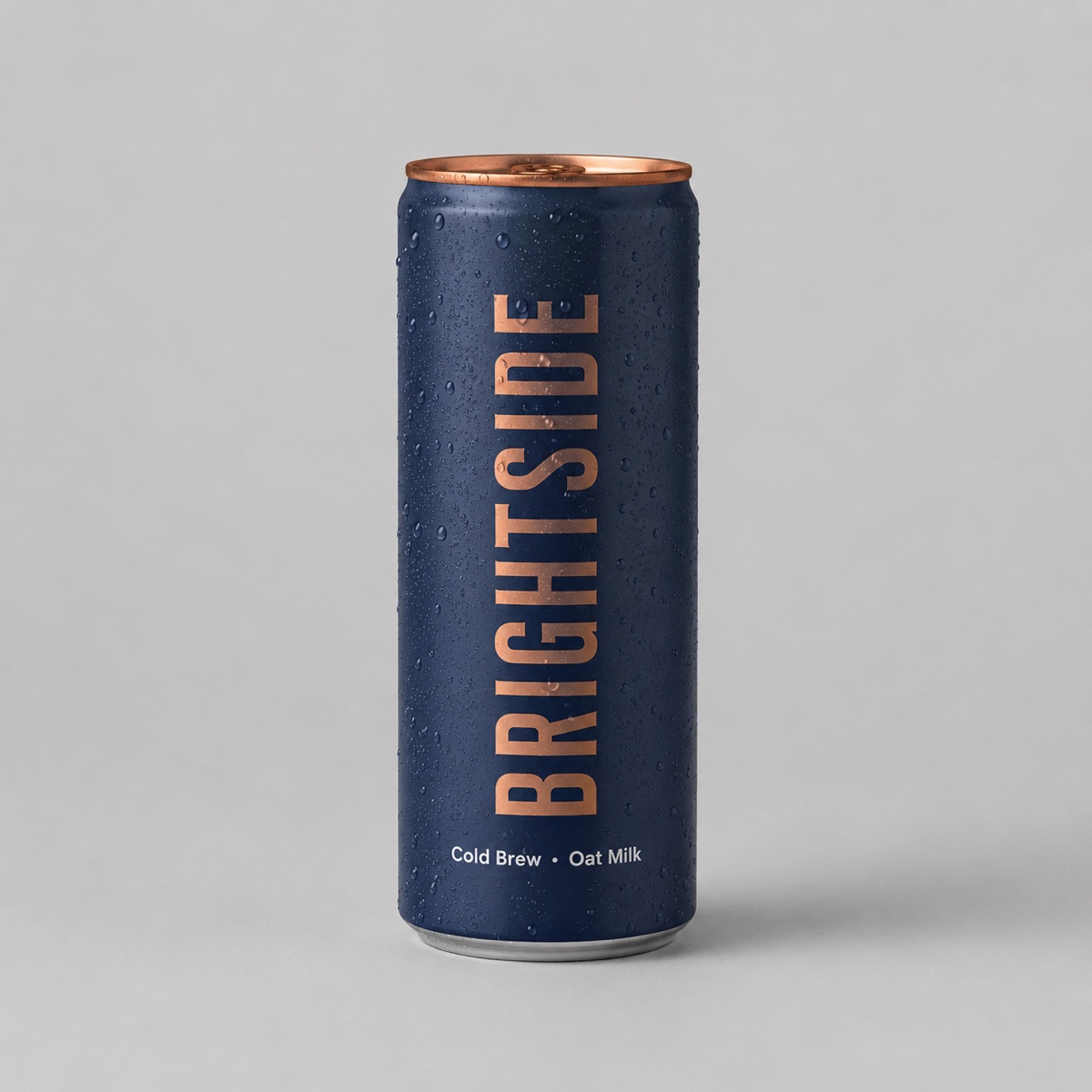
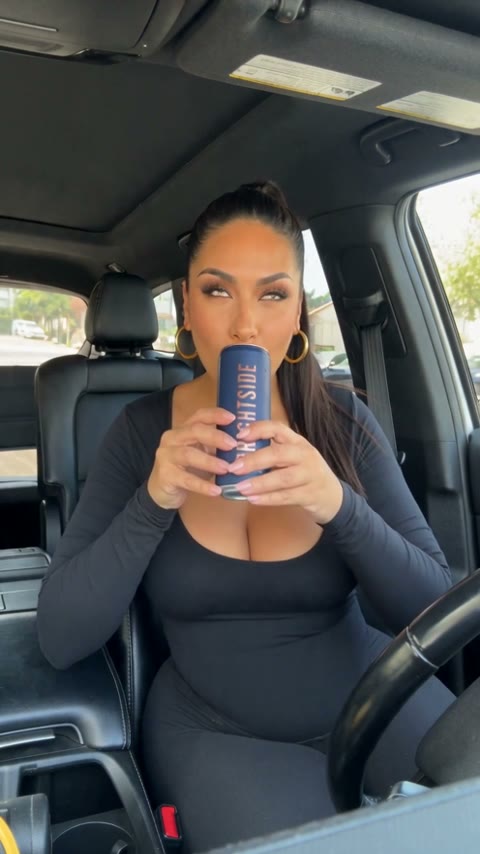
The listing photo on the left is the only input. Add up to two more angles if you have them; the close-up is built from those.
Skip the lifestyle shot with the product on a picnic blanket. The model has to guess which object is yours, and it will sometimes guess the blanket. Plain background, always.
Step 2 — Pick the Seller and the Room
For a Shop card, the presenter should look like a customer, not a host. The glam presenters (Chloe, Mia, Sofia, Bella) suit beauty, drinks and fitness; Ryan suits gadgets and apparel; Marcus and Grace suit home, food and gifts. If it is your own brand, pick Me and upload a selfie: a founder holding their product outperforms any cast member on a small account.
Rooms that read as "someone's actual life" convert best on Shop: kitchen counter, bedroom desk, car front seat. Save the studio backdrop for a product page.
Prompt used
Deadpan works for clothing: "this is heavier than it looks" is a claim a viewer believes because nobody is excited about it.
Step 3 — Say One True Thing
The studio drafts a hook and a line from your product description. Keep the claim to one thing you can stand behind, in the words a customer would use:
- "Ice still there after eight hours" beats "premium double-wall insulation".
- "Two weeks and it's brighter" beats "clinically proven radiance".
- End on where to get it: "it's in the Shop tab", "link is below", "tap the cart".
Thirty ready-to-use scripts sorted by product type are in the UGC script examples post. The word limits there are not style; they are what keeps the lip sync tight.
Step 4 — Post It Right
- Disclose it. TikTok's AI-generated content toggle on upload. It does not hurt reach and it keeps the video up.
- Caption it as a pitch, not a review. "Our new sparkling tea, link in the Shop tab" is honest. "Customer review" is not, because it is not.
- Add sound in the app, not before. The clip ships with voice and room tone only. Layer a trending sound low under it in TikTok's editor so the words stay clear.
- Pin the product. Link the Shop product on the video so the "tap the cart" line has somewhere to go.
Product Ad Studio
Upload your product photo, pick who sells it, approve the line. A vertical 10 or 15 second spoken product video, ready for TikTok Shop, Reels or Shorts. From 100 credits.
When to Film It Anyway
If the product has to be seen working (a gadget's mechanism, a fabric's stretch, a before-and-after on a real face), film it or send it to a creator. A generated ad shows your product held and pitched from a photo; it does not test it. And if a real buyer will say it on camera, that clip wins on the same product every time. Use this for the hundred products you have photos of and no creator for.
Related Reading
- How to make a UGC ad with AI from one product photo — every option in the studio explained.
- UGC ad script examples — 30 hooks and lines that fit
- Product Ad Studio — the tool itself.