Quick answer
To make a UGC ad with AI, you start from a product photo instead of a creator: an image model composes a storyboard of a presenter holding your exact product, and a video model with native lip sync speaks a short script to a handheld phone camera. Starrd's Product Ad Studio does it in three steps — upload the product, pick who sells it and where, approve the hook and the line — and renders a 10 or 15 second vertical or wide ad for 100 to 150 credits in a few minutes.
What You're Actually Making
A UGC ad is the one format that still works when people are scrolling past ads. One person, phone camera, ordinary room, product in hand, talking like they would to a friend. The catch is that it needs a person, a product in their hands, a place to film, and a script they can say without reading.
This is the other route: you start from a photo of the product, and the person, the room and the delivery are generated around it.
Prompt used
Chloe, kitchen counter, talk to camera. Every word is scripted and lip-synced; the bottle is the one in the photo.
Fastest way — Product Ad Studio does it in three steps: upload the product, pick who sells it and where, approve the line. Ten or fifteen seconds, from 100 credits. Want to see what each choice does first? Read on. ↓
Step 1 — Get One Clean Product Photo
This is the step that decides whether the label survives. The model needs a photo it can copy, not a photo it has to interpret.
What works:
- Straight-on hero angle on a plain background. The label facing the camera, nothing overlapping it.
- Even light. Daylight from a window or a soft lamp. Hard shadows across the label get copied as hard shadows across the label.
- One or two extra angles if you have them. The close-up in the ad is built from them.
What fights you:
- Lifestyle shots with hands, props or other products. The model does not know which object is yours.
- Tiny text. If you cannot read the label in the photo, it will not be legible in the video.
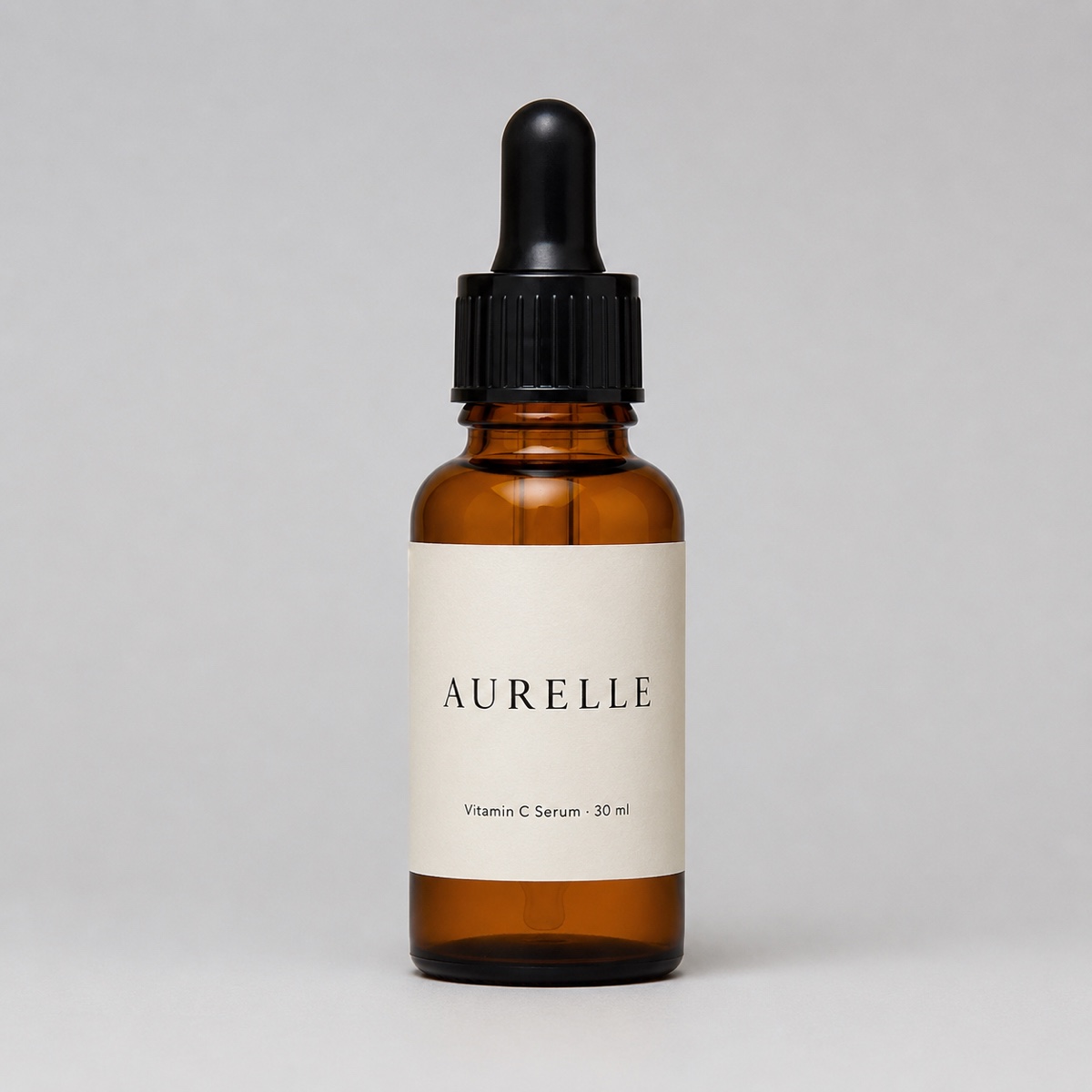
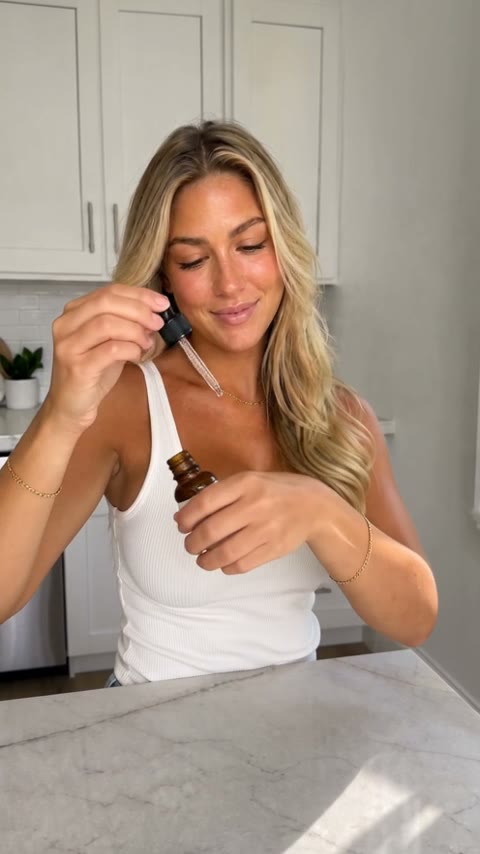
The product photo on the left is all the studio was given. Shape, colour, dropper cap and label text carry into the ad on the right.
If you are choosing between two photos, pick the one where the label is biggest and flattest, even if the other one is prettier. Legibility beats styling here; the setting adds the styling for you.
Step 2 — Pick Who Sells It
Eight presenters, or you from one selfie. Each one renders from a fixed reference still, so picking Marcus gets you Marcus every time, in the flannel, with the dry delivery. The tile plays a short clip of each of them selling something so you can hear the energy before you commit.
Prompt used
The same three-step flow, a different presenter and product. Note the two-handed lid lift: the studio is told to handle products the way a real person would.
A rough guide to matching presenter to product:
| Product | Reach for | Why |
|---|---|---|
| Skincare, supplements, drinks | Chloe, Mia, Sofia, Bella | Glam and fit energy reads as a creator who already uses it |
| Apparel, gadgets, tools | Ryan | Relaxed and deadpan, the "I didn't expect to like this" register |
| Software, services, finance | Sam | Blazer, calm, credible; the one that sounds like advice |
| Home, food, gifts, anything for parents | Marcus, Grace | Warm and plain-spoken; Grace's bluntness is the hook on its own |
| Your own brand, founder-led | Me | One selfie. The seller on camera converts better than any cast member for a small brand |
Step 3 — Pick Where and How It Plays
The setting is a real room, not a backdrop. Kitchen counter, bedroom desk, car front seat, gym floor, storefront, city sidewalk, studio backdrop, bathroom mirror, or a line of your own ("a padel court at a racket club, bright morning").
"How it plays" is the product beat between the lines:
- Talk to camera — holds it up beside their face, turns it to show the front. The default, and the safest.
- Unboxing — starts in the box or bag, opens it with both hands, reacts.
- Show and try — applies, wears or uses it, then a clean close-up.
- Walk and talk — moves through the setting with it in hand, phone at arm's length.
Prompt used
Two hands on the can. A one-handed open is the single most common tell in AI product video, so the studio's director prompt forbids it.
Step 4 — Approve the Line
The studio drafts a hook and a line from what you typed the product is. You can edit every word, ask for a different take, or make it shorter. Two rules it enforces, because they are what keeps the mouth matching the words:
- Hook: 4 to 8 words. The first thing said, with the product already in frame.
- Line: 9 to 16 words for a 15 second ad, ending on a plain call to action ("link is below"). For 10 seconds, hook and line together stay under 16.
Past about 16 words in one line the audio compresses and the lip sync breaks. If you want more, make it two ads. There is a whole post of UGC ad script examples with hooks that fit the count.
Product Ad Studio
Upload your product, pick who sells it, approve the line. A 10 or 15 second spoken ad, vertical or wide, no music or captions baked in. From 100 credits.
Common Problems and What Causes Them
The label changed or blurred. The source photo was a lifestyle shot, or the label was small in frame. Reshoot it flat and close.
The presenter looks off-model in one shot. Almost always the walk-and-talk format on a busy setting. Try talk to camera in a quieter room.
The words are there but the mouth is late. The line ran long. Cut it to 12 words and render again; the studio will refuse anything over 16 for exactly this reason.
It looks too polished. That is the point of the format being phone-camera: if the result reads as a commercial, pick a plainer setting (bedroom desk, car front seat) and a plainer presenter (Marcus, Grace).
When You Should Actually Film It
If the product is the story (a demo where it has to be seen working, a texture, a fit on a real body), film it. Generated ads are anchored to a photo and a script; they show the product held and pitched, not tested. And if a real customer will say it on camera for you, that clip beats any generated one on the same product. Use this when you have a photo and no creator, which is most small brands most of the time.
Related Reading
- UGC ad script examples — 30 hooks and lines that fit the word count
- How to make a TikTok Shop product video without filming yourself
- How to prompt Seedance 2.5 — the model under the hood, and why dialogue in quotes lip-syncs
- Product Ad Studio — the tool itself.