Quick answer
To put yourself on GTA 6-style cover art, upload a clear selfie to an image model (GPT Image 2.5, Nano Banana Pro or Midjourney) with a prompt that names the Grand Theft Auto VI cover-art look: bold clean outlines, semi-realistic cel-shading, neon Vice City, vertical 3:4. Pick a layout first (single hero, couple, or the classic panel collage), tell the model to keep your face recognizable, and ask for no logo or title. Add your own title text afterwards in any photo editor.
Put Yourself on a GTA 6 Cover
GTA 6 released on November 19, 2026, and its cover-art style is one of the most copied looks online. With one photo and the right prompt, an AI image model will put you on a GTA 6-style cover in under a minute.
Below are four free prompts, one for each common cover layout, each shown with the image it produced. They come from our GTA 6 AI prompt library, so they're tested and ready to paste.
GTA 6 Trailer
Want the cover to move? Upload one selfie and get a 15-second cinematic Vice City trailer starring you. No prompts, no editing.
How to Make It in Five Steps
- Pick a layout. A single-hero cover, a couple cover, or the classic panel collage. Each has its own prompt below.
- Use a clear photo. Front-lit, face fully visible, no sunglasses. The model can only keep what it can see.
- Paste the prompt and upload the photo into ChatGPT (GPT Image 2.6), Nano Banana Pro (Gemini) or Midjourney.
- Leave the title off. Every prompt asks for no logo and no title. That avoids refusals, and the model can't paint a fake title onto your art.
- Add your own title afterwards. Put your name, or anything else, at the top in a photo editor. A heavy condensed font in white reads as a game cover.
The Prompts
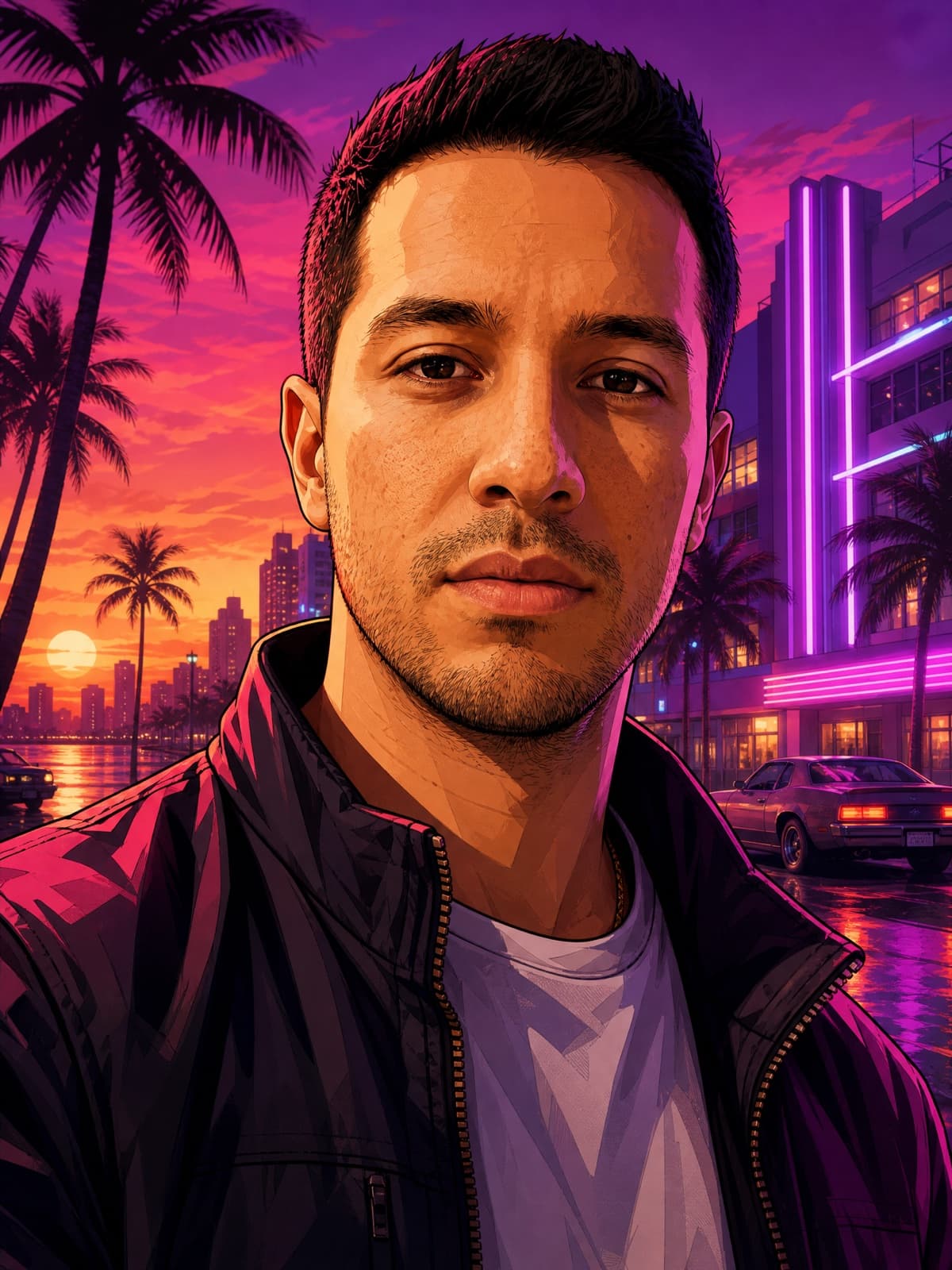
Single-hero cover
Loading-Screen Portrait
The simplest version: you, alone, as an illustrated cover character in front of a neon Vice City sunset. This is also the classic "GTA filter" look.
If the result looks like a stranger, add "do not beautify or change my features" and re-run.
- Still
- 3:4
- Midjourney V8.1
- GPT Image 2.5
- Nano Banana Pro
Transform the uploaded photo into a Grand Theft Auto VI style loading-screen character portrait, illustrated GTA cover-art look. Keep my face, hairstyle, and skin tone clearly recognizable — do not beautify or replace my features. Give me a cool, confident, moody main-character aura: a hard cold stare into the camera, mouth closed, absolutely not smiling. Re-render me with bold clean outlines, semi-realistic cel-shading, richly saturated color and dramatic directional shadows, wearing streetwear. Background: a neon Vice City sunset with palm silhouettes, art-deco buildings and soft purple light. Vertical 3:4 composition. No real logos, no brand marks, no watermark.
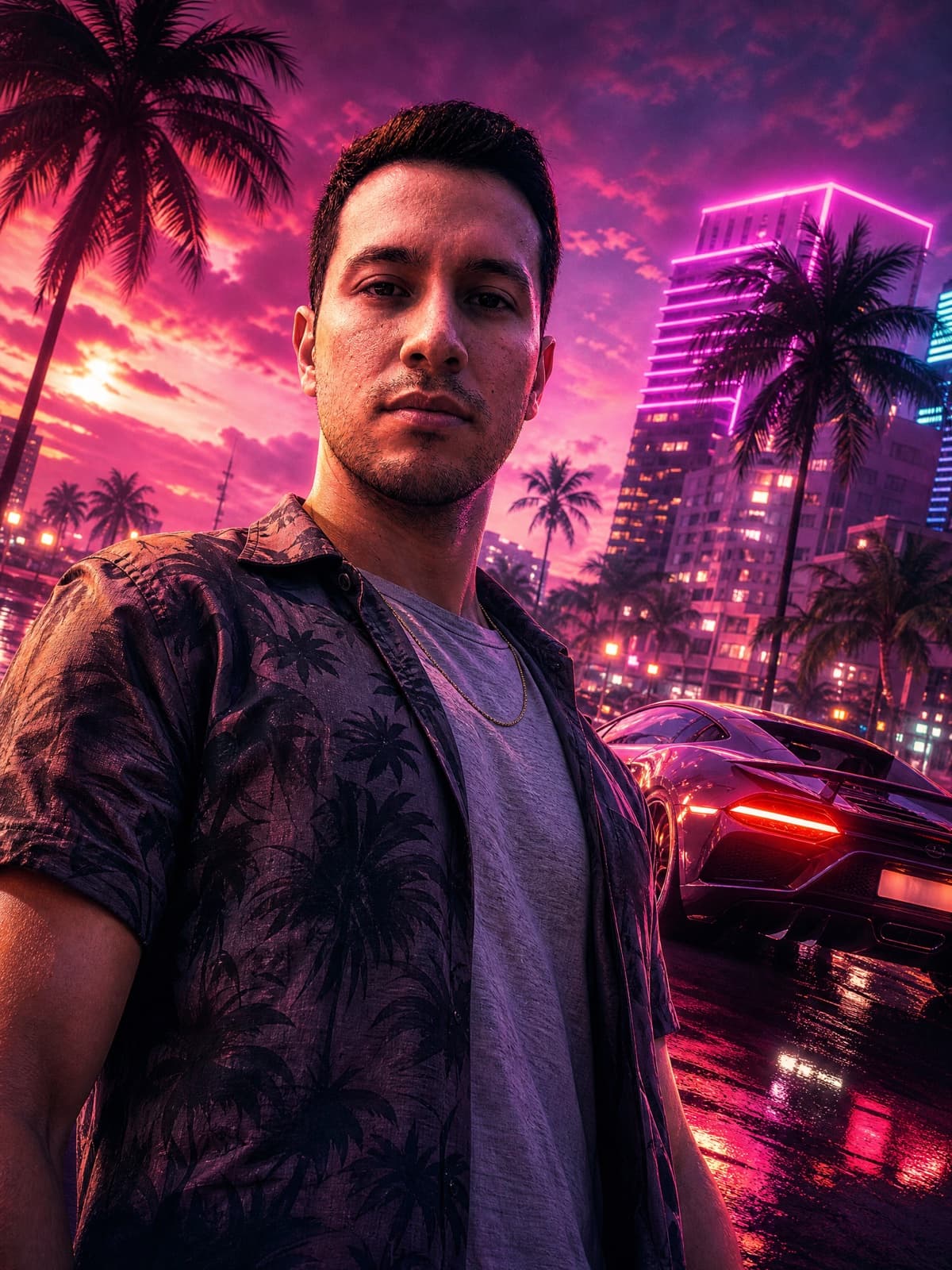
Key-art poster
Neon Key Art
The glossier, more cinematic option: a low-angle hero shot with a sports car behind you and wet neon streets. It reads more like a poster than a box, so it suits a wallpaper too.
- Still
- 3:4
- GPT Image 2.5
- Midjourney V8.1
- Nano Banana Pro
Turn the uploaded photo into a cinematic Grand Theft Auto VI key-art poster. Keep my face, hairstyle, and skin tone clearly recognizable — do not beautify or replace my features. Give me a cool, confident, moody main-character aura: a hard cold stare into the camera, mouth closed, absolutely not smiling. Low-angle hero shot with an exotic sports car behind me, wet asphalt with rain reflections, glowing Miami nightlife, a pink-and-purple Vice palette, ultra-detailed glossy promotional-art finish. Vertical 3:4 poster composition. No real logos, no brand marks, no watermark.
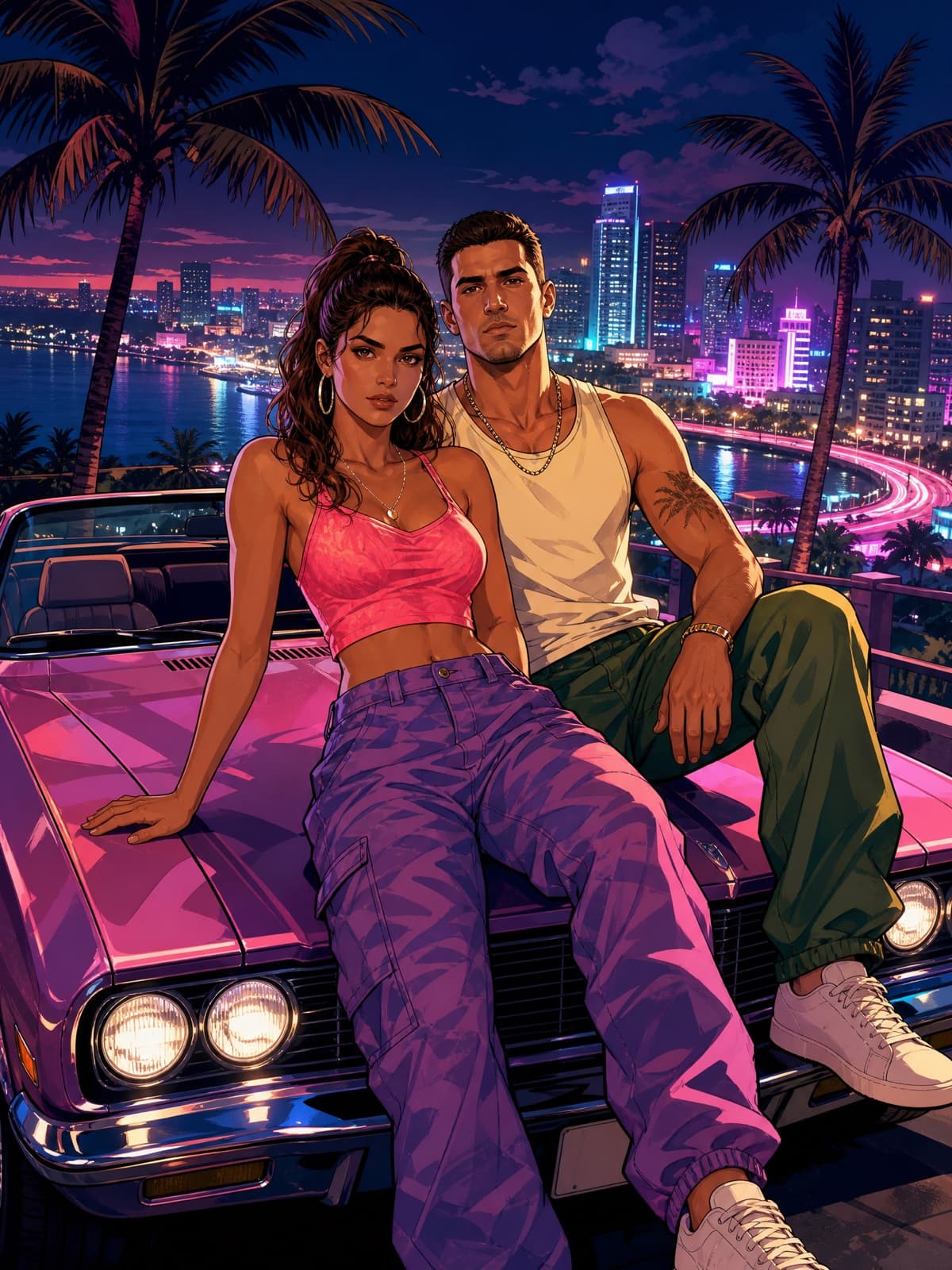
Couple cover
Couple Cover Art
Two people on the hood of a convertible. Upload one photo with both of you in it.
- Still
- 3:4
- Nano Banana Pro
- GPT Image 2.5
- Midjourney V8.1
Turn the uploaded photo of the two of us into a Grand Theft Auto VI style cover-art poster. Keep both of our faces and outfits clearly recognizable — do not beautify or swap our features. Re-render us as illustrated GTA cover characters sitting on the hood of a convertible at a neon Vice City overlook at night, city lights below, palm trees behind, both of us looking straight at the camera with cool, unbothered expressions and closed mouths. Bold clean outlines, semi-realistic cel-shading, saturated color, dramatic shadows. Vertical 3:4 poster composition. No real logos, no brand marks, no watermark.
Watch for: Name both people's positions ("the person on the left", "on the right") if the model keeps merging your faces into one.
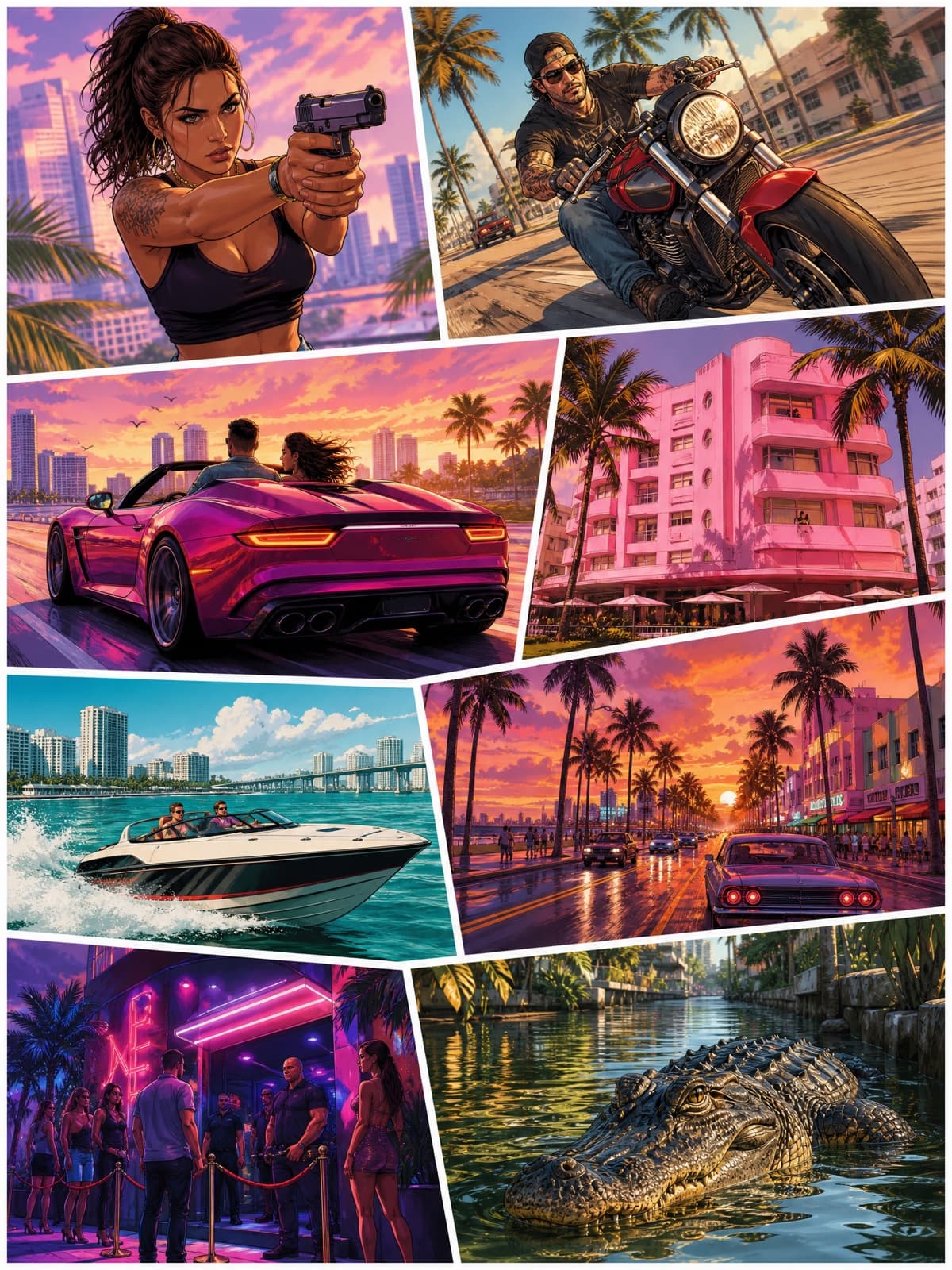
Box-art collage
Box-Art Collage
The layout Grand Theft Auto covers are known for: a grid of illustrated panels. This prompt is text-only. To put yourself in it, generate your single-hero cover (prompt 01) first, then drop it into the largest panel in a photo editor, or upload both images and ask the model to replace the top-left character with the person from your photo.
- Still
- 3:4
- GPT Image 2.5
- Midjourney V8.1
A Grand Theft Auto VI style game cover in the classic panel-collage layout: a vertical poster completely filled, edge to edge, by an irregular grid of eight illustrated vignettes separated by thin white gutters — a woman with a pistol, a man on a motorbike, a convertible at speed, a flamingo-pink hotel, a speedboat, a palm-lined street at sunset, a nightclub entrance, an alligator in a canal. Bold clean outlines, semi-realistic cel-shading, saturated tropical color, consistent lighting across all panels. Every panel filled with artwork — no blank areas, no title block, no text anywhere. Vertical 3:4. No real logos, no brand marks, no watermark.
Watch for: Leave the title out entirely and say every panel must be filled. Asking it to reserve an empty title band just gets you a large white hole in the poster.
For a vertical phone wallpaper, change "Vertical 3:4" at the end of any prompt to "Vertical 9:16". For a square profile picture, keep 3:4 and crop around your face.
Why Some Prompts Get Refused
Almost every refusal comes from asking for a trademark: the GTA logo, the Rockstar wordmark, or a named real car brand. The style itself is fine. The prompts above ask for invented designs and no title, which is why they go through. If you write your own, end it with "no logos, no title, no brand marks."
Make It Move
A cover is a still. If you want the version where you step out of the car and the neon comes on, that's a trailer, and it takes one selfie.
GTA 6 Trailer
Upload one selfie and star in a 15-second cinematic GTA 6-style trailer: neon Vice City, the crew, the getaway. Your face stays the same in every shot.
Related Reading
- The Best GTA 6 AI Prompts — all 40 prompts, each with its result.
- How to Make a GTA 6 Poster With AI — more poster prompts in text form.
- GTA 6 Loading Screen With AI — loading screens, wallpapers and PFPs.
- GTA 6 Filter & PFP Maker — nine styles from one photo, with before and after.
- How to Make a GTA 6 AI Video of Yourself — the one-selfie trailer.
Not affiliated with Rockstar Games. Fan-made parody prompts in the style of Grand Theft Auto VI.


