Quick answer
The best GTA 6 AI prompts name the render style ('Grand Theft Auto VI in-game' or 'GTA VI loading-screen art'), lock the world (neon Vice City, art-deco, palm trees, magenta-and-teal grade), describe one specific shot, and close with 'no on-screen text or logos.' This page has 38 copy-paste prompts, each with a rendered example — cinematic trailers, put-yourself-in-GTA selfie prompts, couple and crew posters, pets, wanted posters, HUD screenshots, and menu screens. Use Nano Banana Pro or GPT Image 2 for images, Kling 3.0 or Veo 3.1 for video. Sora is no longer available.
38 GTA 6 AI Prompts, Each With Its Result
Grand Theft Auto VI lands November 19, 2026, Rockstar's marketing campaign is ramping through the autumn, and everyone wants to drop themselves into Vice City. Below are 38 free copy-paste GTA 6 prompts — and unlike most prompt lists, every one shows the image it actually produced, so you can pick by what you want rather than by guessing what the words will do.
They cover cinematic trailer shots, putting your own face in the game, couples and crews, pets, and the screen formats people actually search for: loading screens, wanted posters, HUD screenshots, WASTED cards, pause-menu maps.
GTA 6 Trailer
Skip the prompting. Upload one selfie and get a cinematic 15-second GTA 6 trailer starring you — neon Vice City, the crew, the heist, the getaway. No prompts, no editing.
Looking for Sora prompts? OpenAI discontinued the Sora app on April 26, 2026, and the API shuts down September 24, 2026. Every video prompt below is written for the models that replaced it — Kling 3.0 for anything trailer-length, Veo 3.1 for short 4K shots with audio. Old Sora prompts port over almost unchanged; the one thing to add is an explicit aspect ratio, since neither model guesses it the way Sora did.
The Prompt Library
Filter by what you want to make, or search by scene. Every prompt states the models it suits, the aspect ratio it's written for, and whether you need to upload a photo. Trailer prompts include a JSON version, which Veo 3.1 follows noticeably more reliably than prose.
Trailer & cinematic9
Moving shots. The neon-soaked trailer look, for text-to-video models.
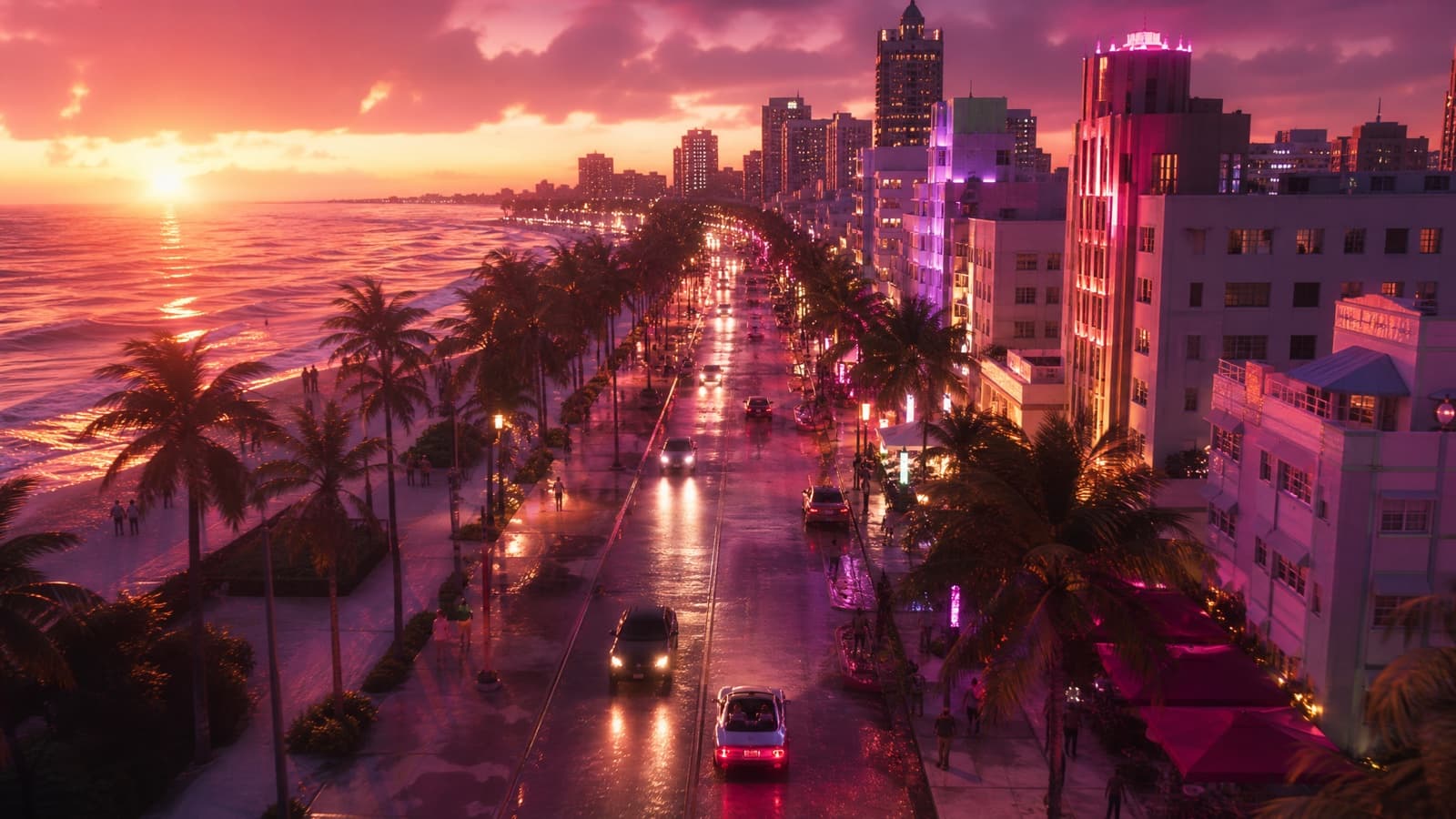
Neon Dusk Drive
The establishing shot every GTA trailer opens on.
- Kling 3.0
- Veo 3.1
- Grok Imagine
Cinematic Grand Theft Auto VI style trailer shot. Slow aerial drone push-in over Vice City at golden dusk: pastel-pink sky, towering art-deco hotels, swaying palm trees, neon signs flickering on. A convertible muscle car cruises a wet beachfront boulevard, taillights smearing across the asphalt. Film grain, anamorphic lens flares, 1980s synthwave color grade in magenta and orange, shallow depth of field, photorealistic, smooth slow motion. 16:9. No on-screen text, no HUD. No real logos, no brand marks, no watermark.
Gotcha: On Veo 3.1 the JSON version lands far more reliably than the prose one, and Veo starts dropping instructions past about 175 words.
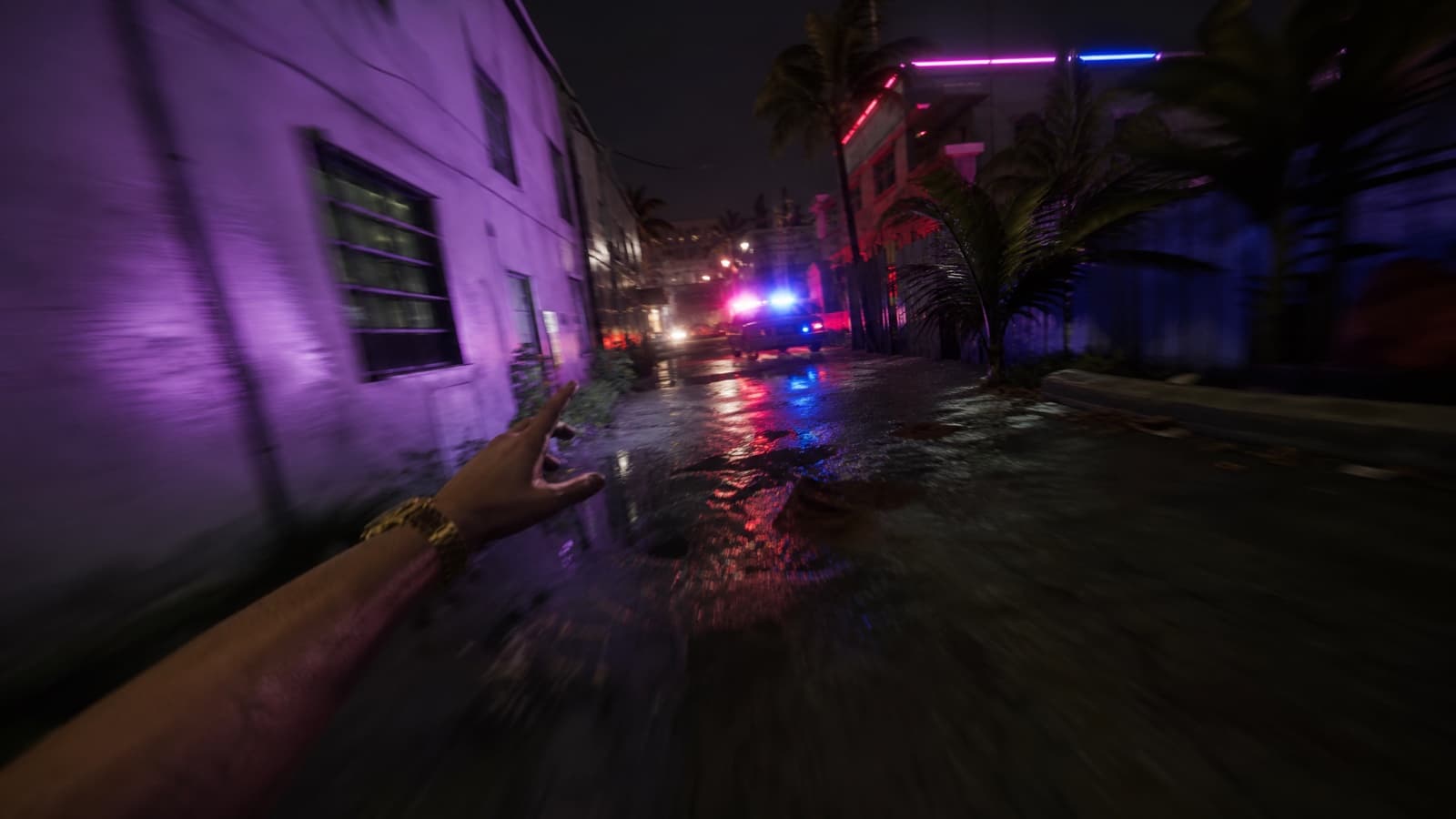
First-Person Night Chase
The POV format behind the fake-gameplay clips that go viral.
- Kling 3.0
- Veo 3.1
- Grok Imagine
First-person POV chase in the style of a Grand Theft Auto VI gameplay trailer. Sprinting through a rain-slicked Vice City alley at night, neon reflections on wet pavement, police lights strobing blue and red behind, palm trees and motel signs blurring past. Handheld camera shake, motion blur, cinematic teal-and-magenta grade, photorealistic, 24fps film look, tense and kinetic. 16:9. No UI overlay, no on-screen text. No real logos, no brand marks, no watermark.
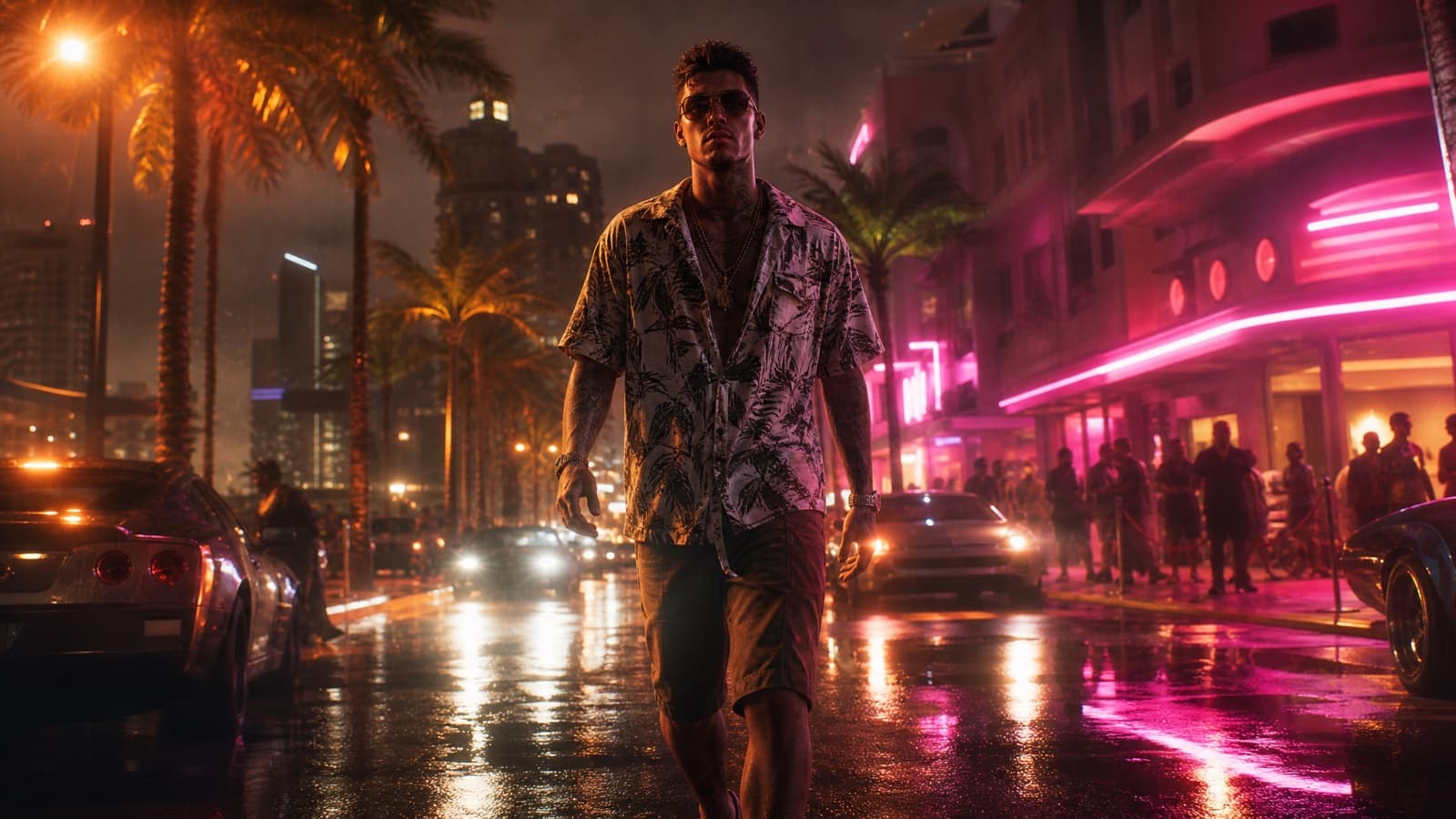
Slow-Mo Hero Walk
The character-intro beat. Low angle, backlit, nobody smiling.
- Kling 3.0
- Veo 3.1
Cinematic Grand Theft Auto VI trailer intro. A confident protagonist in designer streetwear walks in slow motion toward camera down a neon-lit Vice City strip at night, gold chain glinting, palm trees and glowing club signs behind, light rain in the air. Low-angle dolly shot, dramatic backlighting, anamorphic lens flares, orange-and-pink Miami color grade, photorealistic, film grain. 16:9. No text on screen. No real logos, no brand marks, no watermark.
Gotcha: Low angle is doing most of the work here. Say it explicitly — models default to eye level and the shot loses all its authority.
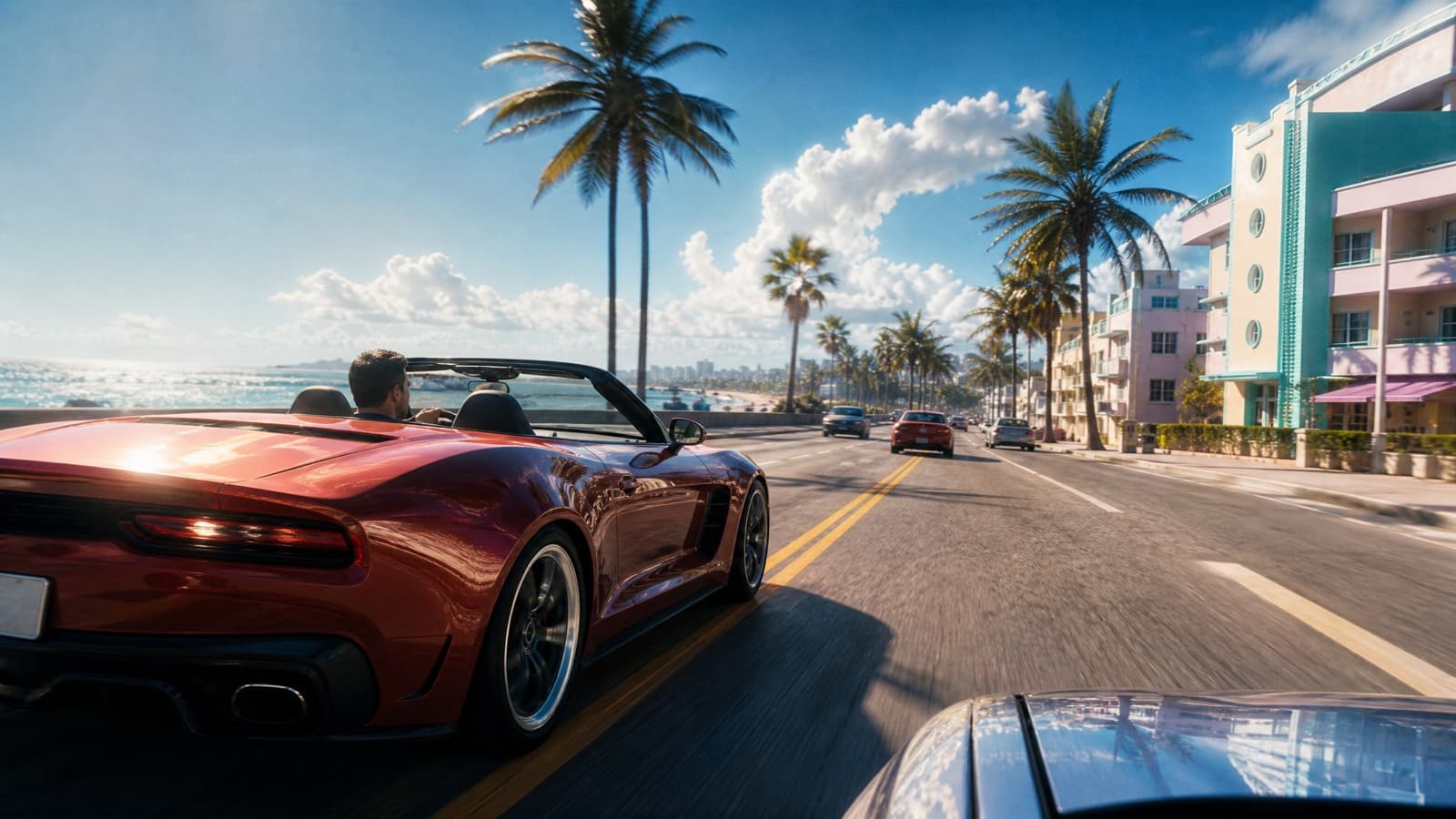
Sun-Bleached Coast Run
Daylight Vice City, for when the neon look feels overdone.
- Veo 3.1
- Kling 3.0
Cinematic Grand Theft Auto VI style daytime shot. A convertible sports car runs a sun-bleached coastal highway at noon, ocean glittering on one side, pastel art-deco motels and palm trees on the other. Low tracking shot from a chase car, heat haze rising off the tarmac, blown-out highlights, crisp shadows, warm saturated grade, photorealistic, film grain, 16:9. No on-screen text, no HUD. No real logos, no brand marks, no watermark.
Gotcha: Almost every GTA prompt online is set at night. Daylight is how you get a shot that doesn't look like everyone else's.
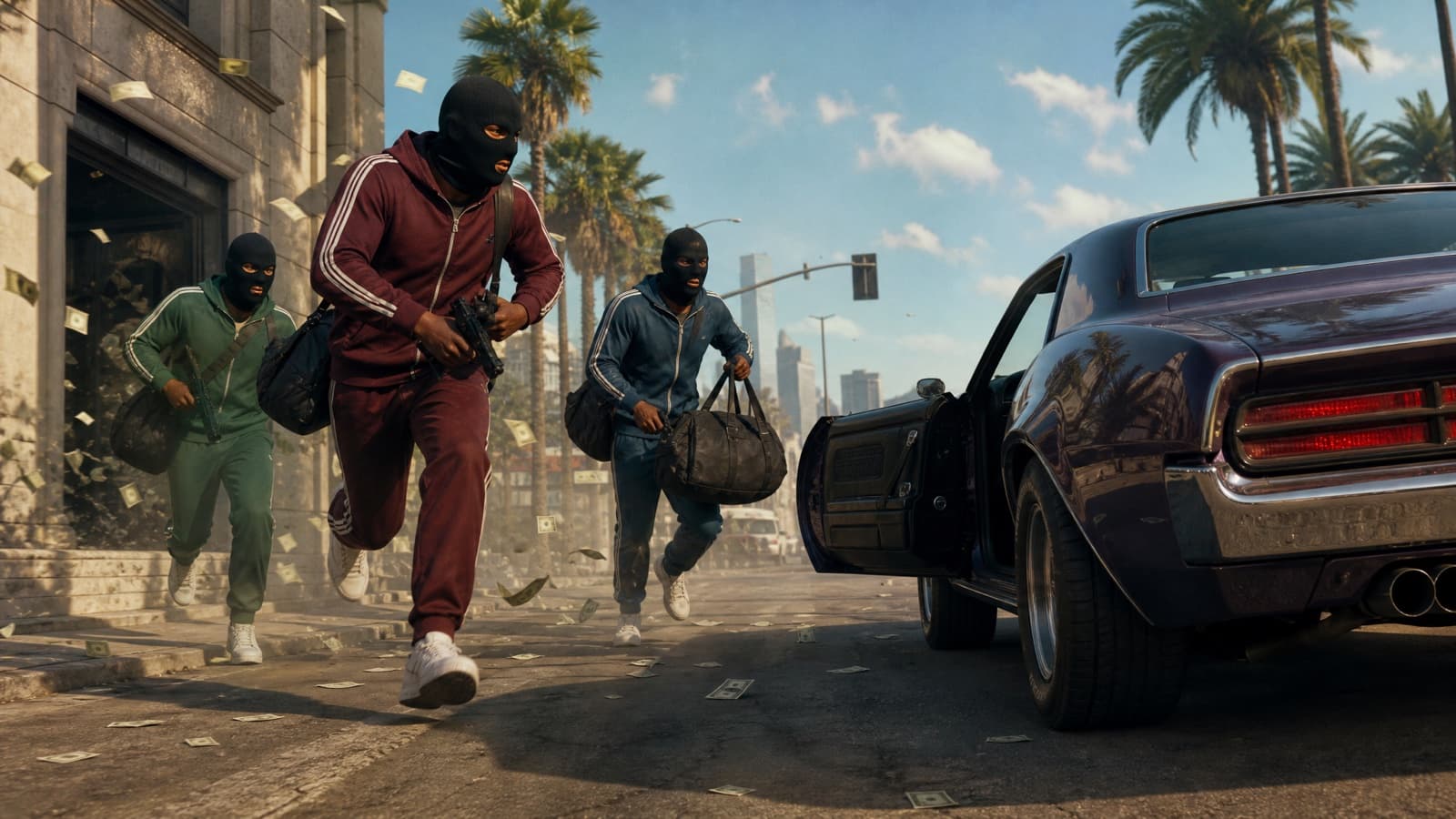
Heist Getaway
Masked crew, running engine, cash in the air.
- Kling 3.0
- Veo 3.1
Cinematic Grand Theft Auto VI style trailer shot. Three masked robbers in tracksuits sprint out of a bank onto a sunlit Vice City street toward a waiting muscle car with its doors open and engine running, loose banknotes tumbling through the air behind them. Handheld low tracking shot, dust and heat haze, warm high-contrast grade, photorealistic, film grain, tense and kinetic, 16:9. No on-screen text. No real logos, no brand marks, no watermark.
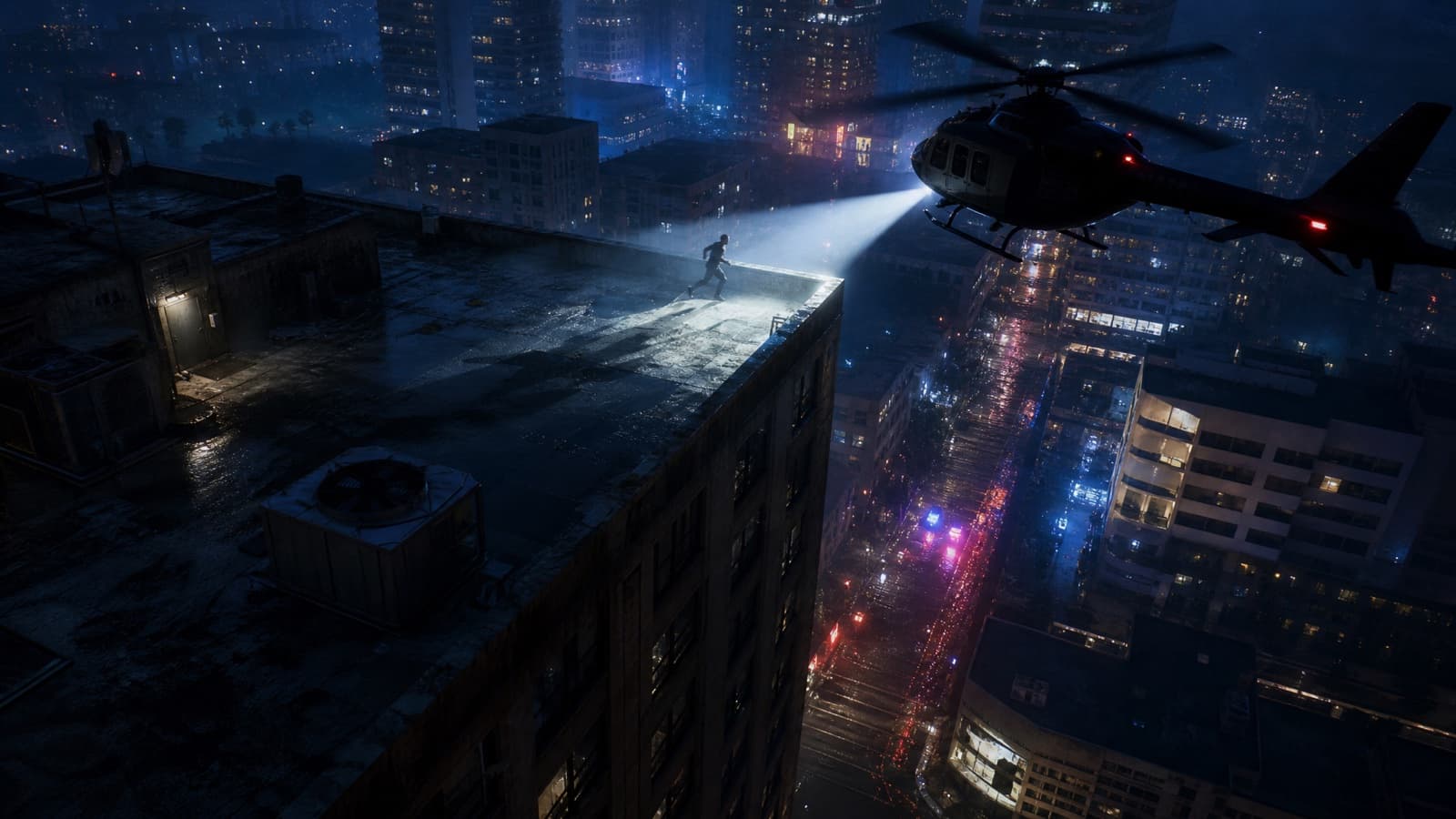
Helicopter Pursuit
Spotlight, rotor wash, five-star energy.
- Kling 3.0
- Veo 3.1
Cinematic Grand Theft Auto VI style night pursuit. A police helicopter sweeps its searchlight across a Vice City rooftop as a figure runs along the edge, rotor downwash rippling puddles and clothing, city neon far below, strobing blue and red from the street. Wide aerial shot circling the rooftop, hard spotlight against deep shadow, cool blue grade with warm neon accents, photorealistic, film grain, 16:9. No on-screen text, no HUD. No real logos, no brand marks, no watermark.
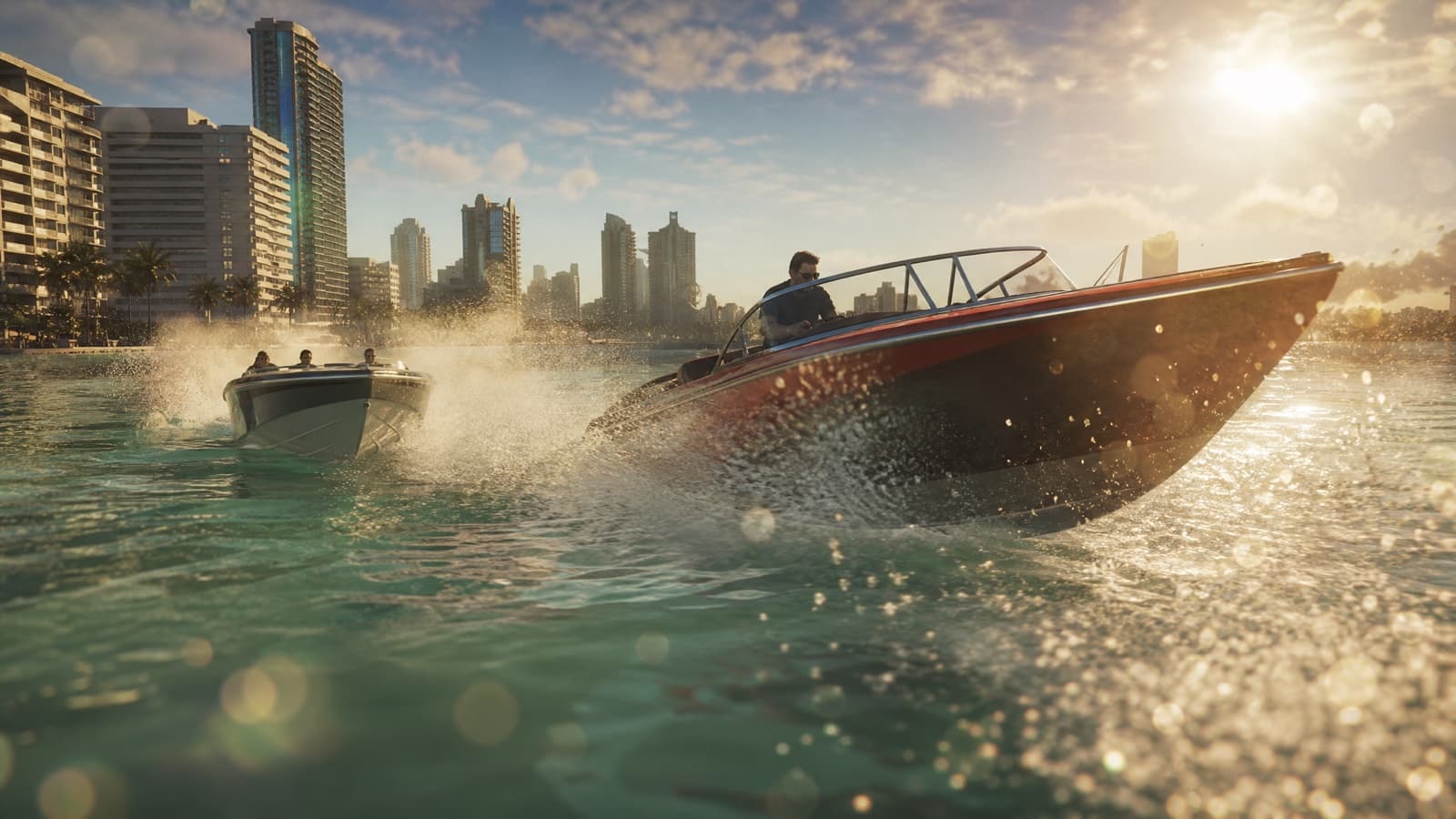
Coastal Boat Chase
Speedboats, spray, golden hour. The most underused GTA setting.
- Kling 3.0
- Veo 3.1
- Grok Imagine
Cinematic Grand Theft Auto VI style chase. Two speedboats carve through turquoise coastal water at golden hour, throwing tall walls of spray, the Vice City skyline and its art-deco towers on the horizon behind them. Low camera skimming just above the water surface, droplets on the lens, warm backlit haze, photorealistic, film grain, smooth slow motion, 16:9. No on-screen text. No real logos, no brand marks, no watermark.
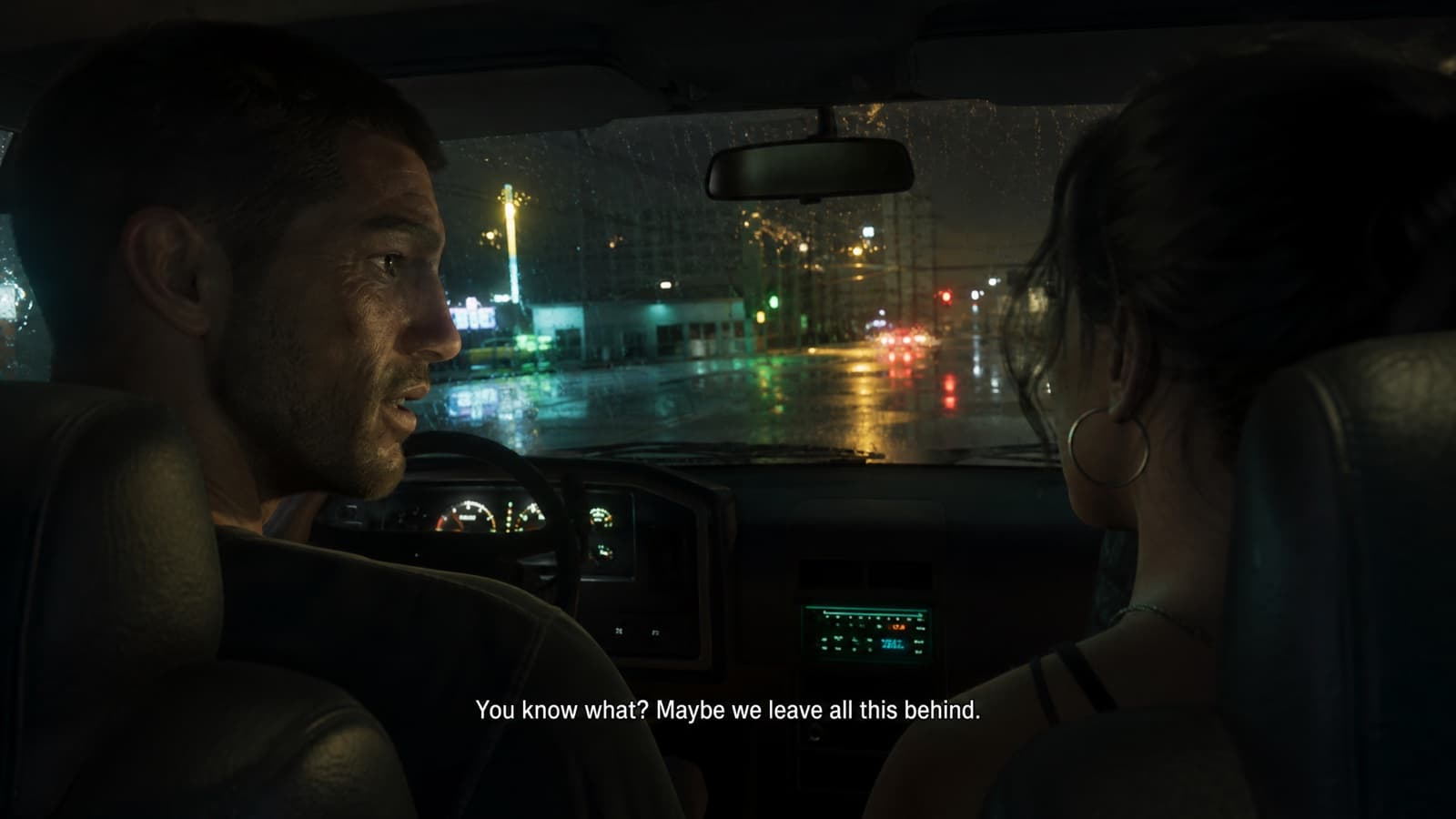
Cutscene Dialogue Frame
Over-the-shoulder with a subtitle bar. Reads instantly as a game.
- Veo 3.1
- Kling 3.0
A Grand Theft Auto VI style in-game cutscene frame. Over-the-shoulder two-shot inside a parked car at night: the driver turns to the passenger mid-sentence, dashboard glow on both faces, rain running down the windscreen, neon street beyond. Slight handheld drift, shallow depth of field, cinematic teal-and-amber grade, photoreal game-engine render. Include a small centered subtitle line of invented dialogue at the bottom of the frame in plain white sans-serif. 16:9. No real logos, no brand marks, no watermark.
Gotcha: Subtitles are baked-in text, so run this one through GPT Image 2 for a still. Video models still garble small type.
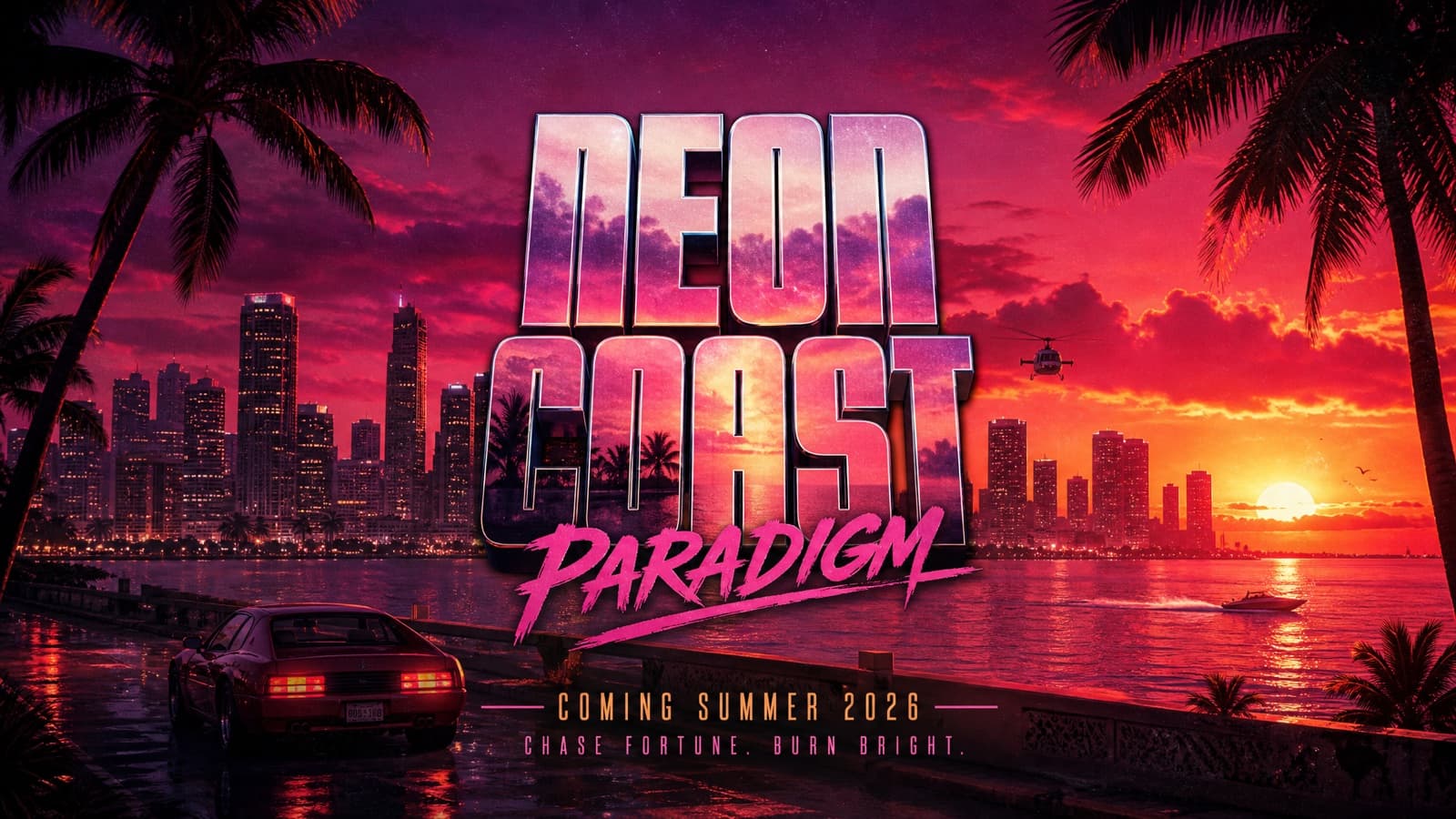
Trailer End Card
The last frame — invented title over a sunset skyline.
- GPT Image 2
- Nano Banana Pro
A cinematic game-trailer end card in the style of Grand Theft Auto VI. A wide Vice City skyline silhouetted against a deep magenta-and-orange sunset, palm fronds framing the edges, the ocean catching the last light. Centered over it, an invented fictional game title set in a heavy condensed display typeface with a subtle chrome edge, and a small release date line beneath it. Rich film grain, glossy promotional key-art finish, 16:9. Use invented text only — no real logos, no brand marks, no watermark.
Gotcha: Say invented fictional title, every time. Asking for the actual GTA wordmark is the single most common reason these generations get refused.
Put yourself in GTA 68
Your face, in Vice City. One photo in, a GTA character out.
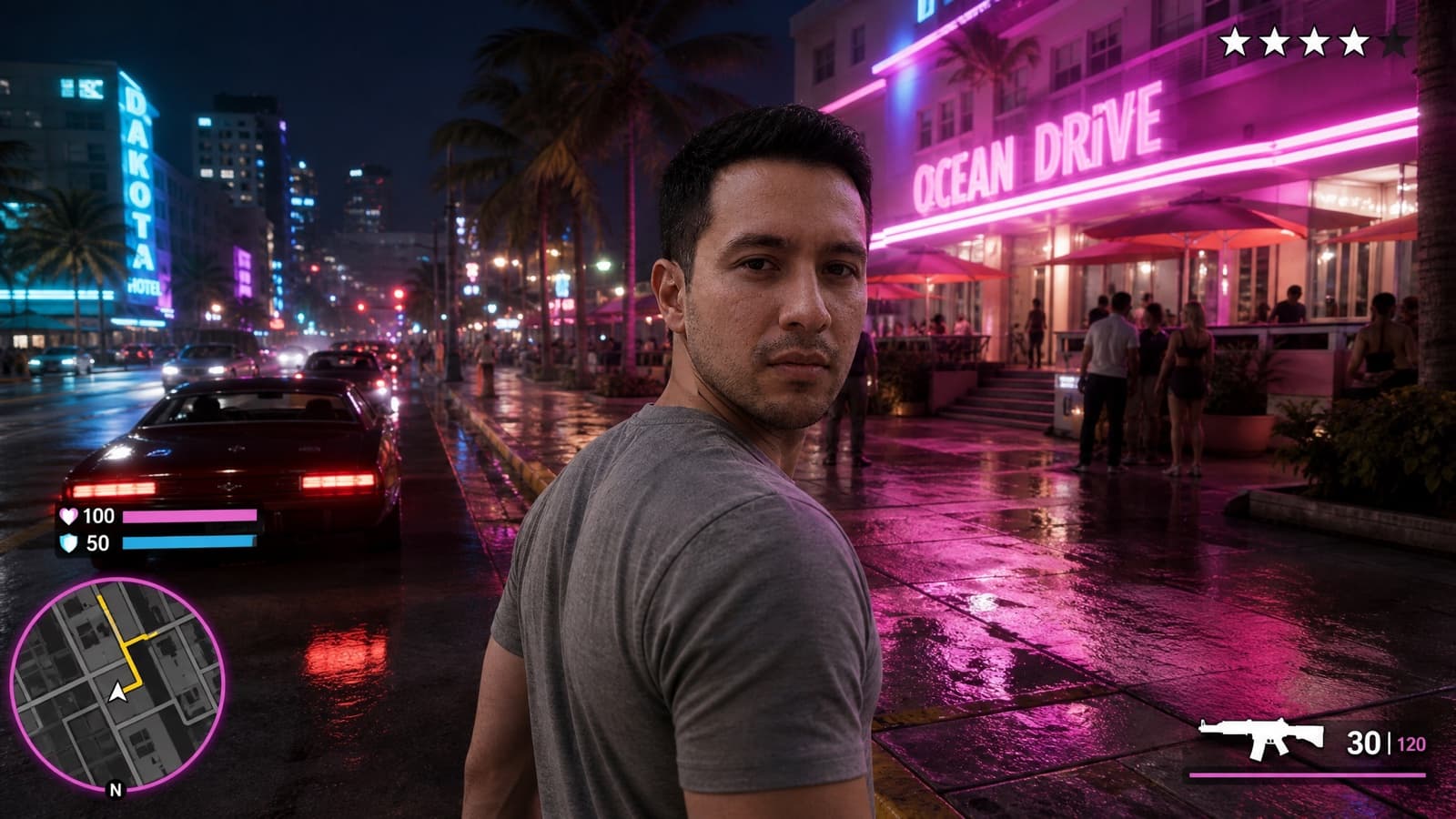
Screenshot With the HUD
Minimap, health bar, wanted stars. The detail that sells the fake.
- GPT Image 2
- Nano Banana Pro
Render the person in the uploaded photo as a Grand Theft Auto VI style third-person gameplay screenshot, camera behind and slightly above them on a neon Vice City street at night. Keep my face, hairstyle, and skin tone clearly recognizable — do not beautify or replace my features. Give me a cool, confident, moody main-character aura: a hard cold stare into the camera, mouth closed, absolutely not smiling. Overlay an invented open-world game HUD in the style of the genre: a circular minimap with a route line in the bottom-left corner, thin health and armor bars above it, a small weapon icon with an ammo counter in the bottom-right, and a row of wanted stars in the top-right. Keep the HUD crisp, flat and readable. Photoreal in-engine render, 16:9. Invented UI only — No real logos, no brand marks, no watermark.
Gotcha: The HUD is the whole joke, and it is small text — use GPT Image 2. This is the opposite of the clean in-game render above, and it's its own trend.
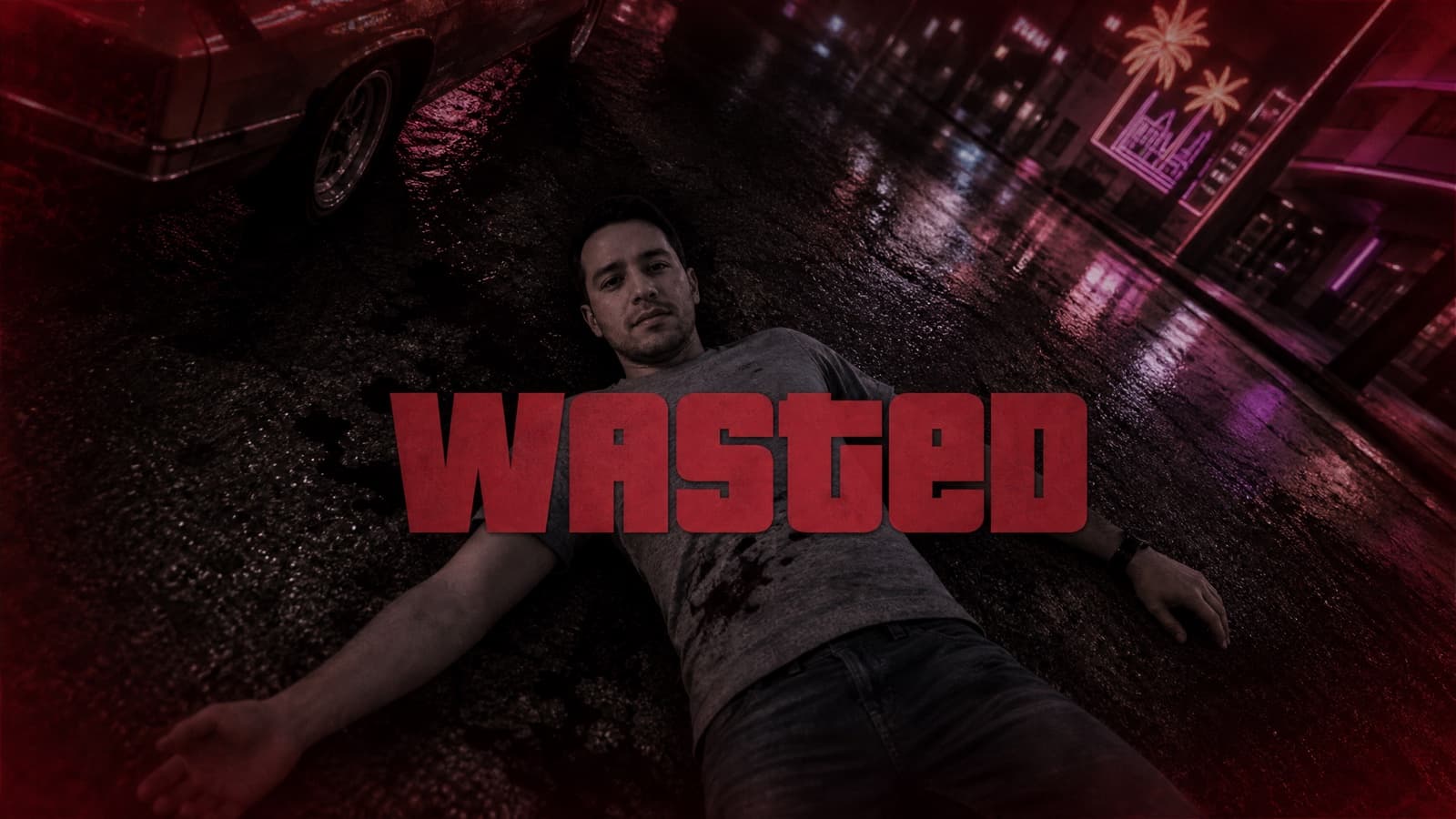
WASTED Death Screen
Desaturated freeze-frame, big centered word. Instantly legible.
- GPT Image 2
Turn the uploaded photo into a Grand Theft Auto VI style death-screen frame. Render me lying on wet Vice City asphalt at night seen from a high angle, neon signs and a parked car around me, keeping my face recognizable. Apply a heavy desaturated wash with a strong red-black vignette and a slight blur, as if the game has frozen. Centered across the frame, the single word WASTED in a large heavy condensed display typeface. 16:9. Invented text only — No real logos, no brand marks, no watermark.
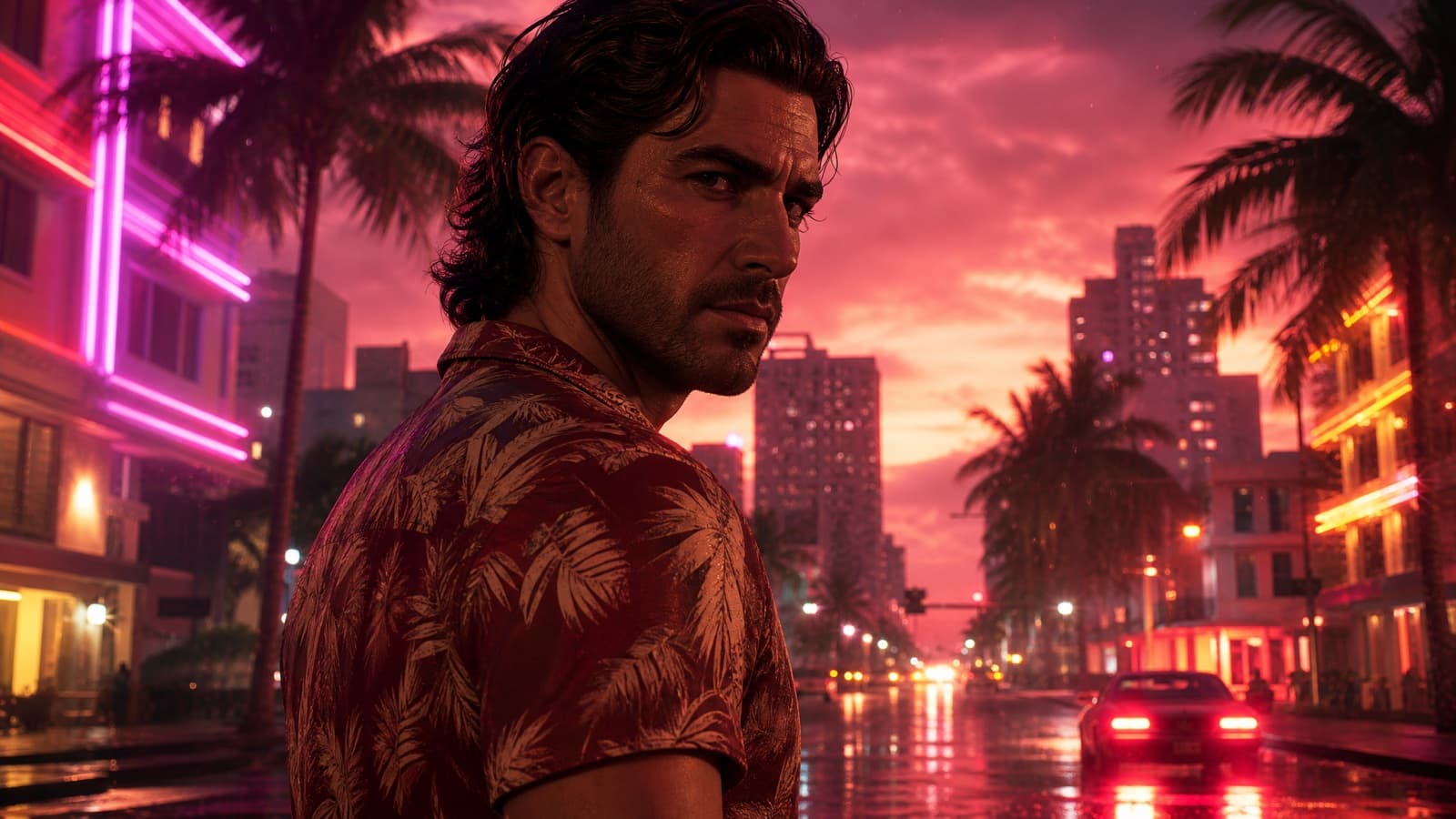
Main-Character Moment
The still, animated. Your face, moving, in Vice City.
- Seedance 2.0
- Kling 3.0
- Veo 3.1
Animate the uploaded photo into a Grand Theft Auto VI style trailer moment starring me. Keep my face and likeness accurate for the whole shot. I stand in neon-lit Vice City at dusk as the camera slowly pushes in, palm trees and glowing signs behind me, light rain and lens flares in the air, and I turn slowly and confidently toward camera. 1980s synthwave color grade in magenta and orange, photorealistic, film grain, cinematic slow motion. 16:9. No on-screen text. No real logos, no brand marks, no watermark.
Gotcha: This is the hardest one to get by hand. Identity drifts between frames on most models — Seedance is built to hold one face across cuts, which is why it's first in the list.
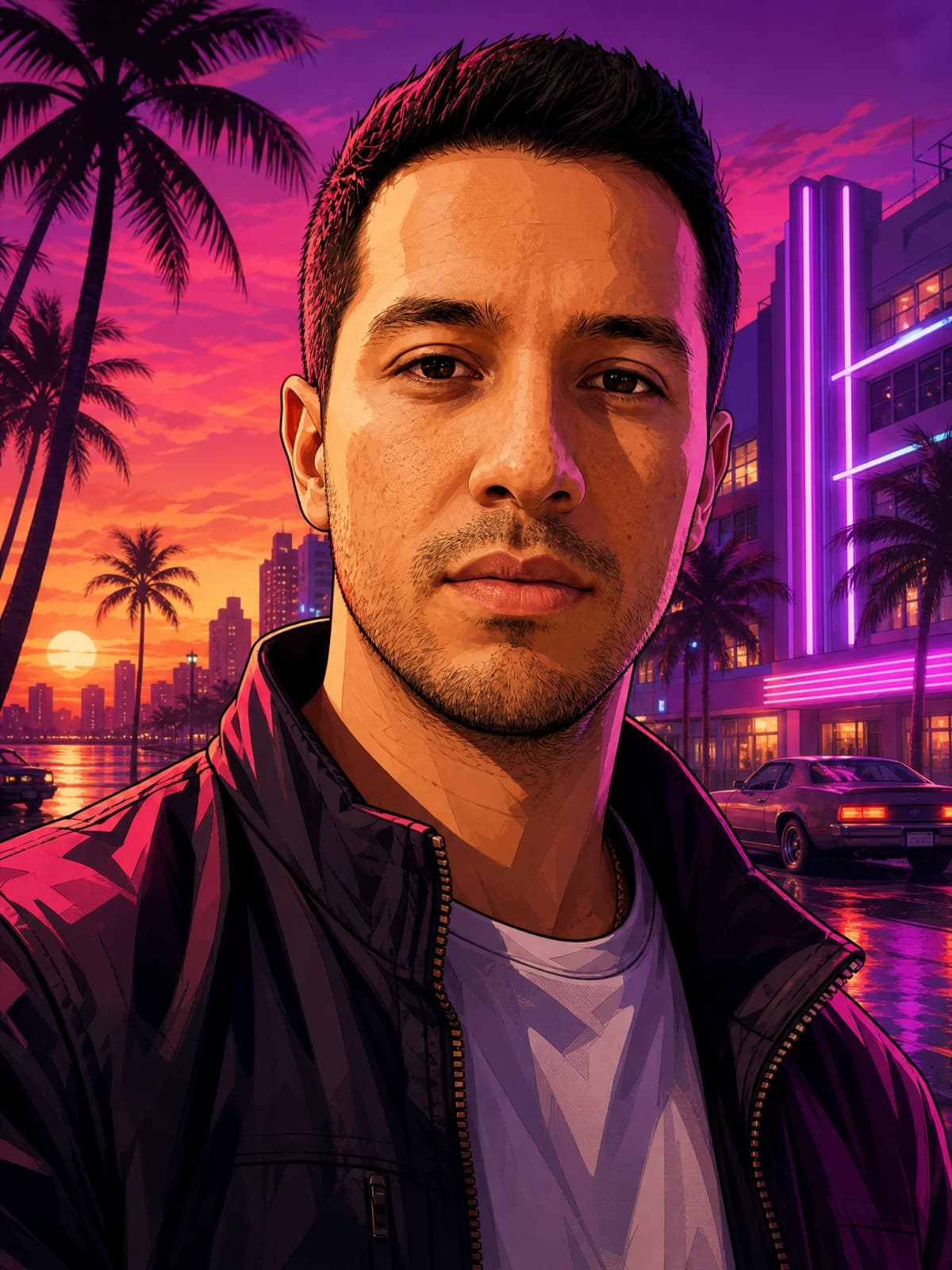
Loading-Screen Portrait
The original 'GTA Me'. Cel-shaded, bold outlines, painted finish.
- Midjourney V8.1
- GPT Image 2
- Nano Banana Pro
Transform the uploaded photo into a Grand Theft Auto VI style loading-screen character portrait, illustrated GTA cover-art look. Keep my face, hairstyle, and skin tone clearly recognizable — do not beautify or replace my features. Give me a cool, confident, moody main-character aura: a hard cold stare into the camera, mouth closed, absolutely not smiling. Re-render me with bold clean outlines, semi-realistic cel-shading, richly saturated color and dramatic directional shadows, wearing streetwear. Background: a neon Vice City sunset with palm silhouettes, art-deco buildings and soft purple light. Vertical 3:4 composition. No real logos, no brand marks, no watermark.
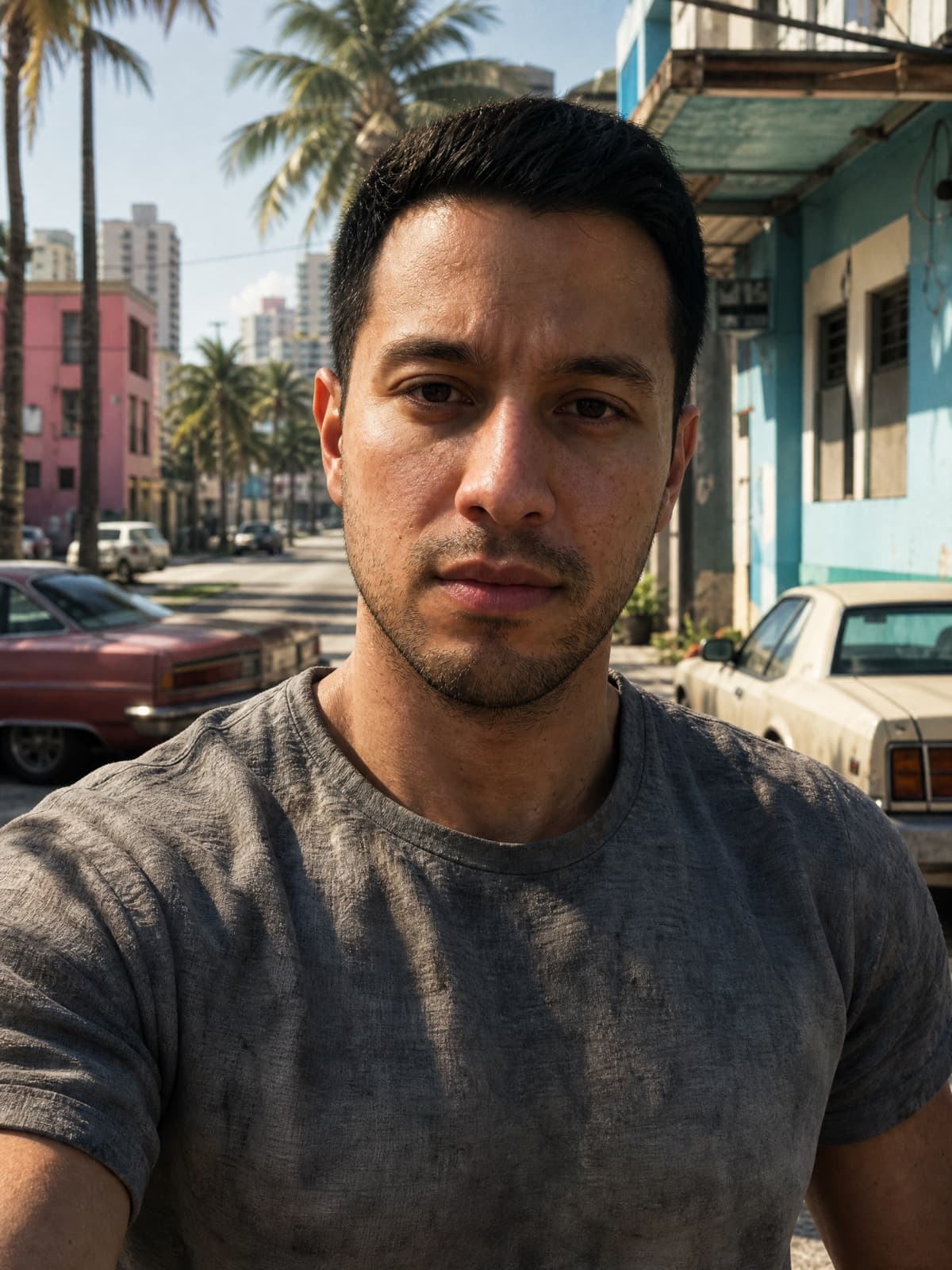
Photoreal In-Game Render
Not a drawing. Looks like a real gameplay frame of you.
- Nano Banana Pro
- GPT Image 2
Render the person in the uploaded photo as a photoreal Grand Theft Auto VI in-game character — it should look like a real 4K gameplay capture, an in-engine character model with game-realistic skin, cloth and lighting. Keep my face, hairstyle, and skin tone clearly recognizable — do not beautify or replace my features. Give me a cool, confident, moody main-character aura: a hard cold stare into the camera, mouth closed, absolutely not smiling. Place me on a sun-bleached Vice City street with palm trees and parked cars, gameplay-level sharpness and depth. Vertical 3:4 framing. No HUD, no minimap, no UI of any kind. No real logos, no brand marks, no watermark.
Gotcha: Steer toward what you want ("in-engine game render, gameplay capture") rather than away from what you don't. Telling GPT Image 2 "not a cartoon" suppresses the game look entirely and hands you a flat photo.
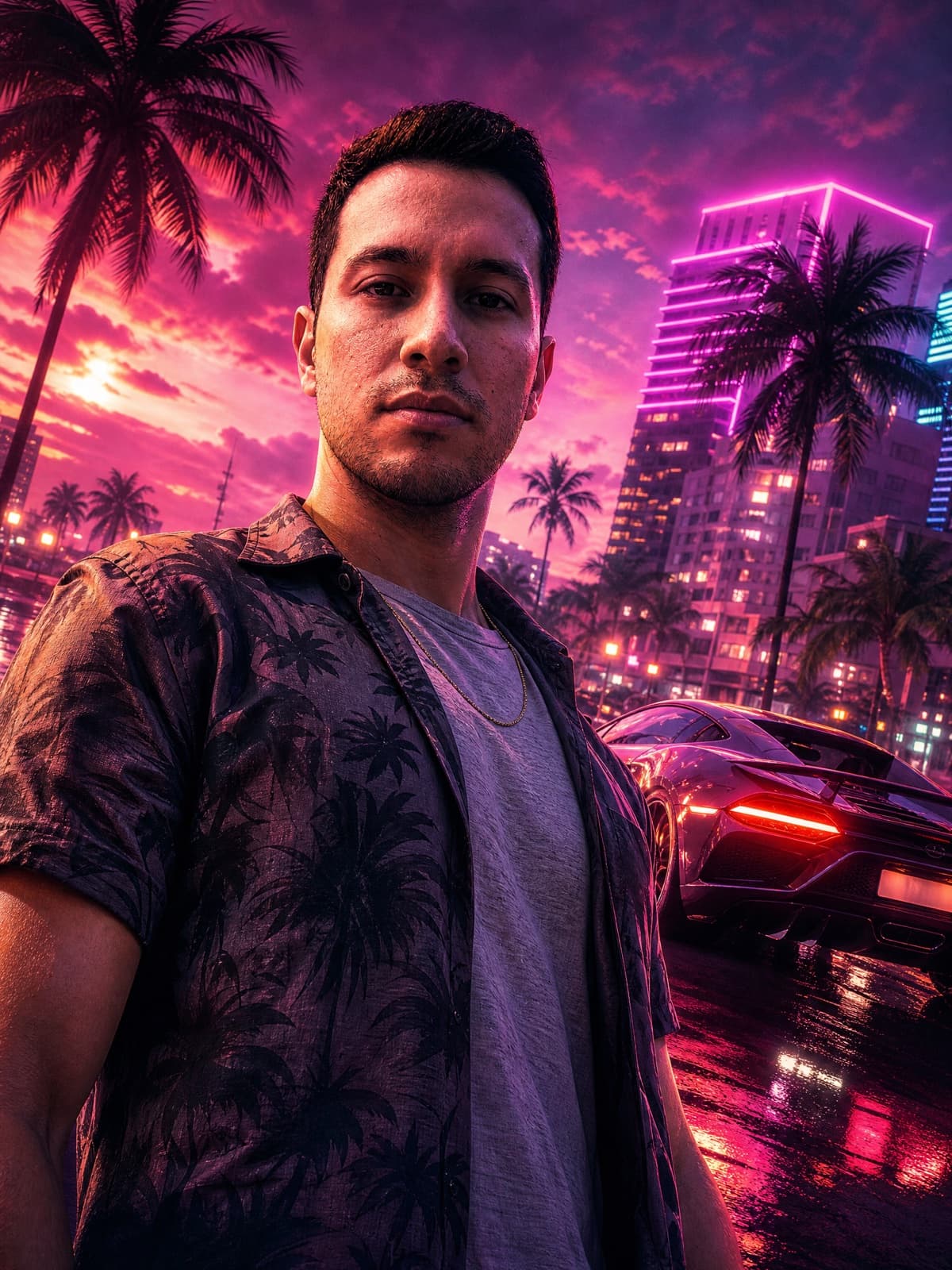
Neon Key Art
Movie-poster energy. Low angle, supercar, wet neon street.
- GPT Image 2
- Midjourney V8.1
- Nano Banana Pro
Turn the uploaded photo into a cinematic Grand Theft Auto VI key-art poster. Keep my face, hairstyle, and skin tone clearly recognizable — do not beautify or replace my features. Give me a cool, confident, moody main-character aura: a hard cold stare into the camera, mouth closed, absolutely not smiling. Low-angle hero shot with an exotic sports car behind me, wet asphalt with rain reflections, glowing Miami nightlife, a pink-and-purple Vice palette, ultra-detailed glossy promotional-art finish. Vertical 3:4 poster composition. No real logos, no brand marks, no watermark.
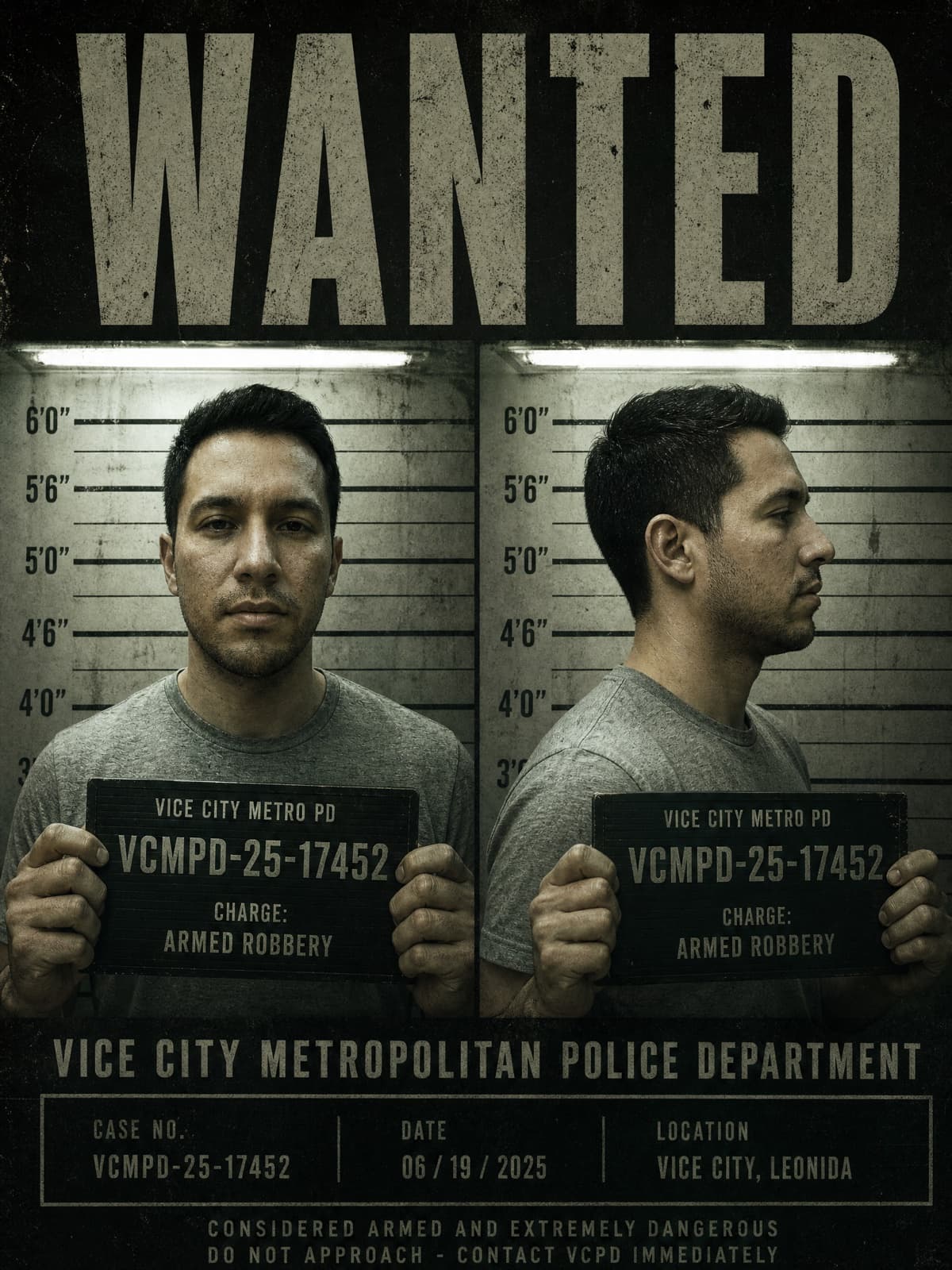
WANTED Mugshot
Front and profile, height chart, invented charges. Pure meme fuel.
- GPT Image 2
Turn the uploaded photo into a Grand Theft Auto VI style police booking poster. Keep my face, hairstyle, and skin tone clearly recognizable — do not beautify or replace my features. Give me a cool, confident, moody main-character aura: a hard cold stare into the camera, mouth closed, absolutely not smiling. Two panels side by side — front-facing and profile — against a scuffed height-chart wall under hard fluorescent light, me holding a placard with an invented case number and a made-up charge. Above the panels, the word WANTED in a heavy condensed display typeface. Gritty photoreal in-engine render, desaturated with a sickly green cast. Vertical 3:4. Use invented text and invented department names only — No real logos, no brand marks, no watermark.
Gotcha: Invent the charge and the department. Real force names and real case numbers are what get this one refused.
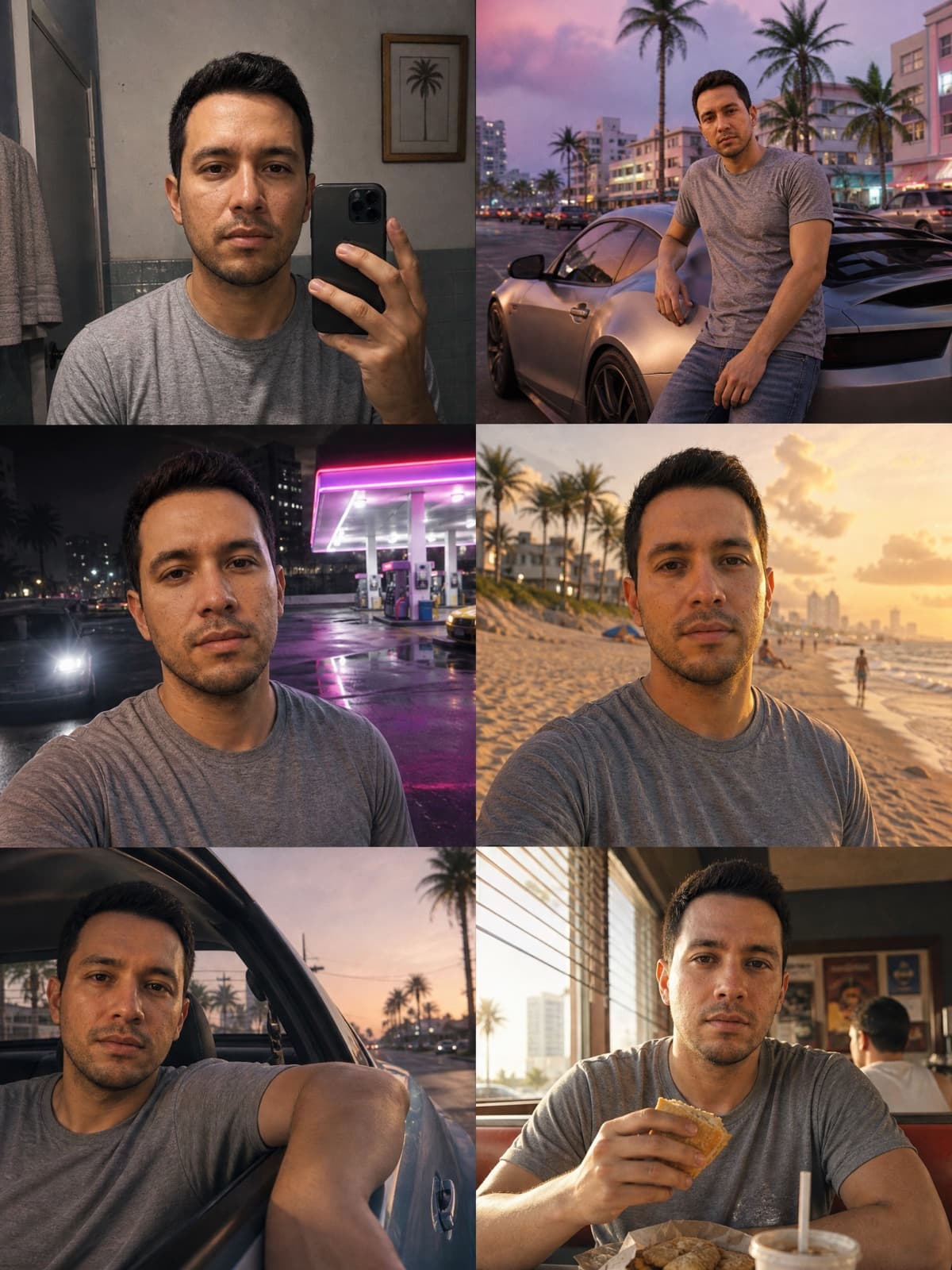
Vice City Photo Dump
Six casual in-world snaps, like you actually live there.
- Nano Banana Pro
- GPT Image 2
Using the uploaded photo, create a 2x3 grid of six casual snapshots of me living in the world of Grand Theft Auto VI, as if pulled from my camera roll. Keep my face, hairstyle, and skin tone clearly recognizable — do not beautify or replace my features. Give me a cool, confident, moody main-character aura: a hard cold stare into the camera, mouth closed, absolutely not smiling. Panels: a bathroom mirror selfie, leaning on a parked sports car, at a neon-lit gas station at night, on the beach at golden hour, in the back of a car with the window down, and eating at a roadside diner. Photoreal in-engine game render throughout, consistent face across all six, slightly imperfect amateur framing, warm Vice City palette. Vertical 3:4 overall. No captions, no HUD — No real logos, no brand marks, no watermark.
Gotcha: Consistency is the ask that fails. Say "consistent face across all six" explicitly or you'll get six different people.
Couples & crews5
Two people or six. The formats that actually get shared.
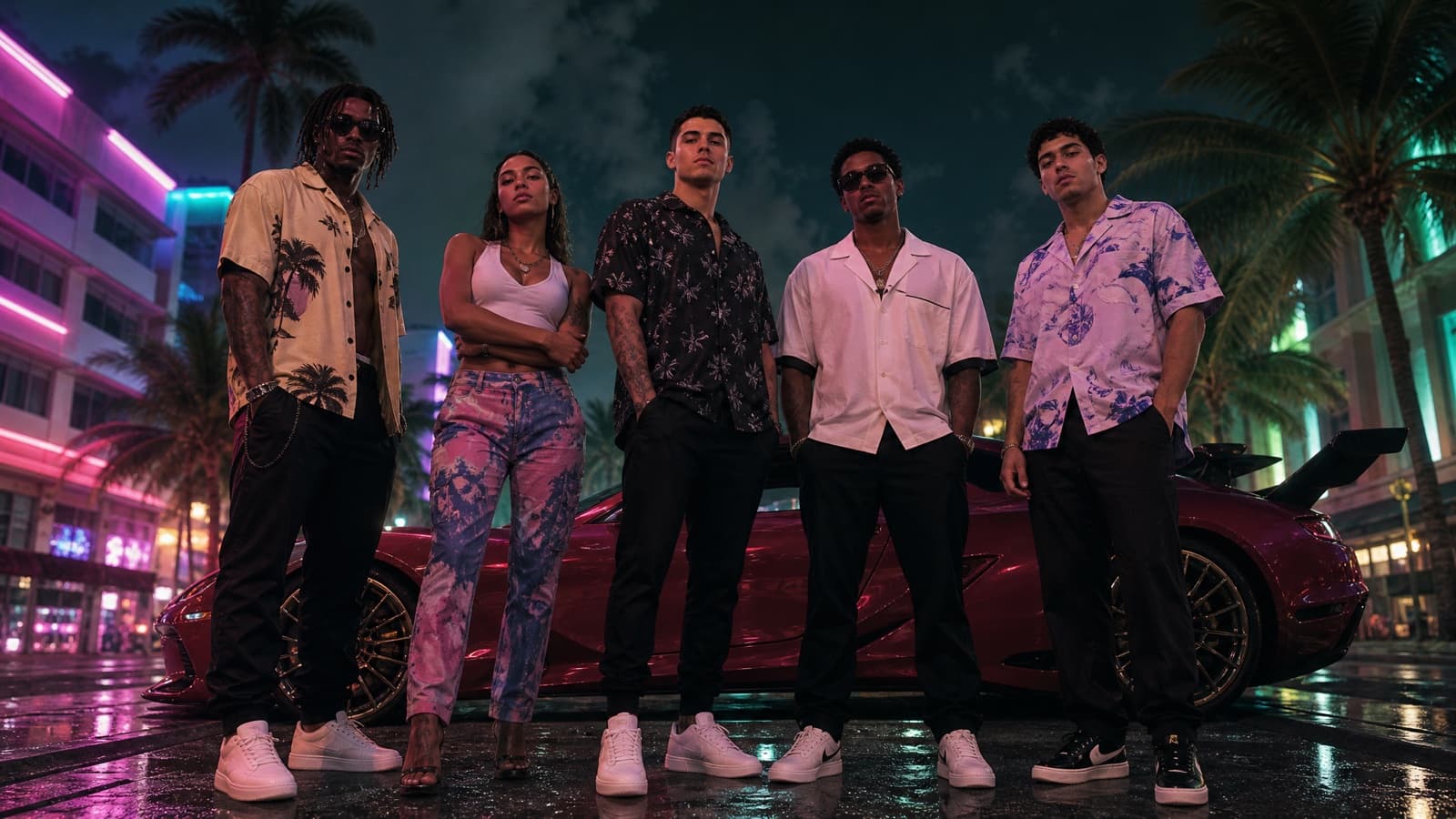
Crew Lineup
The whole group as a gang roster. Best format for a group chat.
- Nano Banana Pro
- GPT Image 2
Turn the uploaded group photo into a Grand Theft Auto VI style crew lineup. Keep every person's face recognizable and keep them in the same left-to-right order as the original. Re-render everyone as photoreal in-engine game characters standing shoulder to shoulder across a neon Vice City street at night, low camera angle, all of them facing the camera with cool unbothered expressions and closed mouths, a parked supercar and palm trees behind. Gameplay-level sharpness, magenta-and-teal lighting, film grain. 16:9. No HUD, no on-screen text. No real logos, no brand marks, no watermark.
Gotcha: "Same left-to-right order as the original" is the instruction that stops the model from reshuffling your friends.
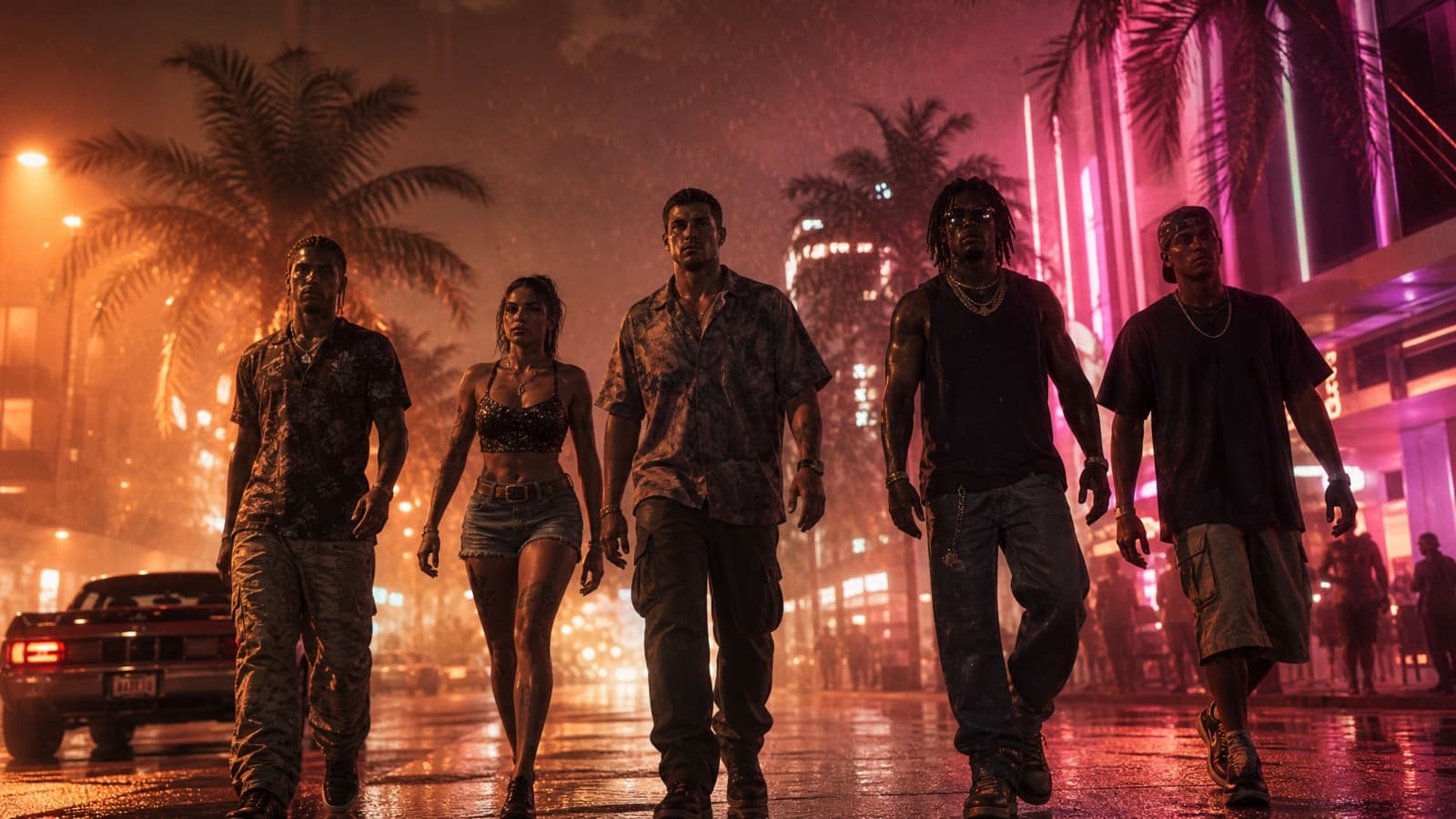
Crew Walk-Up
Five people walking at the camera in slow motion. Zero subtlety.
- Seedance 2.0
- Kling 3.0
Animate the uploaded group photo into a Grand Theft Auto VI style trailer shot. Keep every face accurate throughout. The group walks slowly toward the camera in a loose line down a neon Vice City strip at night, heat shimmer and light rain in the air, palm trees and glowing club signs behind them, nobody smiling. Low-angle tracking shot pulling back ahead of them, dramatic backlighting, orange-and-pink Miami grade, photorealistic, film grain, cinematic slow motion. 16:9. No on-screen text. No real logos, no brand marks, no watermark.
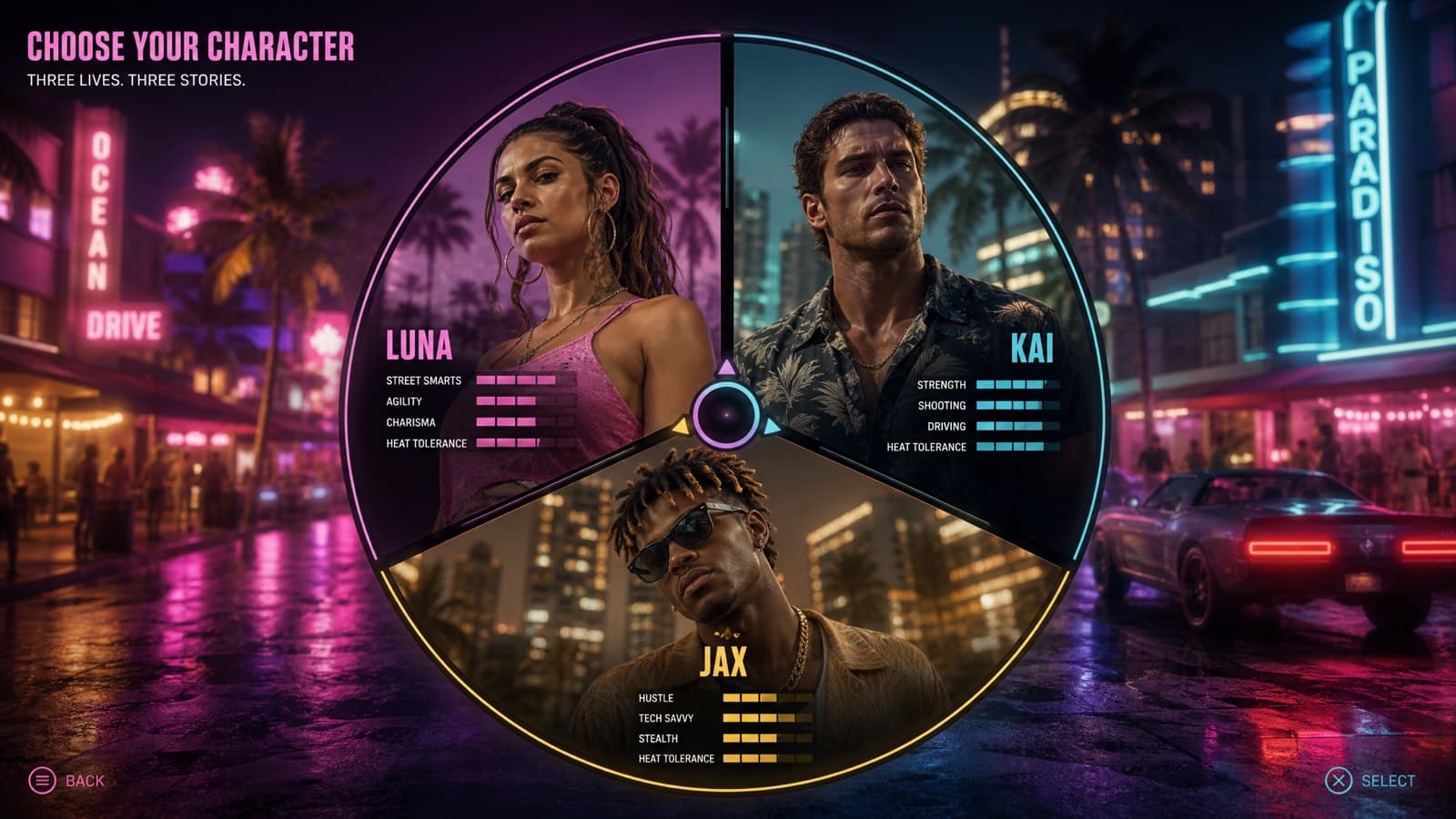
Character-Select Screen
Three of you as switchable protagonists on a radial menu.
- GPT Image 2
Turn the uploaded photo into a Grand Theft Auto VI style character-select screen. Take three people from the photo and render each as a photoreal in-engine game character in their own segment of a radial three-way selection wheel, keeping each face recognizable, each with a cool unbothered expression. Behind the wheel, a blurred neon Vice City street at night. Add invented first-name labels and small invented stat bars under each portrait, in a clean flat game-UI style. 16:9. Invented UI text only — No real logos, no brand marks, no watermark.
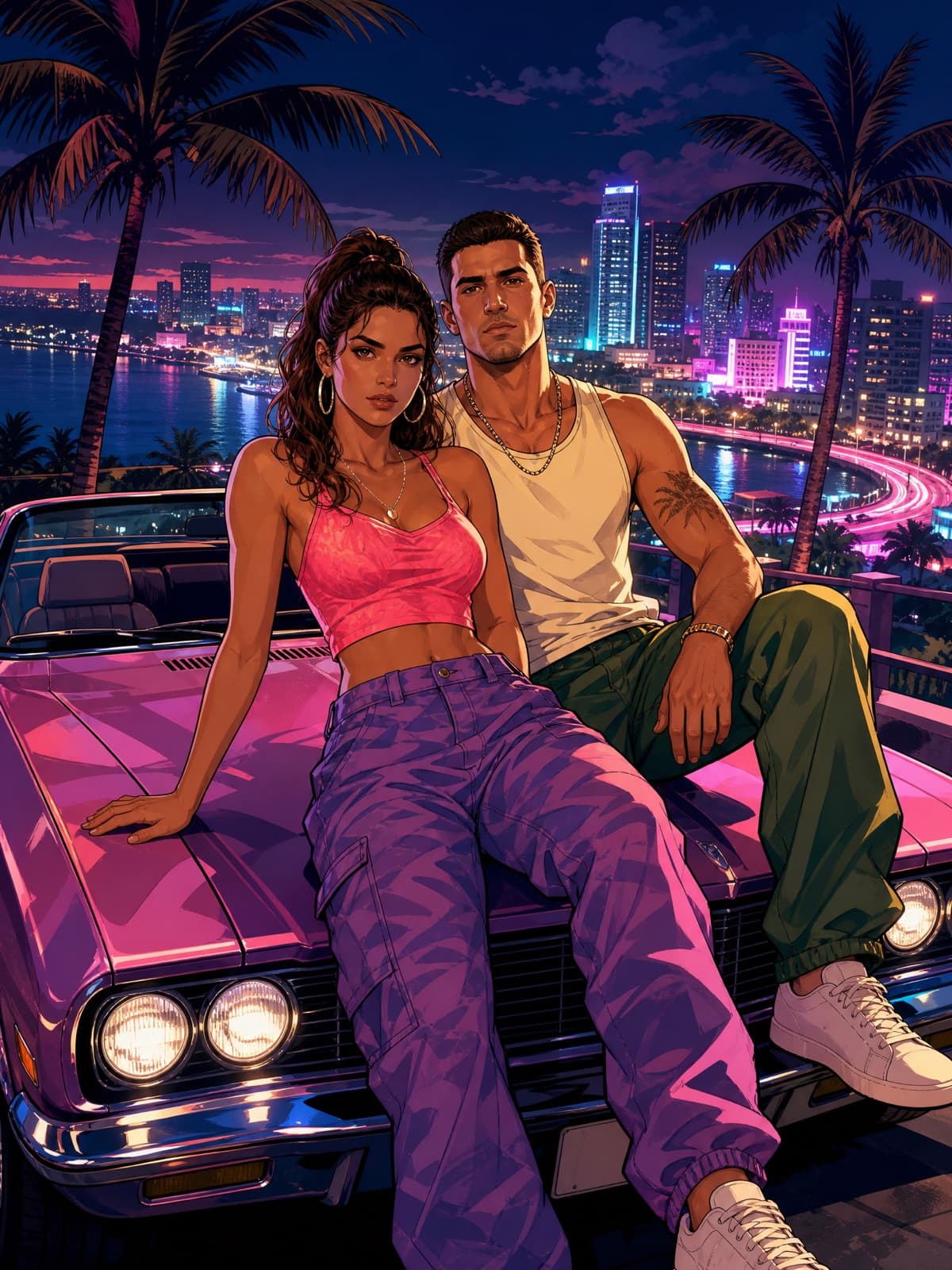
Couple Cover Art
Two-hander on the hood of a convertible. The share-rate winner.
- Nano Banana Pro
- GPT Image 2
- Midjourney V8.1
Turn the uploaded photo of the two of us into a Grand Theft Auto VI style cover-art poster. Keep both of our faces and outfits clearly recognizable — do not beautify or swap our features. Re-render us as illustrated GTA cover characters sitting on the hood of a convertible at a neon Vice City overlook at night, city lights below, palm trees behind, both of us looking straight at the camera with cool, unbothered expressions and closed mouths. Bold clean outlines, semi-realistic cel-shading, saturated color, dramatic shadows. Vertical 3:4 poster composition. No real logos, no brand marks, no watermark.
Gotcha: Name both people's positions ("the person on the left", "on the right") if the model keeps merging your faces into one.
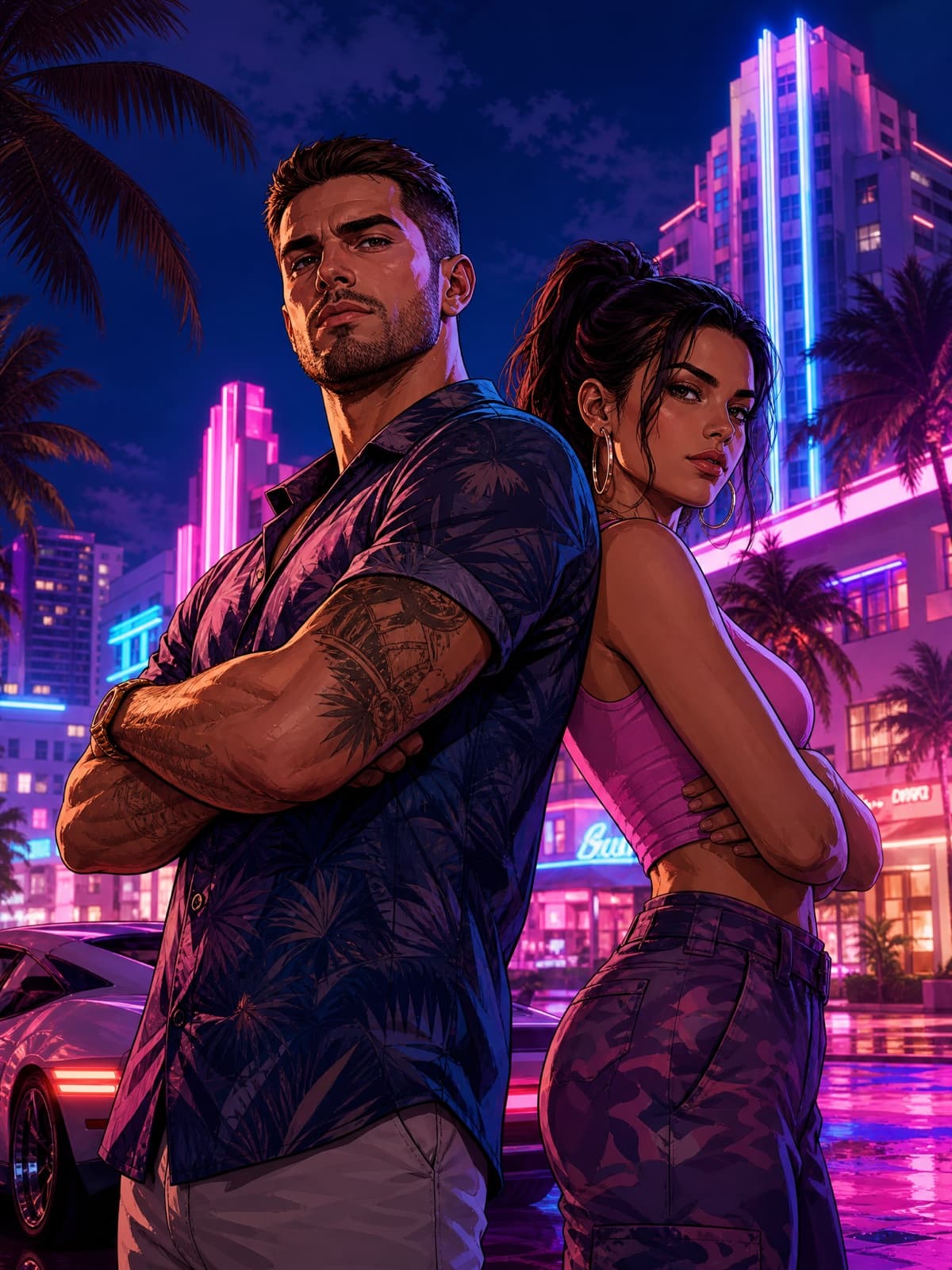
Partners in Crime
Back-to-back, arms folded. The oldest poster trick that still works.
- Midjourney V8.1
- GPT Image 2
Turn the uploaded photo of us into a Grand Theft Auto VI style duo poster. Keep both faces recognizable. Re-render us standing back-to-back with arms folded in a neon-lit Vice City street at night, palm trees and art-deco towers behind, a luxury car at the edge of frame. Illustrated GTA cover-art look with bold outlines and rich saturated color, blue-and-magenta cinematic lighting, dramatic depth, ultra-detailed promotional composition. Vertical 3:4. No real logos, no brand marks, no watermark.
Pets3
Your dog as a Vice City kingpin. Exactly as good as it sounds.
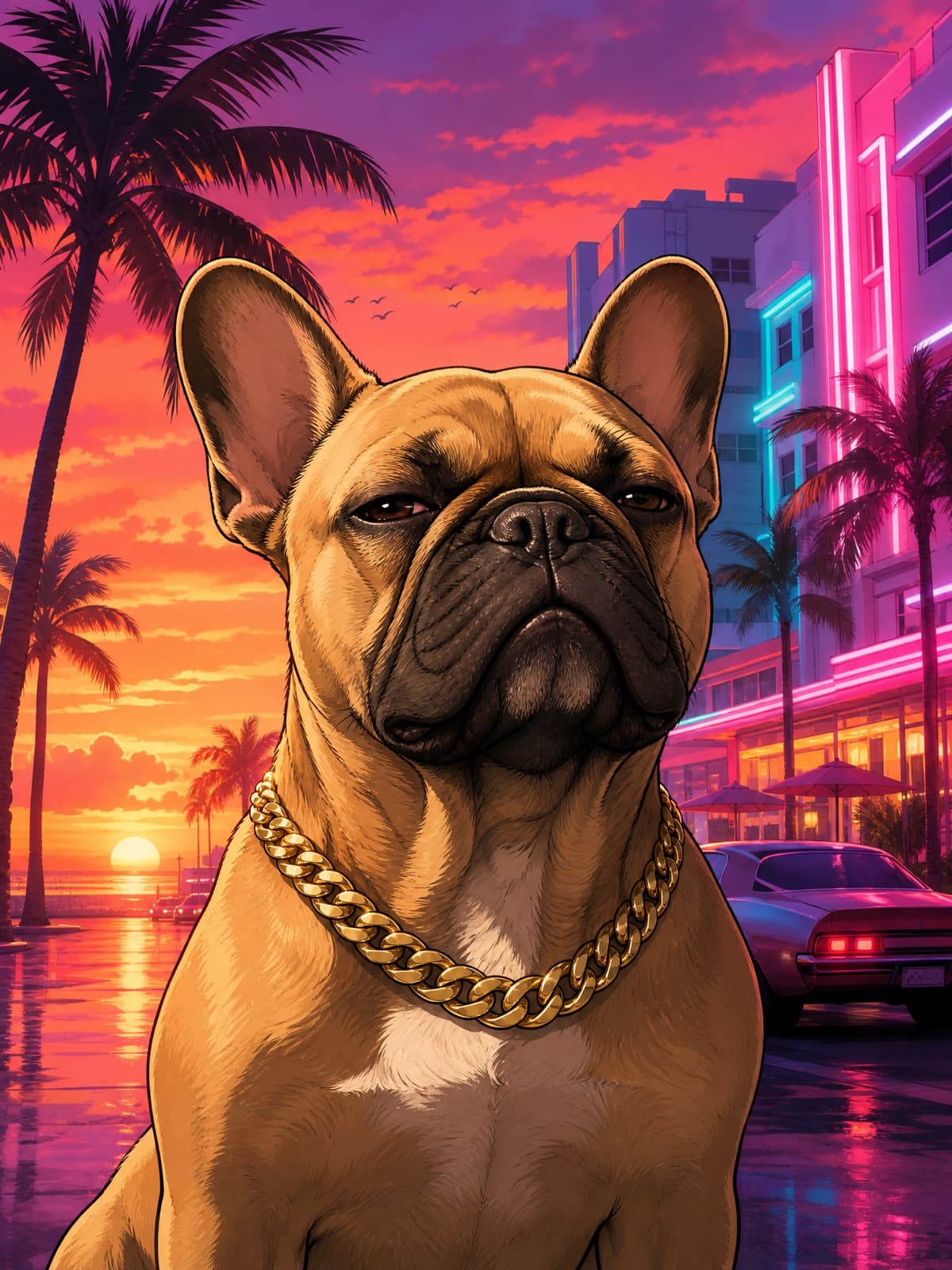
Pet Loading Screen
Your dog as the protagonist. Chain included.
- Midjourney V8.1
- Nano Banana Pro
- GPT Image 2
Turn the uploaded pet photo into a Grand Theft Auto VI style loading-screen character portrait. Keep the animal's exact breed, markings and face clearly recognizable. Re-render it as an illustrated GTA cover-art character with bold clean outlines, semi-realistic cel-shading and saturated color, wearing a gold chain, with a cool unbothered expression. Background: a neon Vice City sunset with palm silhouettes and art-deco buildings. Vertical 3:4. No real logos, no brand marks, no watermark.
Gotcha: Say the breed by name in the prompt. "Dog" gets you a generic dog; "tan French bulldog with a white chest" gets you yours.
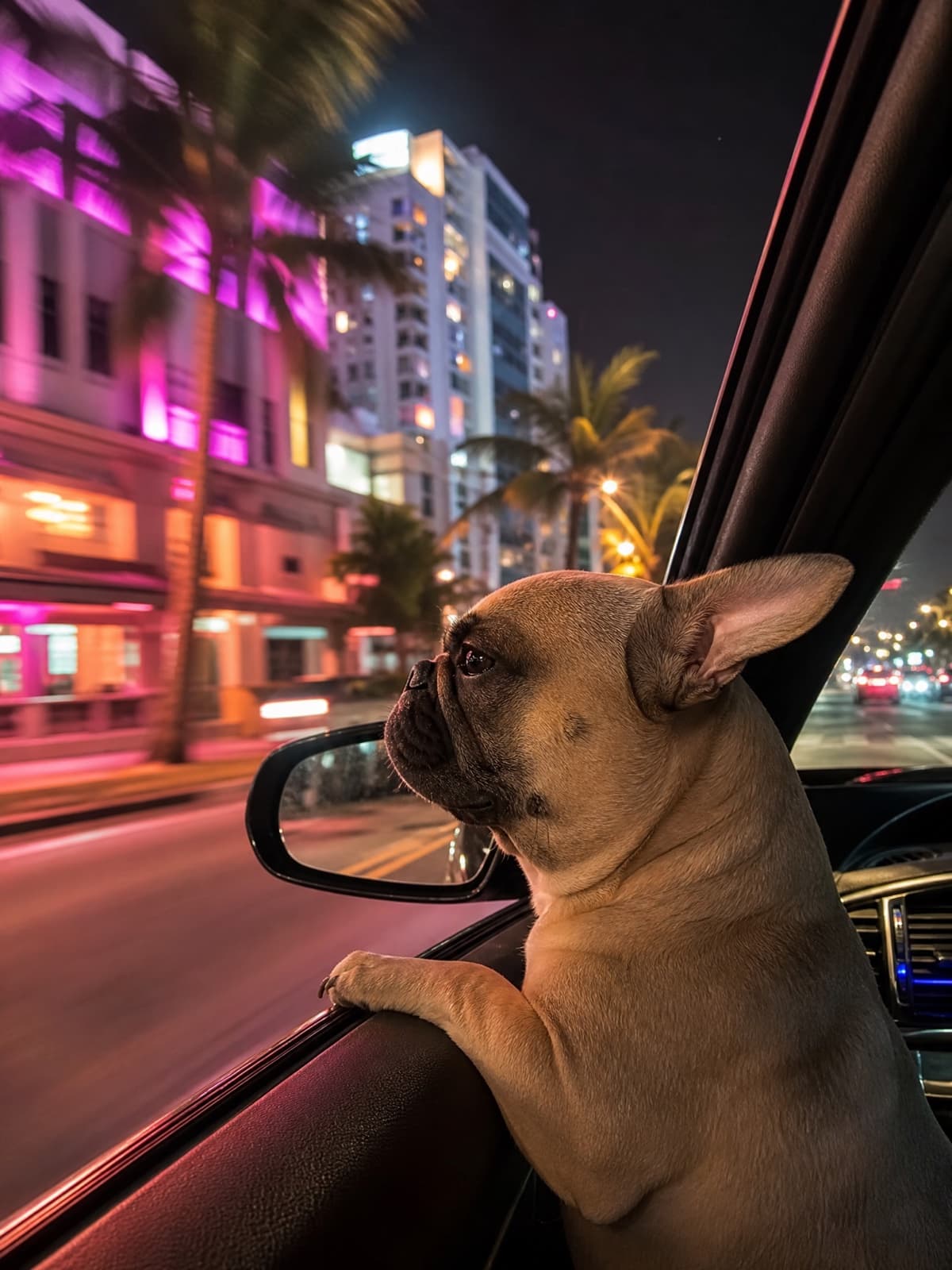
Pet Riding Shotgun
Head out the window, neon going past. Photoreal, not illustrated.
- Nano Banana Pro
- GPT Image 2
Render the pet in the uploaded photo as a photoreal Grand Theft Auto VI in-game character riding shotgun in a convertible, head out the passenger window, ears back in the wind. Keep the animal's exact breed, markings and face recognizable. Neon Vice City street streaking past at night, motion blur on the background, dashboard glow on its fur, gameplay-level sharpness. Vertical 3:4. No HUD, no on-screen text. No real logos, no brand marks, no watermark.
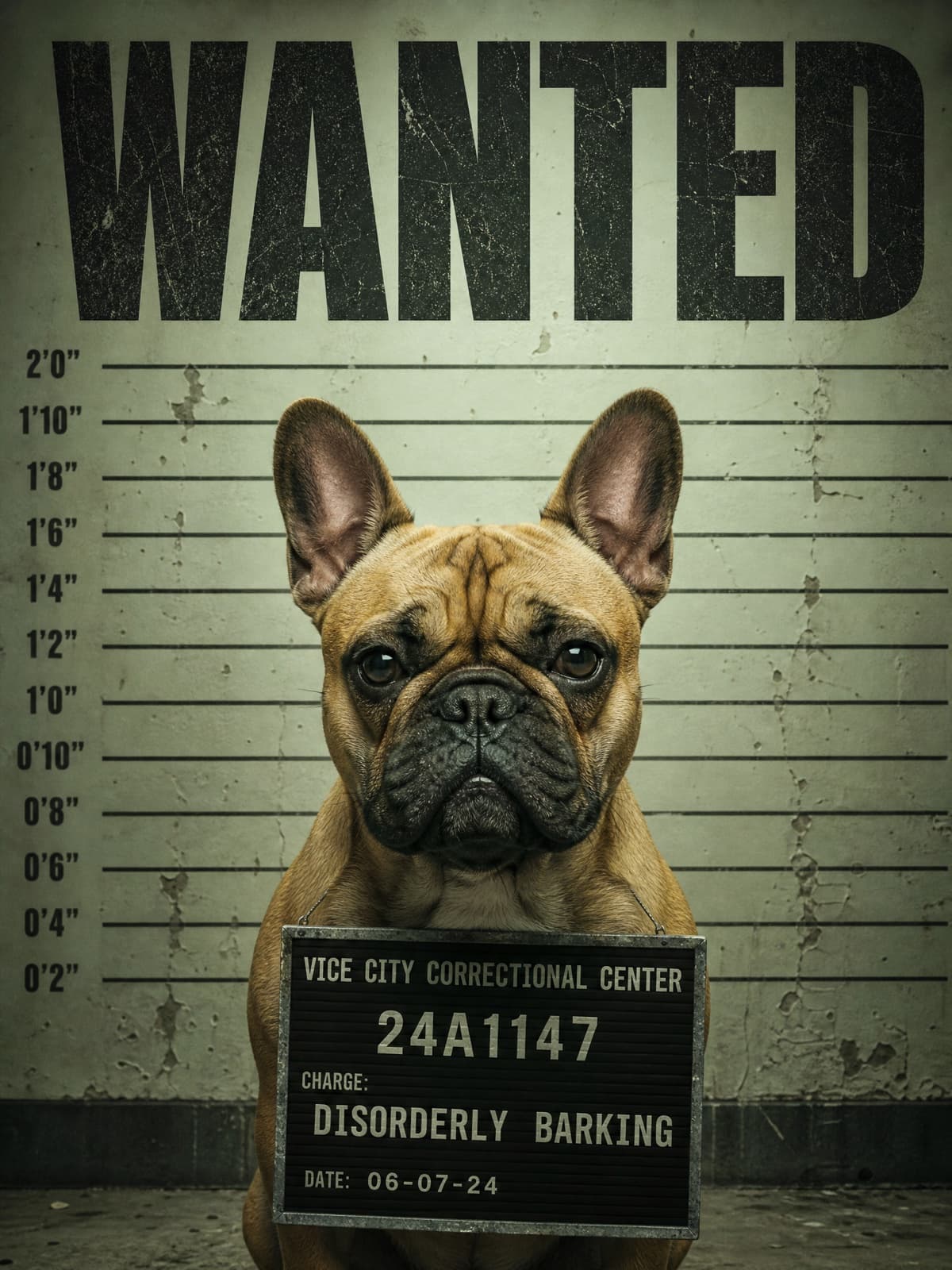
Pet Mugshot
Height chart, invented charge, absolutely no remorse.
- GPT Image 2
Turn the uploaded pet photo into a Grand Theft Auto VI style police booking poster. Keep the animal's exact breed, markings and face recognizable. Render it front-facing against a scuffed height-chart wall under hard fluorescent light, with a small placard showing an invented case number and a made-up petty charge. Above it, the word WANTED in a heavy condensed display typeface. Gritty photoreal render, desaturated with a sickly green cast. Vertical 3:4. Invented text only — No real logos, no brand marks, no watermark.
Screens & UI8
Loading screens, wanted posters, menus, mission cards. Text baked in.
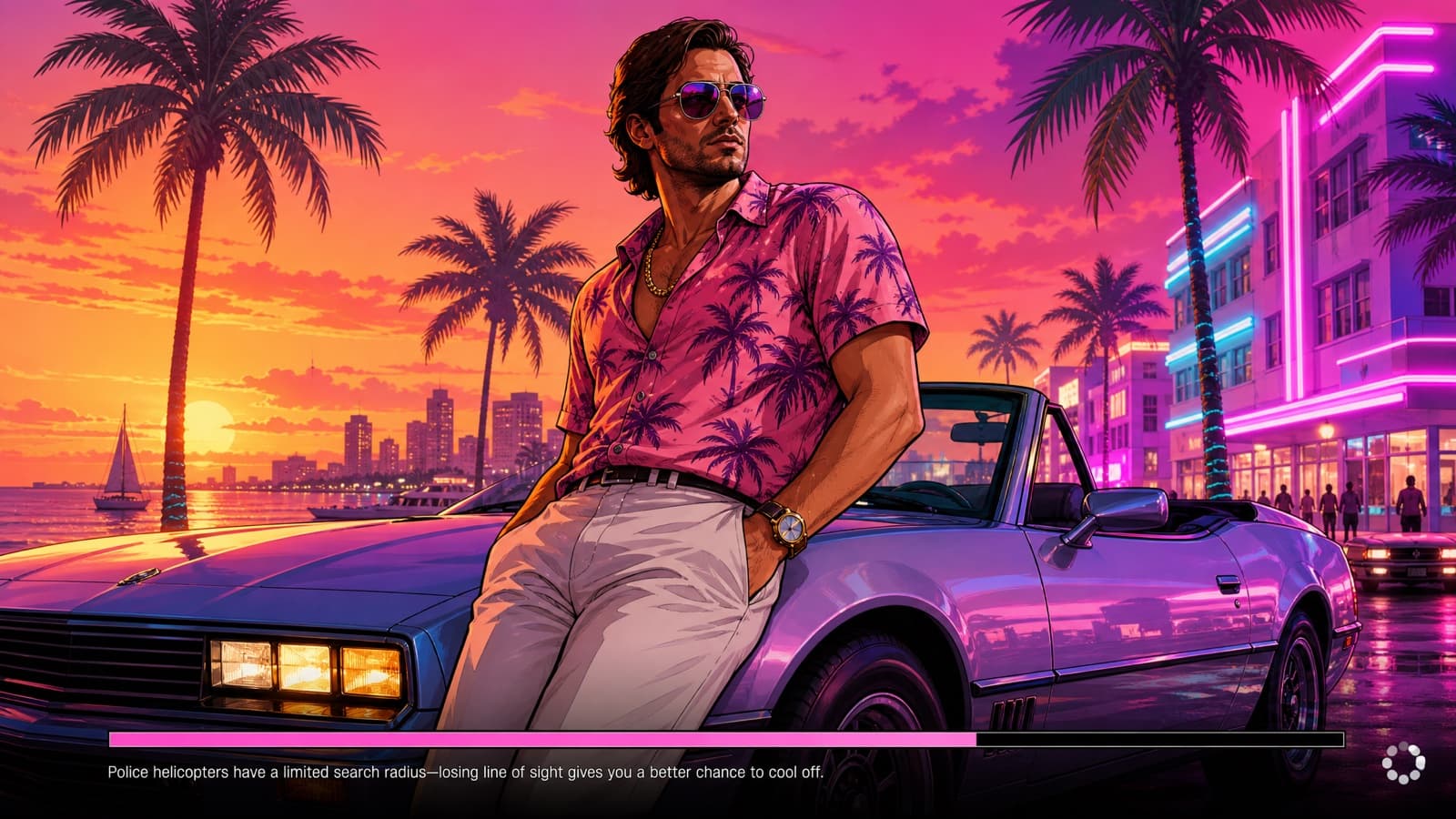
Full Loading Screen
Not just the portrait — the progress bar and the tip text too.
- GPT Image 2
A complete Grand Theft Auto VI style game loading screen. An illustrated GTA cover-art character leans against a convertible at a neon Vice City sunset, filling the frame edge to edge — bold outlines, cel-shaded, saturated color. Along the bottom edge: a thin horizontal progress bar about seventy percent filled, a short invented gameplay tip line in small plain sans-serif beside it, and a small spinning-icon placeholder in the bottom-right corner. No game title, no logo, no wordmark anywhere in the frame — the only text is the tip line. 16:9. No real logos, no brand marks, no watermark.
Gotcha: Say "no game title anywhere" explicitly. Left to itself the model paints a big invented title block over your art, and it tends to reach for a real one.
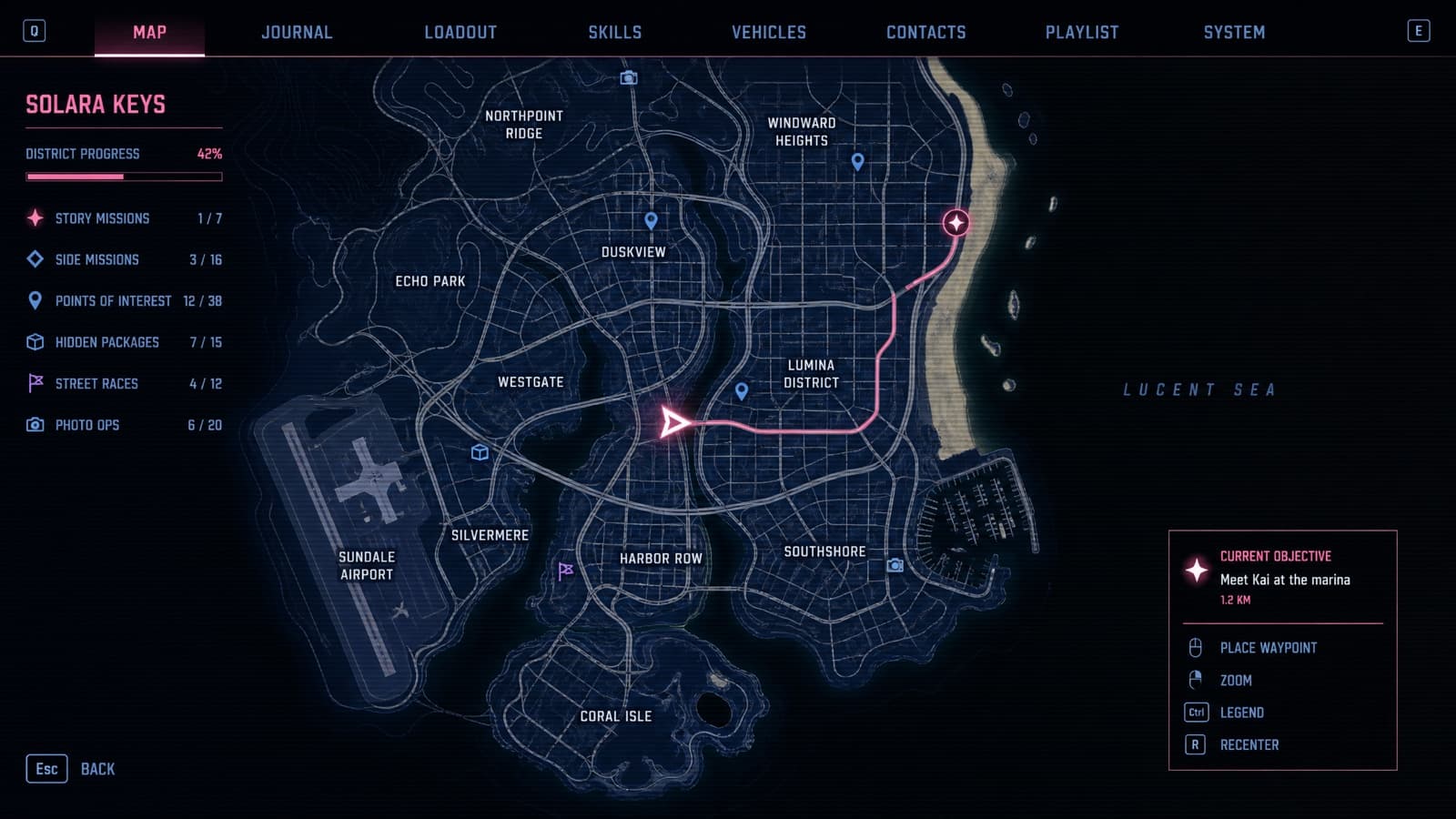
Pause-Menu Map
High-contrast vector city map with a player blip.
- GPT Image 2
- Nano Banana Pro
A Grand Theft Auto VI style pause-menu map screen. A stylized high-contrast vector map of a fictional coastal city: dark navy landmass, black water, thin bright road networks, a beach strip along the east edge, an airport and a marina, invented district names in small clean uppercase sans-serif. A bright triangular player blip sits mid-map with a route line running to a marked objective. Flat game-UI rendering, slight scanline texture, a thin menu bar with invented tab labels along the top. 16:9. Invented place names only — No real logos, no brand marks, no watermark.
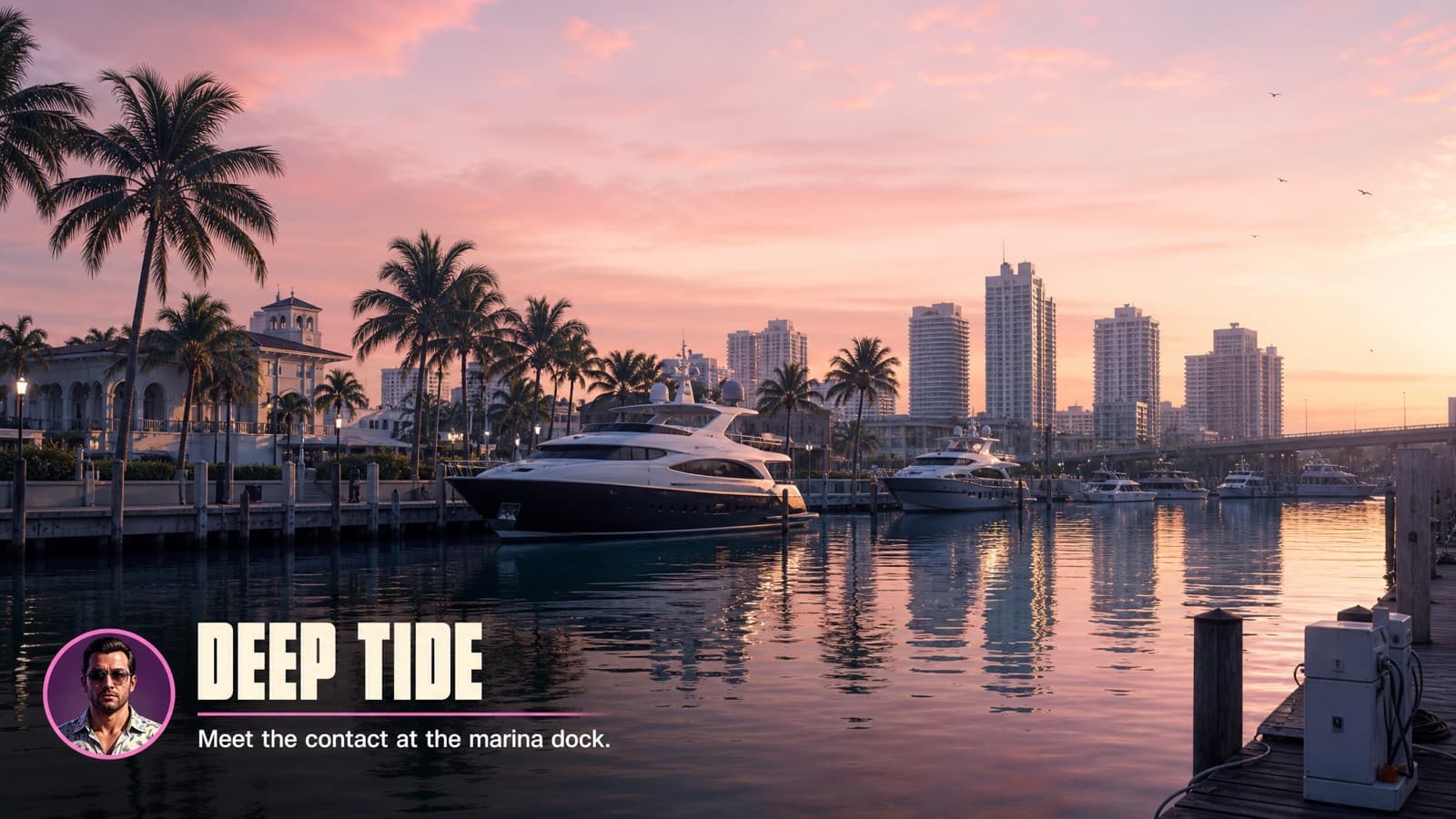
Mission Start Card
Objective text over a wide establishing shot.
- GPT Image 2
A Grand Theft Auto VI style mission-start frame. A wide photoreal establishing shot of a Vice City marina at dawn, yachts and palm trees, soft pink light on the water. Overlaid in the lower-left, flat game-UI text: an invented mission name in a heavy condensed typeface with a short objective line beneath it in plain sans-serif, plus a small circular character icon. Keep the overlay crisp and readable against the image. 16:9. Invented text only — No real logos, no brand marks, no watermark.
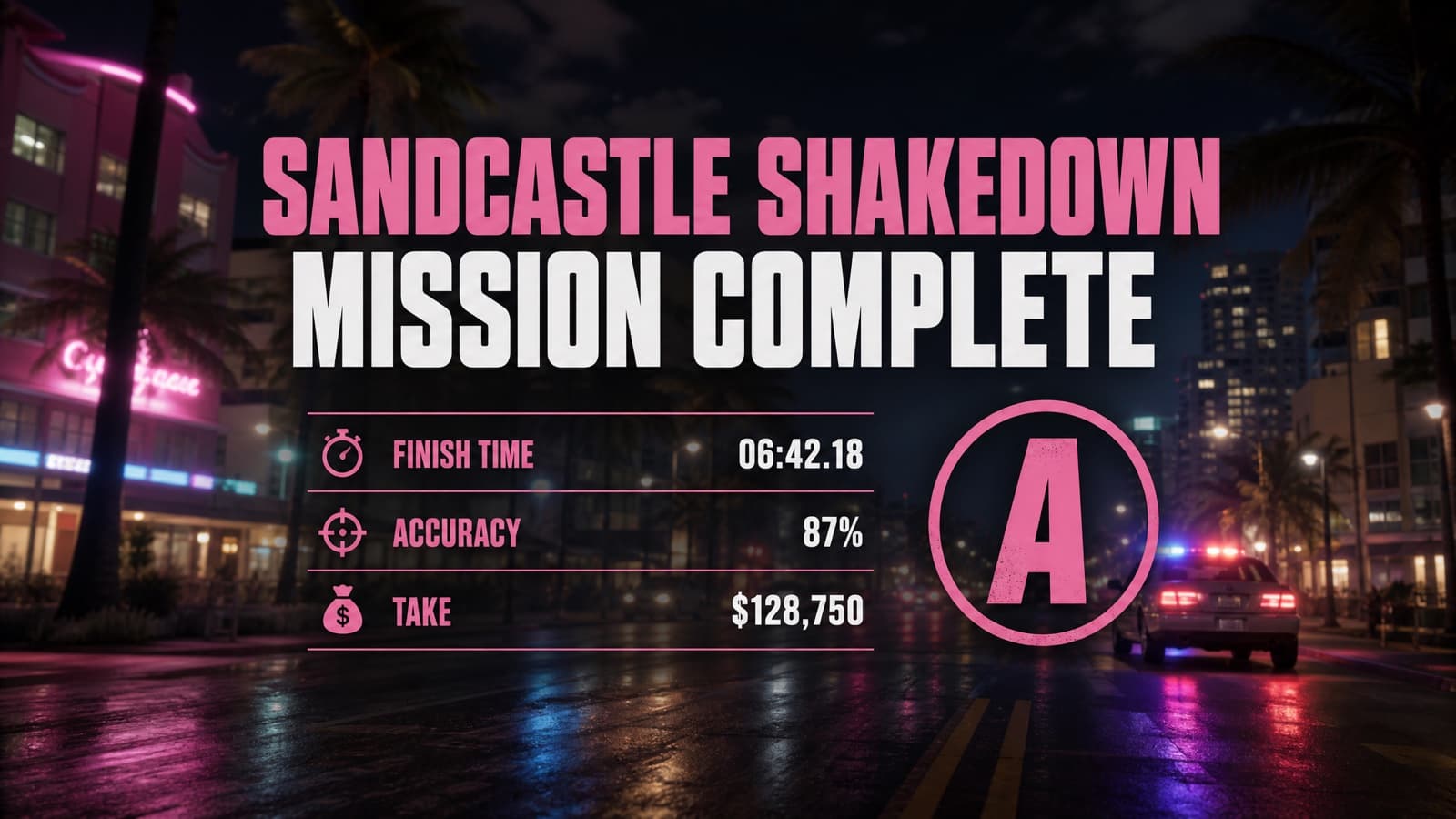
Mission Passed Card
The results screen, with a stat readout and a grade.
- GPT Image 2
A Grand Theft Auto VI style mission-complete results screen. Background: a slightly blurred photoreal night shot of a Vice City street with police lights receding. Centered over it, flat game-UI text reading an invented completion headline in a heavy condensed typeface, with a small stat readout beneath — three invented labelled rows with times and percentages — and a large letter grade in a circle at the right. Clean, crisp, readable. 16:9. Invented text only — No real logos, no brand marks, no watermark.
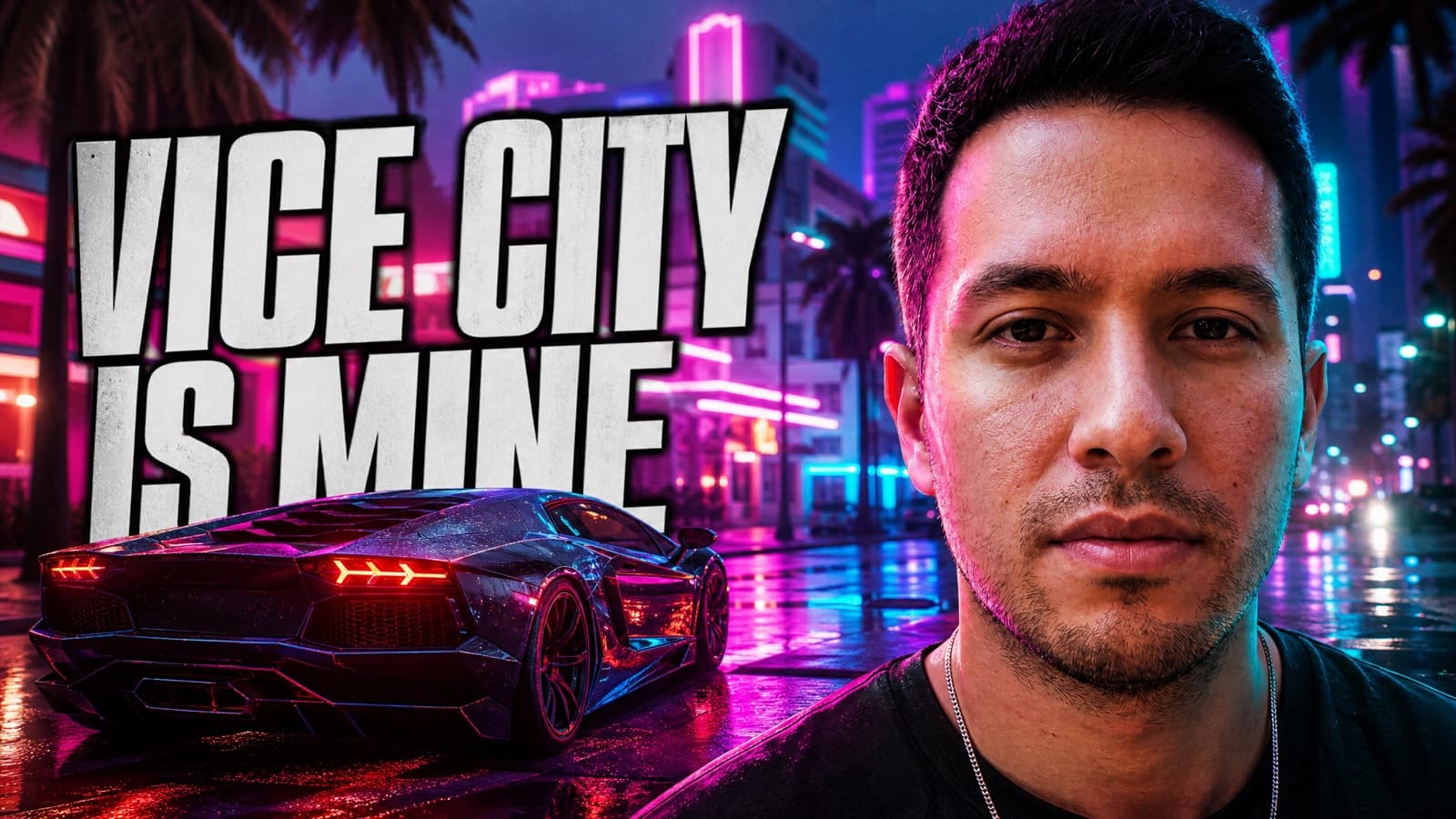
Video Thumbnail
For the faceless GTA channels. Big face, bold block, high contrast.
- GPT Image 2
Turn the uploaded photo into a Grand Theft Auto VI style video thumbnail, 16:9, sized for a video platform. Keep my face, hairstyle, and skin tone clearly recognizable — do not beautify or replace my features. Give me a cool, confident, moody main-character aura: a hard cold stare into the camera, mouth closed, absolutely not smiling. Render me as a photoreal in-engine game character occupying the right third of the frame in a tight shot, with a neon Vice City street and a supercar filling the left two-thirds behind me. Add a short invented headline in a heavy condensed typeface across the left side in high-contrast white with a thick dark outline. Punchy saturated grade, strong rim light, crisp at small sizes. Invented text only — No real logos, no brand marks, no watermark.
Gotcha: Ask for "crisp at small sizes" and keep the headline to three or four words. Thumbnails are judged at about 300px wide.
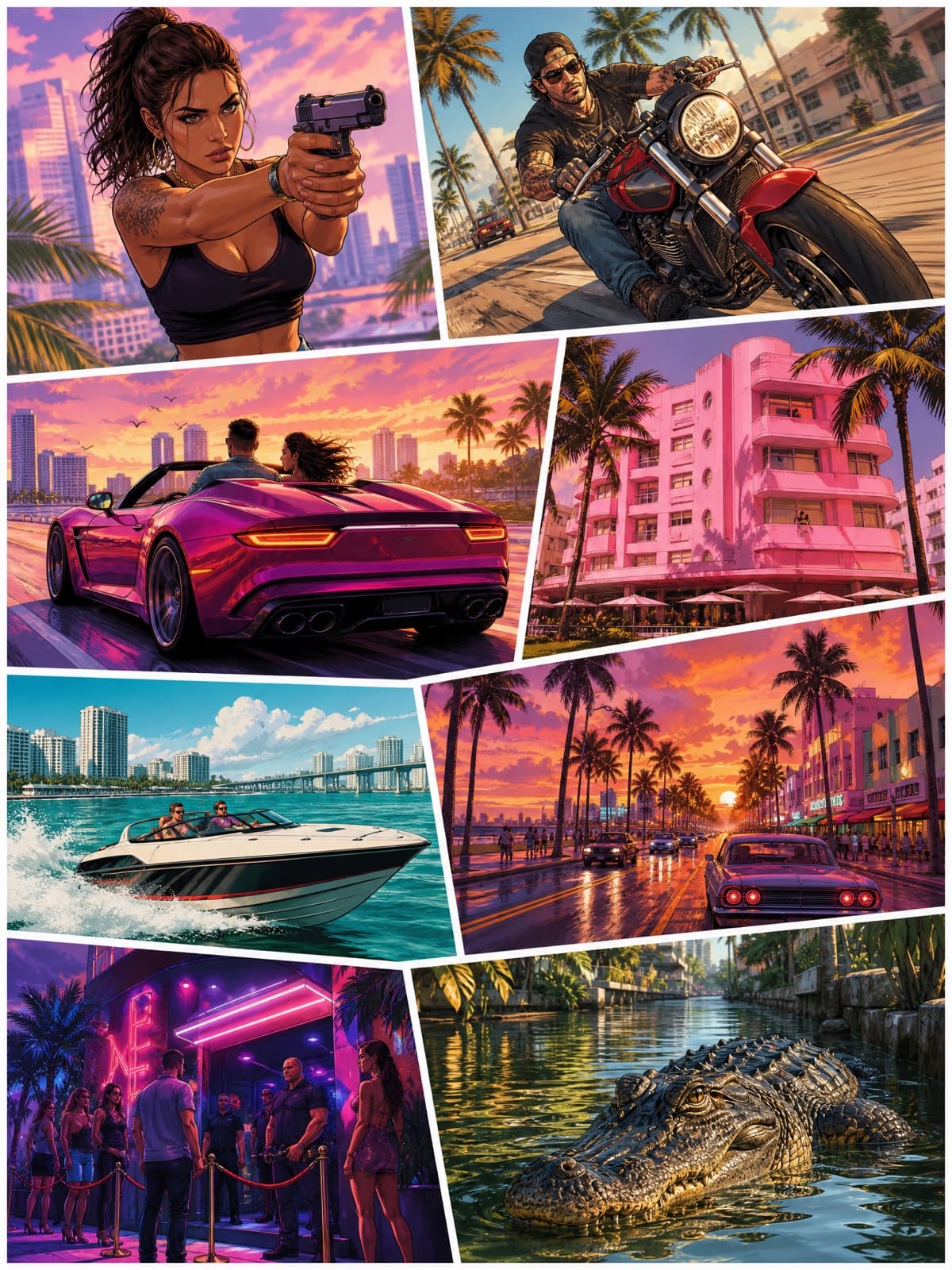
Box-Art Collage
The real cover format: a grid of vignettes, not one big portrait.
- GPT Image 2
- Midjourney V8.1
A Grand Theft Auto VI style game cover in the classic panel-collage layout: a vertical poster completely filled, edge to edge, by an irregular grid of eight illustrated vignettes separated by thin white gutters — a woman with a pistol, a man on a motorbike, a convertible at speed, a flamingo-pink hotel, a speedboat, a palm-lined street at sunset, a nightclub entrance, an alligator in a canal. Bold clean outlines, semi-realistic cel-shading, saturated tropical color, consistent lighting across all panels. Every panel filled with artwork — no blank areas, no title block, no text anywhere. Vertical 3:4. No real logos, no brand marks, no watermark.
Gotcha: Leave the title out entirely and say every panel must be filled. Asking it to reserve an empty title band just gets you a large white hole in the poster.
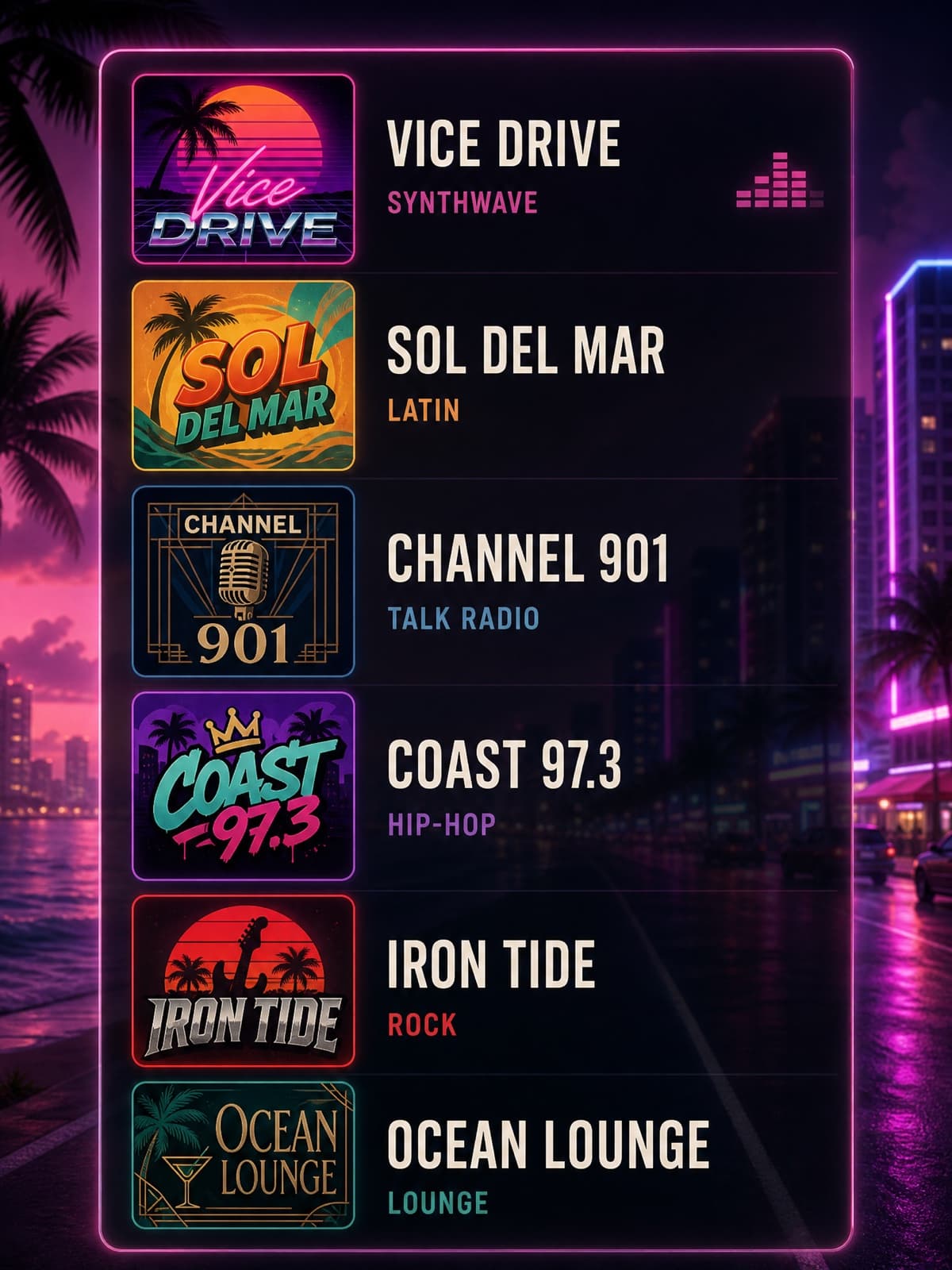
Radio Station Art
Invented station logos in a dial lineup. Nobody else covers this.
- GPT Image 2
- Midjourney V8.1
A Grand Theft Auto VI style radio-station selection panel. A vertical stack of six fictional radio stations, each row showing a small square station logo and an invented station name plus a made-up genre tag in clean sans-serif — a synthwave station, a Latin station, a talk-radio station, a hip-hop station, a rock station and a lounge station. Each logo has its own distinct retro-Miami design language: neon gradients, chrome, palm motifs, art-deco geometry. Dark translucent game-UI panel background with a soft neon glow. Vertical 3:4. All station names invented — No real logos, no brand marks, no watermark.
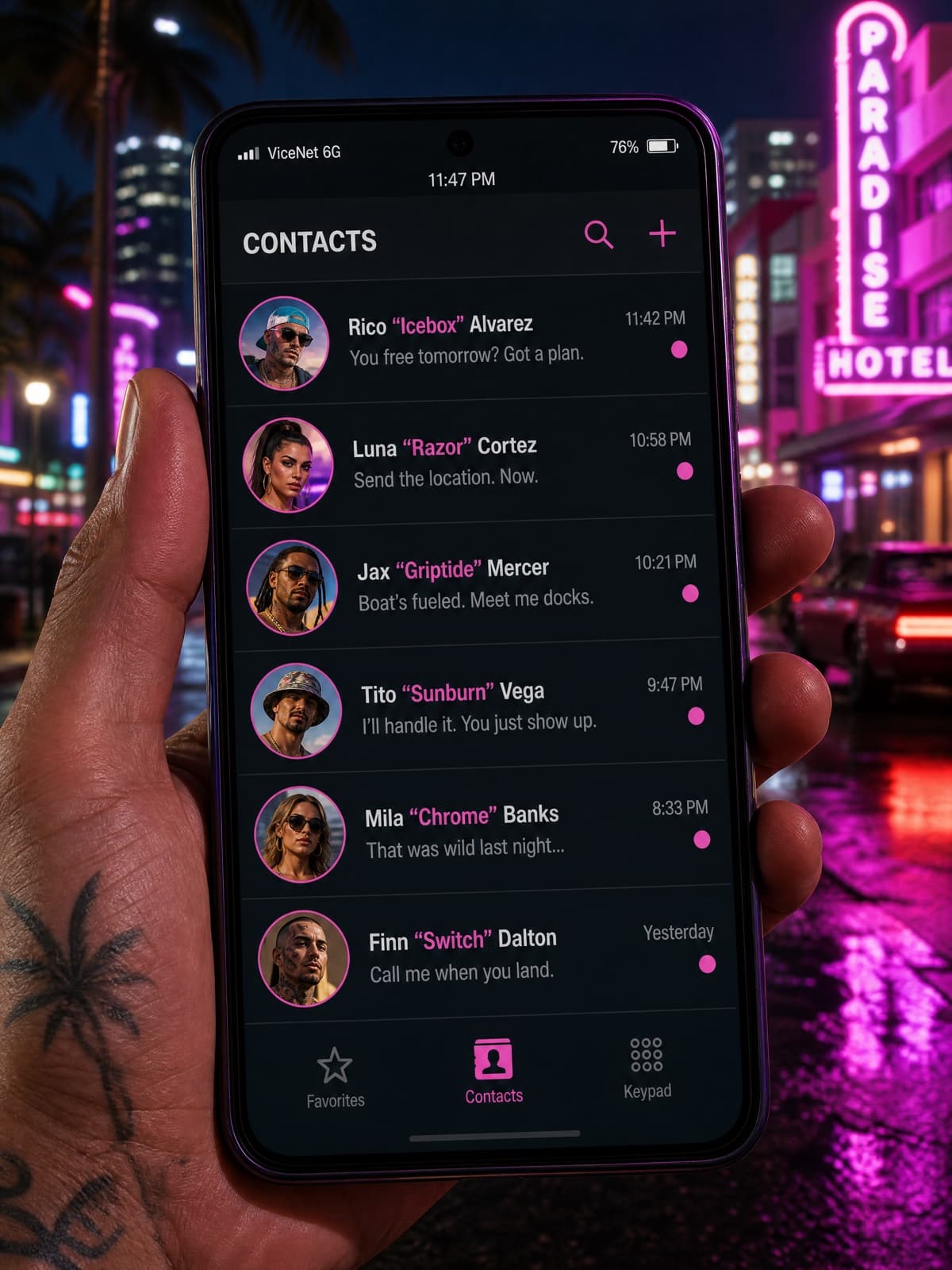
In-Game Phone Screen
Contact list with invented names. Small, dumb, extremely shareable.
- GPT Image 2
A Grand Theft Auto VI style in-game phone screen, shown as a phone held in a character's hand against a blurred neon Vice City street at night. The screen displays a contact list with six invented character names and nicknames, small circular avatar thumbnails, and a message-preview line under each, in a clean flat mobile-UI style with a subtle neon accent color. A status bar with a fictional carrier name sits at the top. Vertical 3:4. All names and text invented — No real logos, no brand marks, no watermark.
Cars & chases5
Supercars, lowriders, jet skis, and the police behind them.
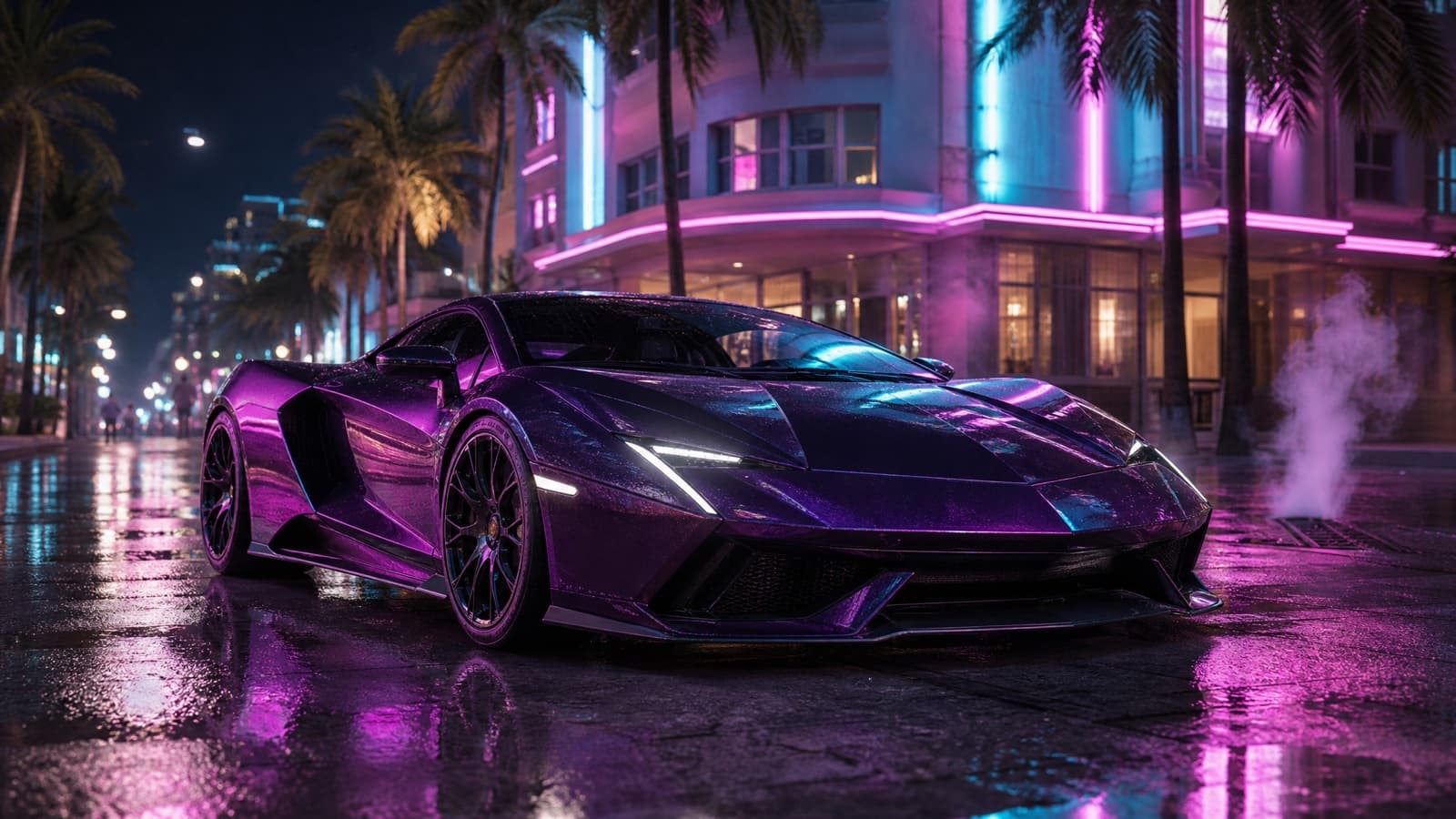
Supercar Hero Shot
Parked, wet, lit from below. The cleanest wallpaper on the page.
- Nano Banana Pro
- GPT Image 2
- Midjourney V8.1
A Grand Theft Auto VI style hero shot of an exotic mid-engine supercar parked on a wet Vice City street at night, three-quarter front angle from a low camera. Neon signage reflecting in the paint and the puddles, palm trees and an art-deco hotel behind, steam drifting from a grate. Photoreal in-engine render, gameplay-level sharpness, magenta-and-cyan lighting, shallow depth of field, film grain. 16:9. No HUD, no on-screen text. Invented car design, No real logos, no brand marks, no watermark.
Gotcha: Say invented car design. Naming a real manufacturer is a reliable way to get a refusal, and the generic version looks the same.
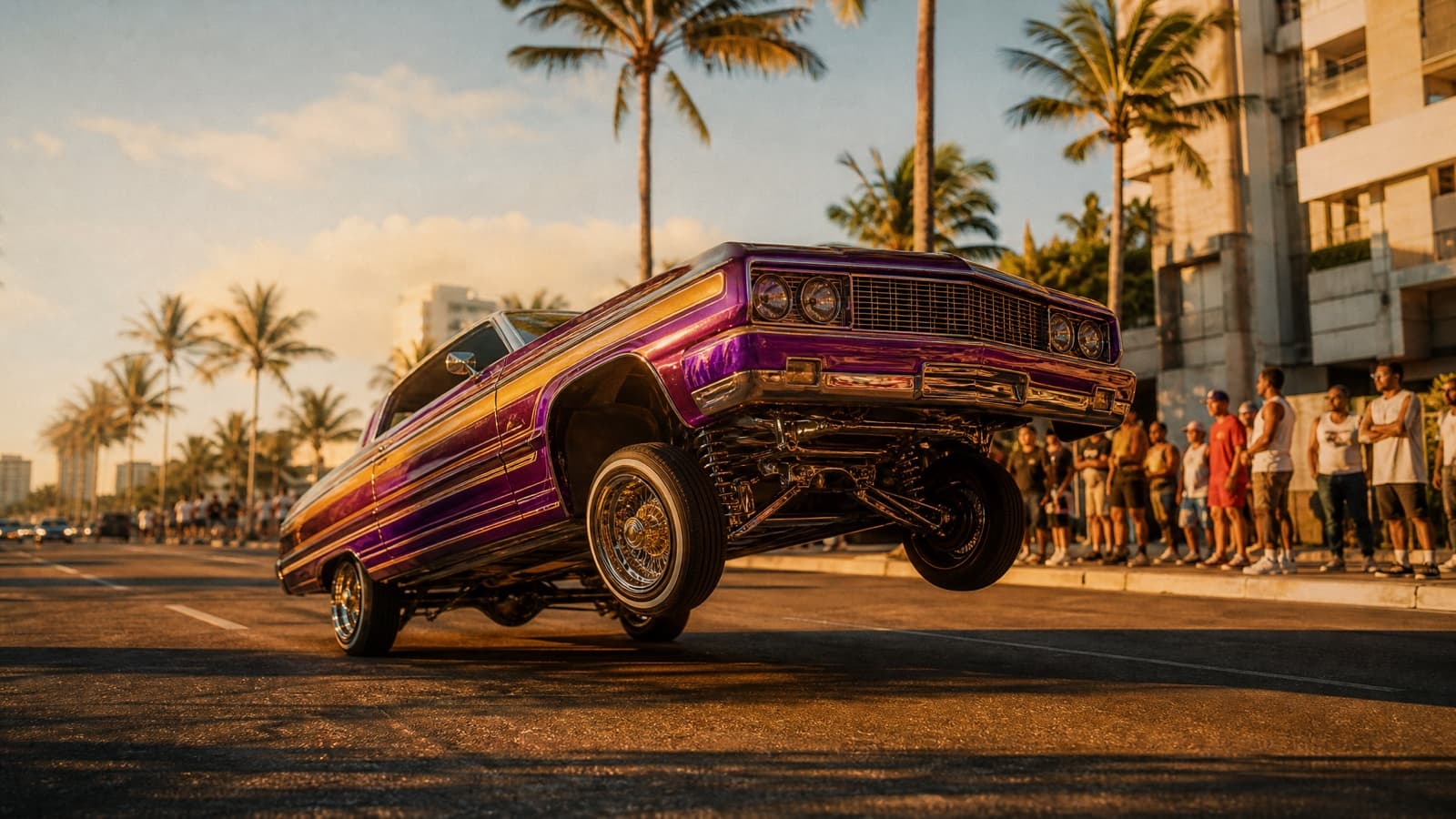
Lowrider Cruise
Hopping on hydraulics at golden hour. Warmer than the neon shots.
- Nano Banana Pro
- Midjourney V8.1
A Grand Theft Auto VI style frame of a candy-painted lowrider mid-hop on its hydraulics, front end lifted off the ground, cruising a palm-lined Vice City boulevard at golden hour. Chrome wire wheels catching the sun, a small crowd watching from the sidewalk, long warm shadows across the road. Photoreal in-engine render, low three-quarter camera angle, warm saturated grade, film grain, 16:9. No HUD, no on-screen text. Invented car design, No real logos, no brand marks, no watermark.
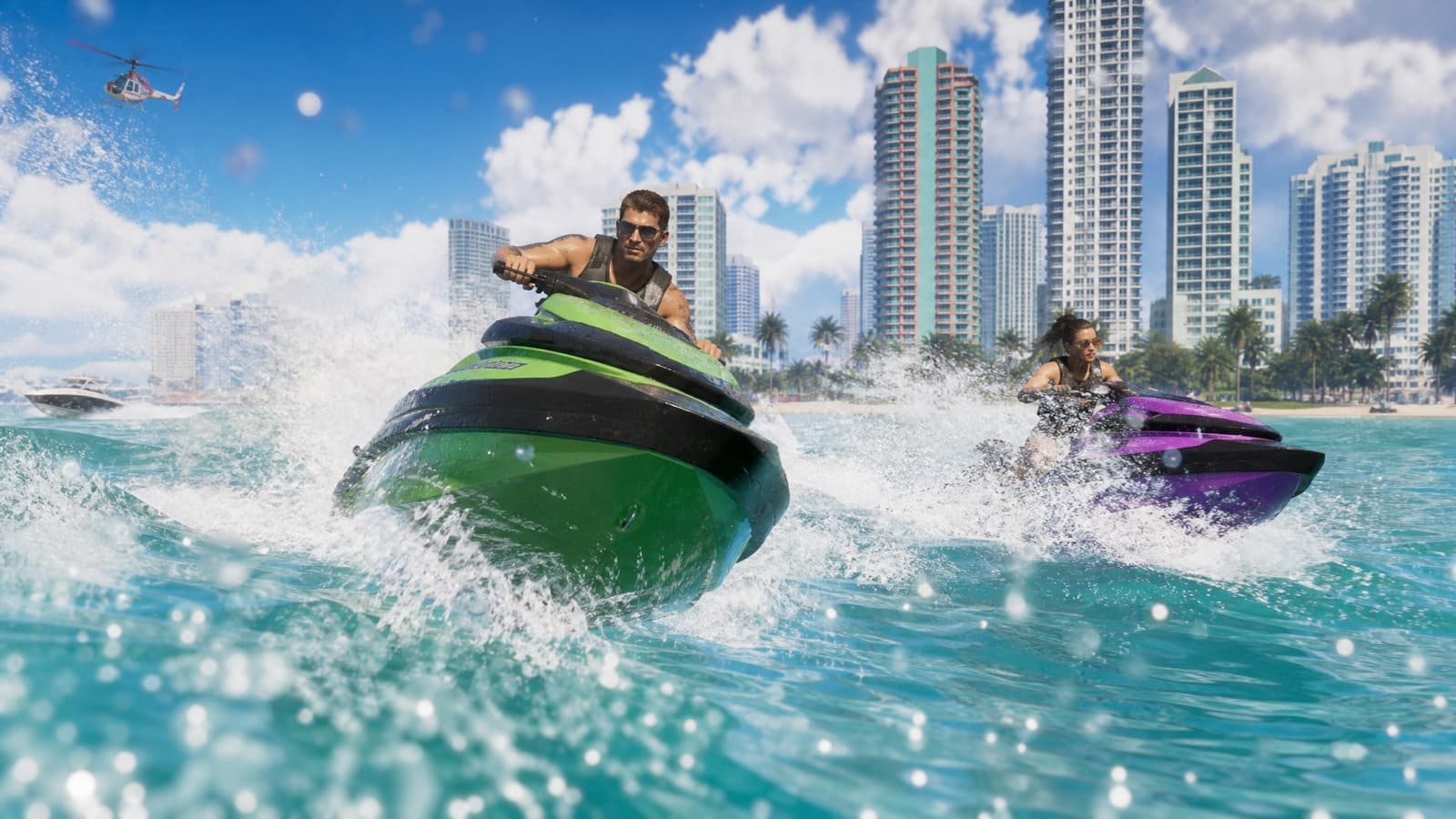
Jet Ski Chase
Turquoise water, tall spray, skyline behind. Very underused.
- Nano Banana Pro
- GPT Image 2
A Grand Theft Auto VI style action frame: two jet skis carving hard through turquoise coastal water, throwing tall arcs of spray, the pastel Vice City skyline and its art-deco towers on the horizon behind. Low camera skimming just above the surface, water droplets on the lens, hot midday sun with sharp specular glints, photoreal in-engine render, saturated tropical grade, 16:9. No HUD, no on-screen text. No real logos, no brand marks, no watermark.
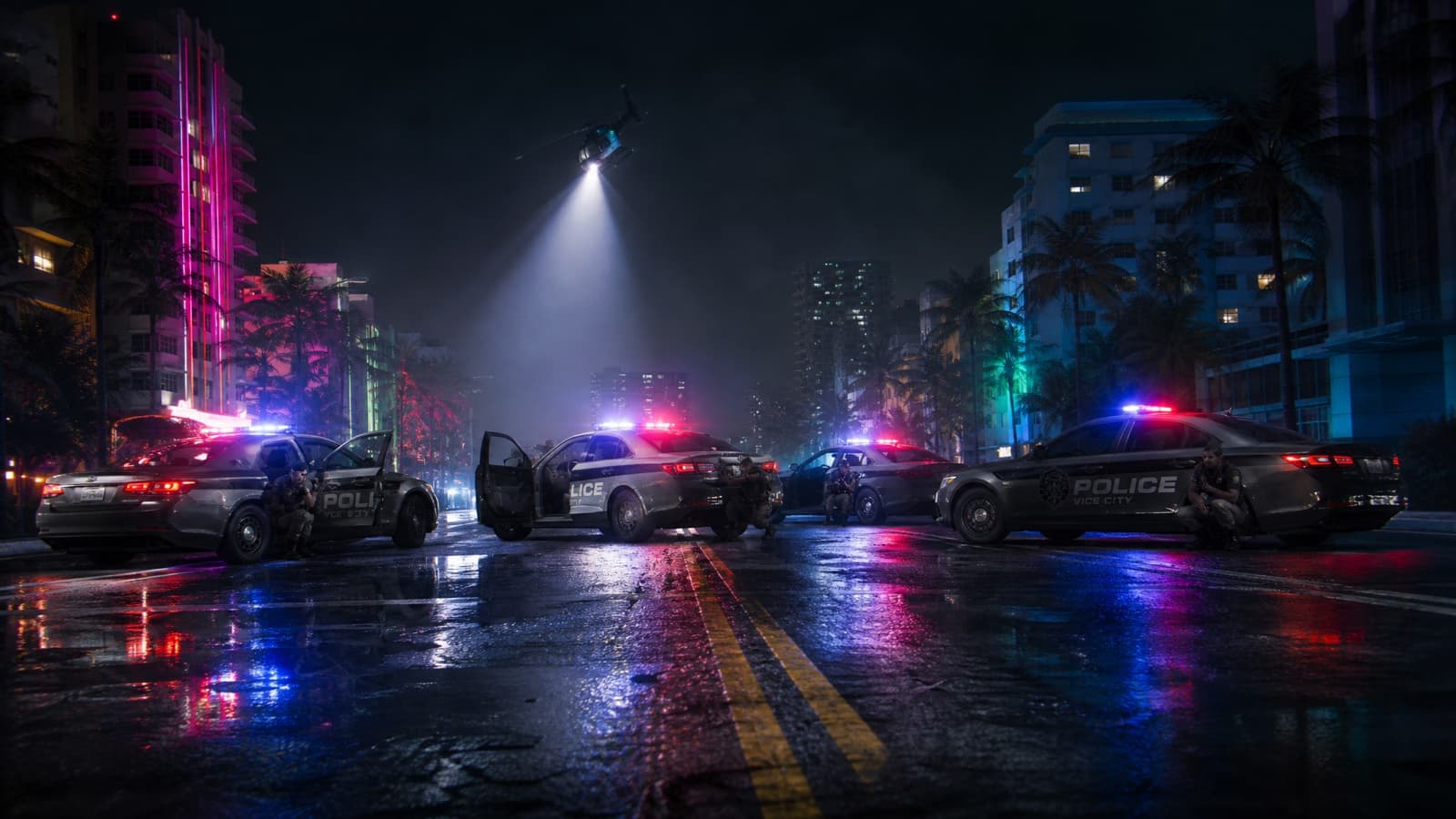
Police Roadblock
Cars across the road, doors open, lights strobing. Pure tension.
- Nano Banana Pro
- GPT Image 2
A Grand Theft Auto VI style frame of a police roadblock at night: four patrol cars angled across a wet Vice City avenue with doors open and light bars strobing blue and red, officers taking cover behind them, a helicopter searchlight sweeping in from above. Wide low camera angle down the road toward the block, lens flares off the light bars, deep shadows, photoreal in-engine render, cool blue grade with hot neon accents, film grain. 16:9. No HUD, no on-screen text. Invented department markings only — No real logos, no brand marks, no watermark.
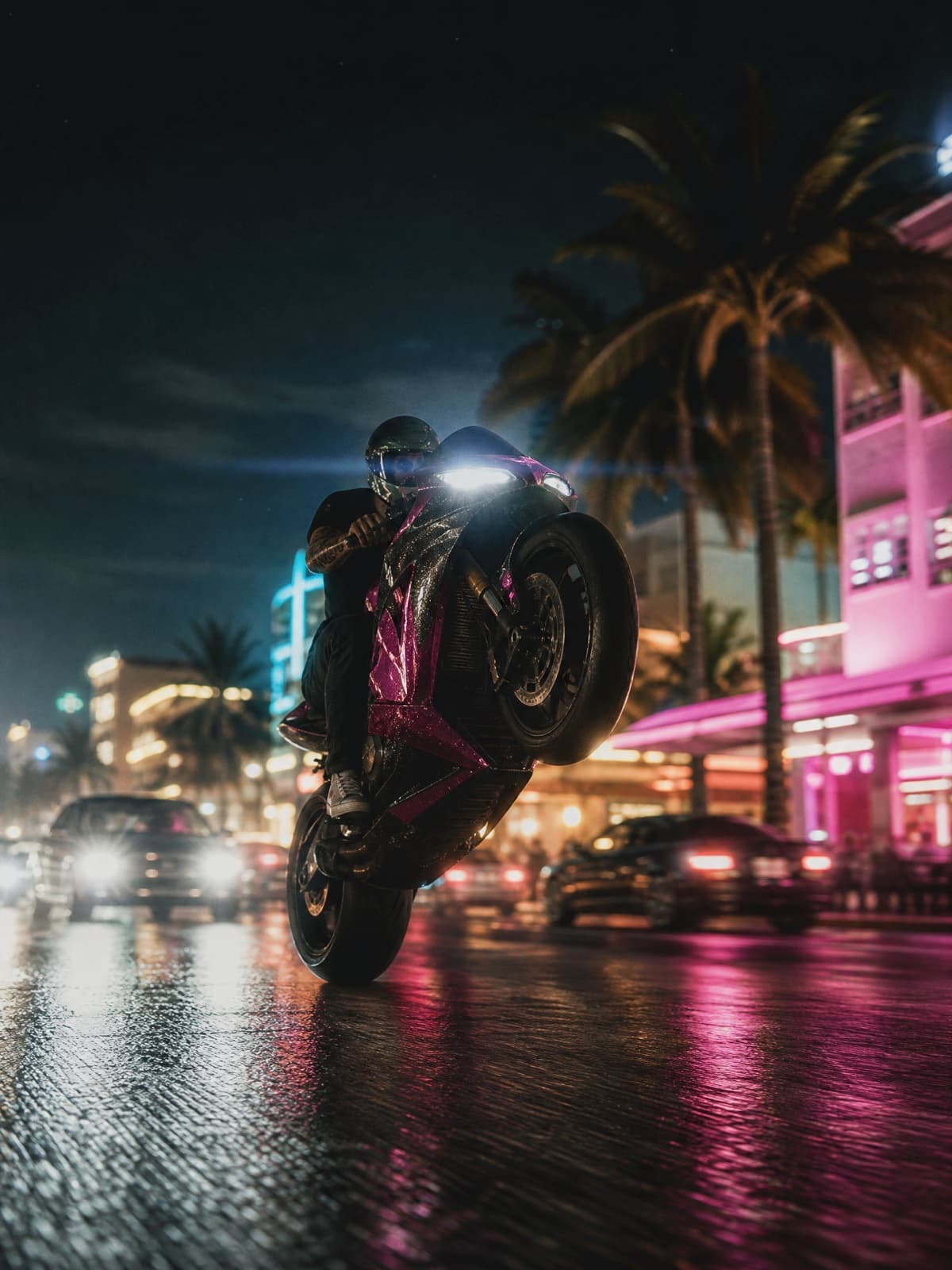
Downtown Wheelie
Front wheel up, traffic behind, sparks optional.
- Nano Banana Pro
- GPT Image 2
A Grand Theft Auto VI style action frame: a rider pulling a wheelie on a sport bike down a downtown Vice City avenue at night, front wheel high, traffic and neon storefronts streaking past behind in motion blur. Low camera angle close to the road surface, wet asphalt reflections, headlight flare, photoreal in-engine render, saturated magenta-and-teal grade, film grain. Vertical 3:4. No HUD, no on-screen text. No real logos, no brand marks, no watermark.
Which Model for Which Look
No single model wins everything, and the differences are bigger than the marketing suggests.
- Veo 3.1
- 4K with native audio. 8-second ceiling, so it suits single shots over full trailers.
- Kling 3.0
- Native multi-shot up to 15 seconds — the best fit for anything you'd call a trailer.
- Seedance 2.0
- Holds one face across every cut. The pick when the video has to star you.
- Grok Imagine
- Fast, 6–15 seconds with synced audio. Meme-tier quality, meme-tier effort.
- Nano Banana Pro
- The photoreal 'real to GTA' default. Direct it in plain sentences, not keyword stacks.
- GPT Image 2
- The only one to trust with text baked into the image — posters, menus, mission cards.
- Midjourney V8.1
- Still unmatched for the painted, cel-shaded cover-art look.
The short version: Nano Banana Pro for photoreal, Midjourney for illustrated, GPT Image 2 the moment any text has to appear inside the image, Kling 3.0 for video with more than one shot in it.
Two of those have enough quirks to deserve their own page — including the reason ChatGPT refuses GTA prompts, and the keyword-stack habit that makes Nano Banana Pro ignore yours:
- GTA 6 prompts for ChatGPT — and the one rewrite that clears the copyright filter
- GTA 6 prompts for Gemini & Nano Banana Pro — the photoreal "real to GTA" look
And the campaign beat everything is timed around: GTA 6 Trailer 3 — the August 27 extended look, with times and where to watch.
Prompts are not portable across models the way people assume. Nano Banana Pro wants plain directing sentences and ignores keyword stacks and --flags. Veo 3.1 weights the front of your prompt heaviest and starts dropping instructions past roughly 175 words. Midjourney still wants its parameter flags. Same scene, three different phrasings.
How to Write Your Own GTA 6 Prompt
Five parts, every time:
- Name the look — "cinematic Grand Theft Auto VI style" for trailers, "GTA VI loading-screen art" for the illustrated portraits, "photoreal GTA 6 in-game screenshot" for the real-to-GTA look.
- Lock the world — neon Vice City at night, art-deco buildings, palm trees, wet reflective streets, magenta-and-teal grade.
- Describe one shot — the subject, the camera move (slow push-in, low-angle dolly), the lens (anamorphic, shallow depth of field). One shot beats a vibe.
- State the aspect ratio — none of these models default to the one you want, and a 1:1 trailer frame looks wrong no matter how good the render is.
- Close the gates — "no on-screen text, no logos, invented designs only."
That last one is worth more than it looks. Most GTA generations that fail don't fail on quality, they get refused, and it's nearly always because the prompt asked for a real trademark: the GTA logo, the Rockstar wordmark, a named car manufacturer. Ask for invented equivalents and the refusals stop while the output looks identical.
If you're putting a person in the shot, the single highest-leverage sentence is telling the model to keep their face recognizable and not to beautify it. Every image model drifts toward a generic attractive stranger unless you forbid it. Add "mouth closed, not smiling" and you get the GTA aura for free — the leads never grin.
Prompting It Yourself vs. One Tap
Both get you there. One takes longer.
| Doing it by hand | Starrd GTA 6 Trailer |
|---|---|
| Copy a prompt, pick a model, fix the aspect ratio | Upload one selfie |
| Re-roll until your face stays consistent between shots | Face stays you across all 12 shots |
| Stitch shots, add a soundtrack | 15-second cinematic trailer, scored, done |
| Pay per render across several tools | 100 credits per video (about $4.99) |
Questions People Ask
Can I still use Sora? No. The app closed April 26, 2026 and the API ends September 24, 2026. Use Kling 3.0 or Veo 3.1 instead — the prompts port over nearly unchanged.
Which model puts my face in a video without it drifting? Seedance 2.0 is built for it; it holds one identity across cuts, which is the part every other model struggles with. That's the same pipeline behind the template linked above.
Why do my generations keep getting refused? You're almost certainly asking for a real trademark. Swap the logo or the car brand for an invented one.
Are these free? All 38 prompts are free to copy into whatever tool you already pay for.
Related Reading
- How to Make a GTA 6 AI Video of Yourself — the one-selfie way to star in your own GTA 6 trailer.
- Turn Your Photo Into a GTA 6 Character — real before/after examples in four styles.
- How to Make a GTA 6 Poster With AI — the poster and cover-art angle in depth.
- How to Make an AI Game Menu Video — the GTA-style loading-screen / main-character cover art.
- GTA 6 Trailer 3 breakdown — the 26-minute gameplay reveal, and the shots people are recreating from it.
- Is that GTA 6 leak real or AI? — how to tell a real build from a generated one.
- Seedance 2.5 prompt guide — 30-second multi-shot video prompts, for trailer-length sequences.
- AI Camera Movements — 42 camera moves with video examples, for writing your own shot descriptions.
- Also in Español and Português.
Not affiliated with Rockstar Games. Fan-made parody prompts in the style of Grand Theft Auto VI. Last updated September 3, 2026.


