Quick answer
Upload one clear photo to Starrd's Chanel template and it generates a full-body clip of that person doing the Chanel dance trend — the smooth, swaying TikTok routine — synced to the track. It costs 100 credits (about $5), works on any subject in the photo, and there's no prompt to write.
The same dance, any subject — tap one to make it with your photo.
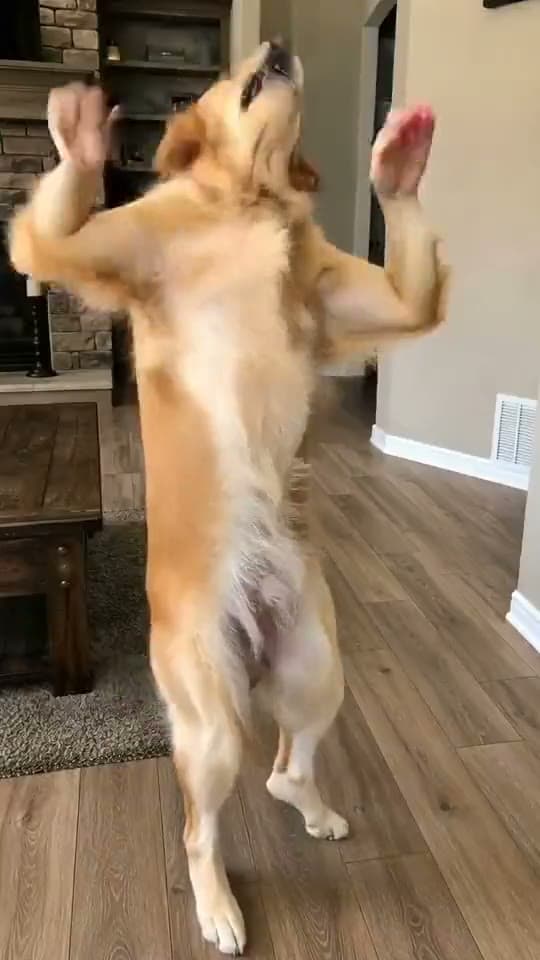
One photo in, and out comes that person doing the Chanel dance — the smooth, swaying routine all over TikTok, performed full-body with the kind of effortless confidence most of us cannot fake on camera:
Chanel
Drop any photo and watch them do the Chanel dance trend — the smooth, swaying routine, mapped move-for-move and synced to the track. One tap, no prompt.
Why the Chanel Dance Works So Well as AI
Most dance trends are about hitting counts. The Chanel dance is about vibe — relaxed sways, easy arms, a routine that looks unbothered by definition. That's precisely what makes it brutal to actually perform (stiffness reads instantly) and perfect for the one-photo format: the AI performer never gets self-conscious.
And the casting is the content. The routine's whole personality is "effortlessly cool," so the funniest versions put it on the least effortlessly-cool subject available: your dad, grandma, the family golden retriever. Motion-capture-grade choreography from one still means anyone in your camera roll can pull it off.
How to Make It (3 Steps)
- Pick one clear photo. Single subject, front-facing, good light — full-body or three-quarter framing works best for this routine's hip and arm work.
- Open the Chanel template in Starrd's Dance category.
- Upload and generate. You get a vertical 9:16 clip of your subject doing the routine, track included. 100 credits — about $5, no subscription, credits never expire.
Smooth dances expose warping worse than fast ones — on a slow sway, the eye has time to notice a melting hand. That's why this template regenerates the performer instead of motion-transferring your photo: the slow moves stay clean.
One Tap, Not a Pipeline
Doing this yourself means finding a source clip of the trend, running it through a motion-transfer tool like Viggle, and cleaning up the artifacts — green-screen thinking applied to a format that's supposed to feel effortless.
The template collapses it: choreography built in, performer regenerated fresh with your subject's face held consistent, track synced, vertical output. Upload, tap, post.
Chanel
The full routine from one photo — smooth, clean, on the beat. 100 credits, about $5.
Common Mistakes
- A stiff, cropped photo. Give the model a relaxed, full-body look at your subject.
- Group shots. One subject only — the model needs to know who's dancing.
- Muting the track. The song is what makes it the Chanel trend and not generic swaying.
- Skipping consent. Someone else's photo? Ask first. In-on-the-joke versions travel; ambushes don't.
Related Reading
- How to Make an AI Dance Video — the pillar guide: every named routine in the library, same one-photo workflow.
- How to Make Your Pet Dance With AI — the dancing dog/cat cut of the format.
- How to Make the Juju On That Beat AI Dance — the fast, sharp counterpart to this one.
- Browse all dance templates →