Quick answer
Upload one clear photo to Starrd's Juju On That Beat template and it generates a full-body clip of that person doing the Juju On That Beat dance challenge — the viral routine everyone learned in 2016 — synced to the beat. It costs 100 credits (about $5), works on any subject in the photo, and there's no prompt to write.
The same dance, any subject — tap one to make it with your photo.
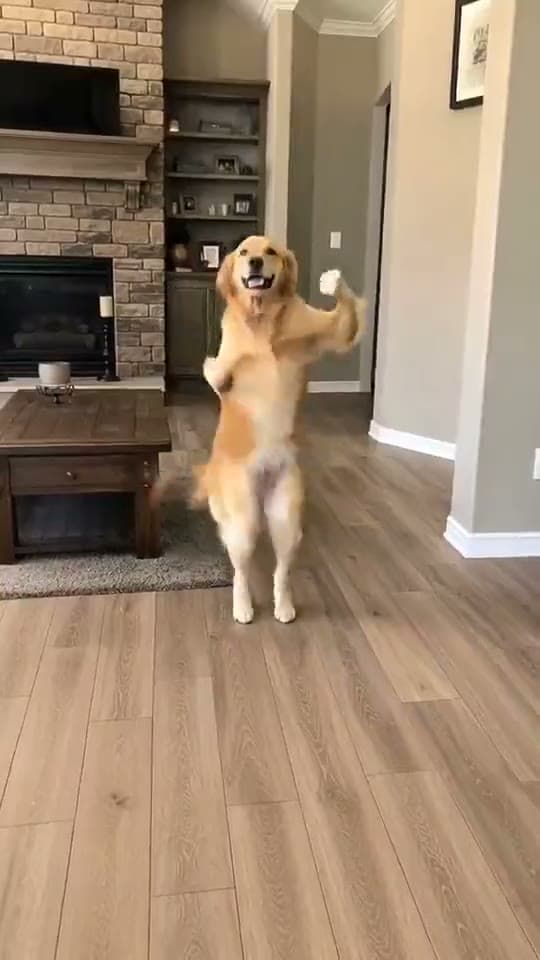
One photo in, and out comes that person hitting the Juju On That Beat challenge — the schoolyard classic from 2016 that every person under 40 can still picture on command. Full body, on the beat, in a clip that looks clean enough to post:
Juju On That Beat
Drop any photo and watch them hit the Juju On That Beat challenge — the schoolyard classic, full routine, synced to the beat. One tap, no prompt.
Why This Dance Still Hits
"Juju on That Beat (TZ Anthem)" spawned one of the defining dance challenges of the 2010s — hallways, gymnasiums, a million bedroom videos. That's the asset: instant recognition. Nobody has to be told what dance this is. The silhouette of the routine is burned into a whole generation's memory.
Which is what makes the AI version work. The routine is fixed and iconic; the only variable is who's doing it. Your dad. Your grandma. The friend who sat out every dance challenge in high school. The photo supplies the punchline, the template supplies motion-capture-grade choreography.
How to Make It (3 Steps)
- Pick one clear photo. Single subject, front-facing, good light, as much body in frame as possible.
- Open the Juju On That Beat template in Starrd's Dance category.
- Upload and generate. Out comes a vertical 9:16 clip of your subject doing the routine, track included. 100 credits — about $5, no subscription, credits never expire.
This routine is fast, with sharp arm work — which is exactly where motion-transfer tools fall apart into melted hands. It's also why the photo matters: give the model a clean, unobstructed look at your subject and let the template handle the speed.
One Tap vs. the DIY Route
The DIY route means hunting down a motion source clip of the original challenge, feeding it into a motion-transfer tool like Viggle, and watching your photo get stretched over a moving skeleton — with the face warping on every fast count. Doable, but it looks like it.
The template skips the hunt entirely: the choreography is built in, and Starrd regenerates a clean full-body performer with your subject's likeness rather than warping your pixels. No green screen, no source clip, no prompt — just the photo.
Juju On That Beat
The full challenge from one photo — clean, fast, on the beat. 100 credits, about $5.
Common Mistakes
- A group photo. The model doesn't know who's dancing. One subject.
- A waist-up crop. This is a full-body routine — give it a full-body photo when you can.
- Muting the track. The song is the challenge. The template keeps it in.
- Using someone's photo without asking. The versions that go well involve someone who's in on it.
Related Reading
- How to Make an AI Dance Video — the pillar guide: every named dance in the library, same one-photo flow.
- How to Make Your Pet Dance With AI — the dancing dog/cat version of the format.
- How to Make the I Want You Back AI Dance — the Jackson 5 classic, same one-tap flow.
- Browse all dance templates →