Quick answer
Starrd's I Just Wanted To Take Another Look At You template recreates the swoon-worthy car scene from A Star Is Born with you and your crush. Upload one or two photos: photo 1 leans out of the car window at dusk and says 'Hey.' then 'I just wanted to take another look at you.', and photo 2 is the one walking away who turns back, 'What?', then blushes, pushes their hair back, touches their lip and flirts back. With one photo we cast your crush, and if the photo is a pet the crush is an animal too. Everyone keeps their own face, hair and outfit, every expression is timed to the original, and the five shots cut on the same frames. 11 seconds, 9:16, Seedance 2.5, 480p, 150 credits (about $7.50).
The "I just wanted to take another look at you" car scene from A Star Is Born, with you in the car and your crush on the street. Here it is:
I Just Wanted To Take Another Look At You
1-2 photos. 'Hey.' 'What?' 'I just wanted to take another look at you.' 11 seconds, people or pets.
What You Get
- The whole exchange. "Hey." "What?" "I just wanted to take another look at you."
- The turn. Your crush walking away, hair swinging as they look back over the shoulder.
- The blush. A surprised toothy smile, a shy look down, the hair pushed back, a fingertip to the lip and a coy chin-up.
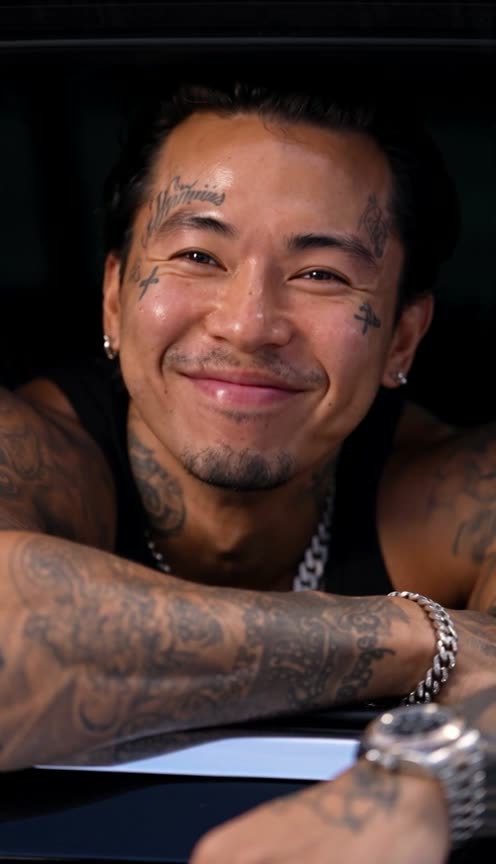
- The grin. You, leaning on the car door, unable to hide it.
- Dusk light. Blue hour on a quiet street, a dark-red wall, the look of a feature film.
- Your own faces, hair and outfits, the original audio, 11 seconds.
What the Video Actually Is
The scene is from A Star Is Born (2018): a quiet beat between two people who have just met, built entirely on looks and half-smiles. Warner Bros. reposted it on TikTok on November 7, 2026 with the caption "okay but the CHEMISTRY", and it passed 830,000 plays and 21,000 likes, mostly from people tagging the person they'd say it to.
Why it suits AI: the whole scene is two faces reacting to each other, and that's exactly what you want with your own partner, your crush or your dog.
The 11 Seconds, Shot by Shot
| Time | Shot | What happens |
|---|---|---|
| 0:00 | You, in the car | The window rolls down: "Hey." |
| 1.3s | Your crush, on the street | Walking away, turns back over the shoulder: "What?" |
| 3.6s | You | A warm, crinkle-eyed smile: "I just wanted to take another look at you." |
| 6.2s | Your crush | A surprised toothy grin, a shy look down, the hair pushed back at 7.8s, a fingertip to the lip at 8.5s |
| 9.5s | You | A huge grin you can't hide |
Your Look, Your Roles
- Photo 1 is in the car. Three shots, including the line and the final grin.
- Photo 2 is on the street. Two shots: the turn and the blush. Optional: leave it out and we cast your crush.
- Your own faces and hair. The same cut, length and parting as your photos, the same makeup level, no glam filter.
Use photos where your faces are clear and front-on. Every shot is a close-up, so the expressions carry the scene, and a clear face keeps them looking like you.
The Fastest Way
I Just Wanted To Take Another Look At You
One or two photos, the A Star Is Born car scene at dusk, with the original audio.
One or two photos, 150 credits (about $7.50), no prompt. It renders on Seedance 2.5 at 480p, vertical 9:16, 11 seconds.
Build It Yourself
1. Turn the scene into a soft depth map. Run it through a depth-estimation model (Depth Anything V2 works), then soften it: lower the relief and blur the outline of every head and the hair, so the actors' head shapes and hairstyles don't override your photos. Keep the eyes, smiles and hands crisp, because they carry the expressions.
2. Make a character sheet. Face close-ups of both of you on top and a four-angle turnaround of each below, the dusk street softly out of focus behind every panel.
A photorealistic VERTICAL 9:16 CHARACTER REFERENCE SHEET in three bands: two face close-ups on top, then a four-angle turnaround of each subject, a quiet street at dusk with a dark-red wall and a parked car softly out of focus behind every panel. No text.
3. Drive it with the depth map and the voices. Feed the sheet, your photos and the depth video to a model that copies motion from a reference video (we recommend Seedance 2.5). Then write what a depth map can't carry:
- The expressions, by the second: puzzled at 1.8s, the toothy grin at 6.2s, the hair push at 7.8s, the fingertip to the lip at 8.5s.
- Shot ownership: shots 1, 3 and 5 are only ever the one in the car, 2 and 4 only the one on the street.
- Likeness first: the same hair, makeup level and face as the photos.
Lay the original audio back on at the end, and lift it: the film's dialogue is very quiet.
Common Mistakes
A hard depth map. The actors' heads and hair come through and your faces drift toward theirs. Soften the outlines.
Not pinning who's in which shot. Without it, the model can repeat the turn-around in the wrong slot and the line plays over the wrong person.
Sunglasses in photo 1. They stay on, and the warm eyes that sell the scene disappear behind them.
Leaving the audio as is. The scene is whisper-quiet; normalize it or the video plays almost silent.
FAQ
How many photos? One or two.
How long is it? 11 seconds, vertical 9:16.
What does it cost? 150 credits, about $7.50.
Pets? Yes, in either role.
Related Reading
- How to Make the Mr and Mrs Smith AI Video: another couple's movie moment
- How to Make The Notebook (Tigran Gertz Version) AI Video: the rain scene, three photos
- How to Make The Hot Chick Ice Cream Scene AI Video: a counter-flirt for two
- Viral AI Video Trends 2026: every trend we've turned into a template this year