Quick answer
Upload one clear photo to Starrd's Your Next Opponent Is You Dance template and it generates a full-body clip of that subject doing the dance that grew around the remixed 'Congratulations, you're moving to the next level, your next opponent is you' sound — the routine mapped move-for-move from the original performance and synced to the audio. It costs 100 credits (about $5), works on any subject, and there's no prompt to write. It's the dance cut of the trend, separate from Starrd's cinematic VS-screen face-off template.
The same dance, any subject — tap one to make it with your photo.
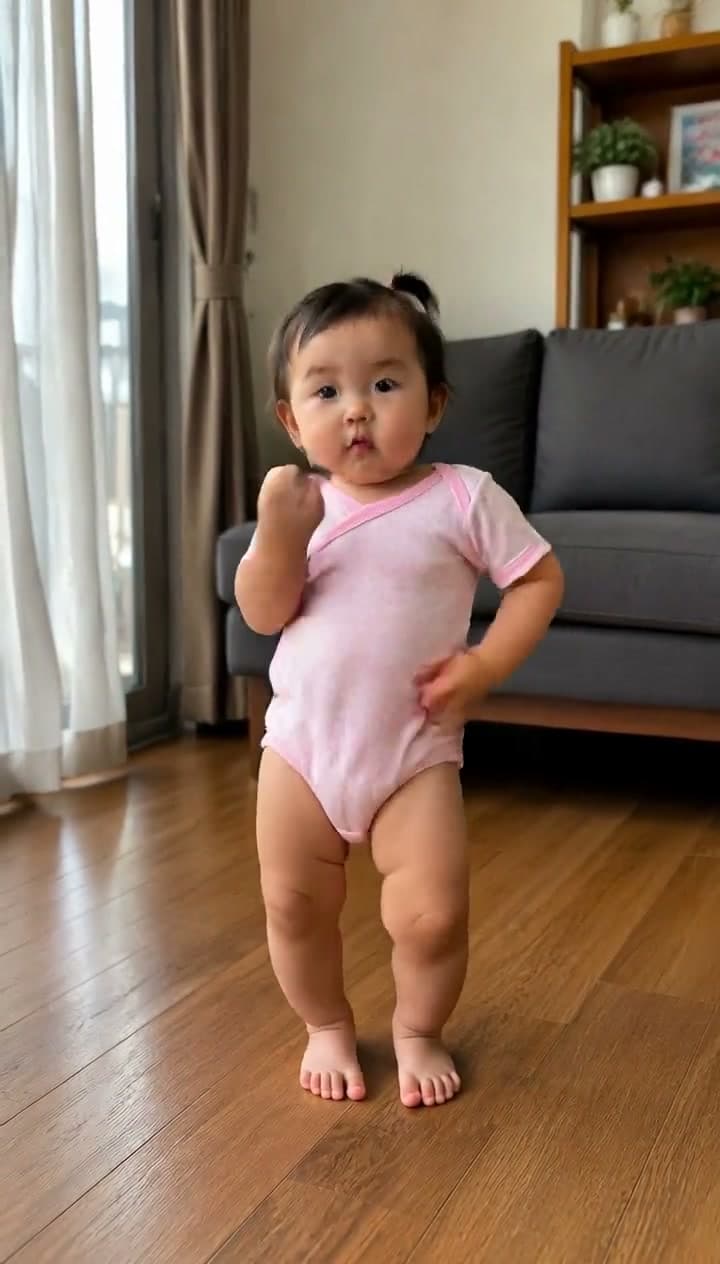
One photo in, and out comes that person doing the Your Next Opponent Is You dance — the slow sway on "congratulations," the point on "next level," the arm swings and the finger guns on "…you," every move on the beat of the remixed sound. Here's exactly what you get:
Your Next Opponent Is You Dance
Drop any photo and watch them hit the Your Next Opponent Is You dance — the remixed sound, every gesture mapped move-for-move and synced to the beat. One tap, no prompt.
Same Sound, Different Trend
You know the audio: "Congratulations, you're moving to the next level. Your next opponent is… you." It landed in May 2026 as a motivational face-off — a dark arena, you revealed across the floor from a younger version of yourself. Starrd's original template makes that cinematic cut, and the face-off guide covers the whole story of the sound.
This is the other thing that happened to it. A remixed, heavier-beat version of the same audio picked up a full routine, and the AI baby dance wave grabbed it: a baby standing in a nursery, swaying through "congratulations," pointing at the camera on "next level," and throwing finger guns on the "…you." Same words, completely different energy — swagger instead of drama.
Which one to make: the face-off is the motivational, share-with-your-gym-friends cut. The dance is the funny cut. If the goal is a baby, a dog, or grandma doing something they'd never do, this is the one.
Why It Works on a Baby
The routine is upright and gesture-led — a sway, a point, an arm swing, finger guns — with the feet barely leaving the floor. That's exactly the kind of movement that maps cleanly onto subjects a big athletic dance would break: babies, toddlers, pets. And the audio is a taunt. "Your next opponent is you," delivered with finger guns, by a tiny human who cannot yet climb the stairs. The confidence mismatch is the entire joke.
Only upload photos of your own child. Keep it family-friendly, label it as AI per each platform's rules, and think about whether you want your child's face on a public post versus shared with family. The full safety rundown is in the AI baby dance guide.
How to Make It (3 Steps)
- Pick one clear photo. One subject, front-facing, good light, as much body visible as possible. This is the whole quality lever.
- Open the Your Next Opponent Is You Dance template on Starrd — it's in the Dance category, separate from the face-off template in Comedy & Viral.
- Upload and generate. You get a vertical 9:16 clip, about 19 seconds, of your subject performing the routine synced to the remixed sound. 100 credits, about $5. No subscription, credits never expire.
No CapCut Template, No Motion Source Hunting
The versions flooding TikTok mostly come from CapCut templates and dance filters that run on motion transfer: your photo gets stretched over a dance skeleton. It holds up through the sway and falls apart on the point and the finger guns — hands crossing the body are where the face smears and the fingers melt.
Starrd's template skips that. The original dancer's performance is baked in as a driving clip, and instead of bending your photo, it regenerates a clean full-body performer that looks like your subject and drives that on motion control. The face stays consistent through every gesture, and every move lands on the beat because it's the real performance, not a text prompt guessing at timing.
Your Next Opponent Is You Dance
The full routine from one photo — clean, on the beat, face intact. 19 seconds, real trend audio. 100 credits, about $5.
Common Mistakes
- Picking the wrong template. Face-off and dance share a name and a sound. The dance is in the Dance category; the VS-screen face-off is in Comedy & Viral.
- A blurry or group photo. One subject, sharp, front-facing. This decides everything.
- Muting the sound. The remixed audio is the trend — the template keeps it in.
- Posting horizontal. It's a 9:16 format. The template already outputs vertical.
- Skipping the AI label. Every major platform requires it, and the clip travels fine with it.
Related Reading
- How to Make a "Your Next Opponent Is You" AI Video — the cinematic face-off cut, and the full history of the sound.
- AI Baby Dance Videos: How to Make One From a Photo — the baby-dance genre guide, including the photo and safety basics.
- How to Make the Don't Play With Me AI Dance — the other sound powering the AI baby wave right now.
- How to Make an AI Dance Video — the pillar guide: every named routine in the dance library.
- Browse all dance templates →