Quick answer
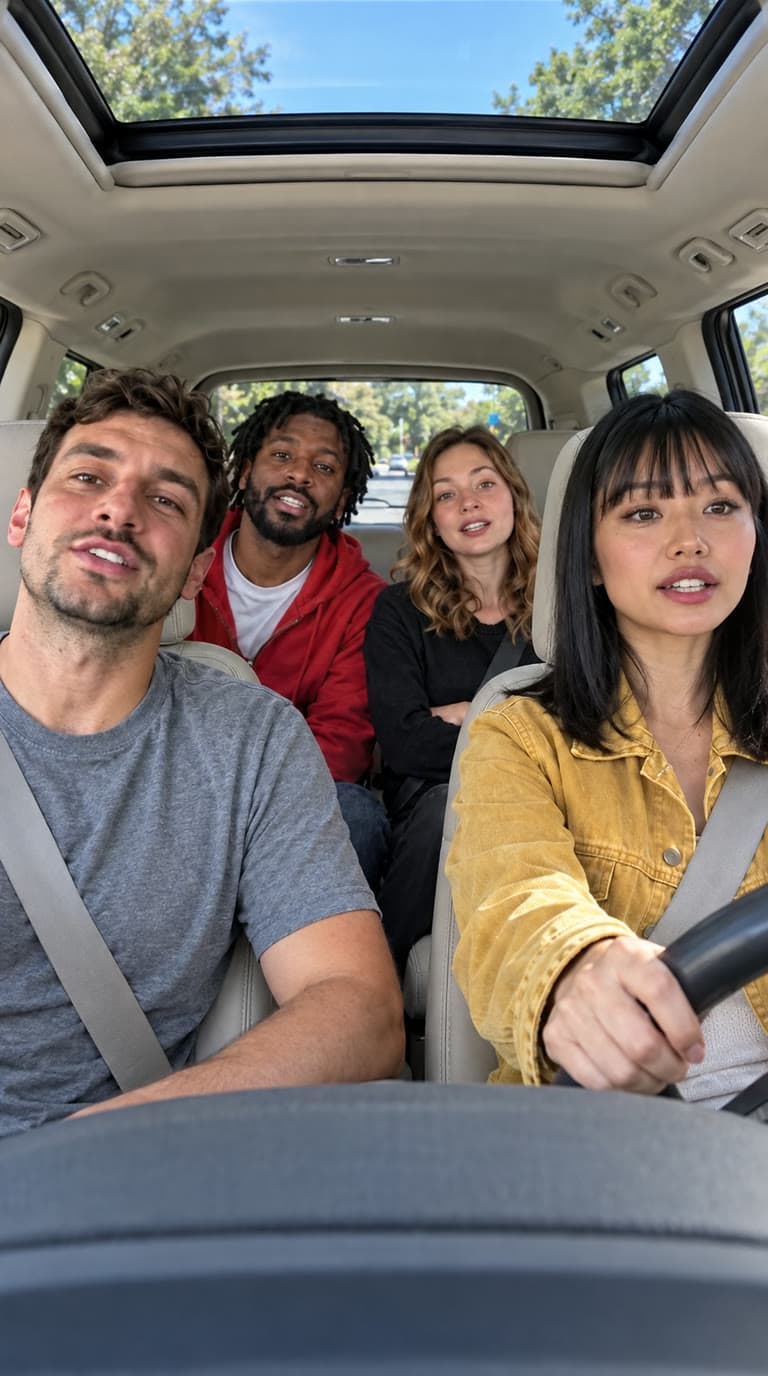
Upload four photos to Starrd's Walk It Like I Talk It template and it puts all four of you in one car doing the carpool singalong. The photo order is the seating plan, running left to right: photo 1 is the front passenger, photos 2 and 3 are the back seat, photo 4 is the driver. It costs 100 credits (about $5) and comes out landscape 16:9 at 15 seconds with the track underneath.
The same dance, any subject — tap one to make it with your photo.
Four photos in, and out comes you and three of your people in one car, trading the verse — four fixed seats, the camera cutting between them, landscape. Here's exactly what you get:
Walk It Like I Talk It
Four photos, one car. You and three of yours, running the song. No prompt to write.
Read This Part First: The Slot Order Is the Seating Plan
Most templates take one photo, or two. This one takes four, and unlike the others the order you upload them in decides where everyone sits. It runs left to right across the frame:
| Slot | Seat | Screen time |
|---|---|---|
| Photo 1 | Front passenger, far left | Most — they lead the song |
| Photo 2 | Back seat, left | Middle |
| Photo 3 | Back seat, right | Middle |
| Photo 4 | Driver, far right | Least, plus a close-up at the end |
The upload slots are labelled in the app, so you don't have to hold this in your head. But it is worth knowing photo 1 is the hero — that seat is on screen for roughly two-thirds of the clip, gets the opening shot, and carries the verse. Put your main person there.
If you only have three people, still fill all four slots — duplicate someone into the back seat rather than leaving a slot empty. And if one friend insists on being the driver, that's slot 4, not slot 2. It reads backwards, and there's a real reason for it below.
Why the Driver Is Slot 4
This is the kind of detail that normally stays buried, but it changes how you use the template, so it's worth a paragraph.
The obvious ordering is front row then back row — photo 1 front passenger, photo 2 driver, photos 3 and 4 in the back. That's what we built first, and on a cast of four people it looked like it worked.
It didn't. Tested against a second, deliberately different cast, the image model re-seated three of the four slots, because when it isn't certain who's who it falls back to placing reference photos left to right across the frame. Front-row-then-back-row fights that. Left-to-right agrees with it.
So the contract matches the model instead of arguing with it. The cost is that the driver — the far-right seat — is the last slot rather than the second.
Being straight about the limits: this improves the odds, it doesn't make them certain. Across our test generations slot 1 has come out right every single time — the hero seat is the stable one. The other three shuffle occasionally, and when they do it's almost always whoever is in slot 2 turning up at the wheel. It's a regenerate-and-move-on problem, not a broken template, but it's worth knowing before you promise a specific friend the driver's seat.
Where the Song Comes From
Walk It Talk It is the Migos single from Culture II (2018), featuring Drake, and the phrase in the hook — "walk it like I talk it" — is the part everyone actually says. The carpool singalong format it's staged in is the one you already know: a camera on the windscreen, four people in an SUV, nobody performing to anything but each other.
That format is the whole reason this template is landscape. A car interior with four people in it does not survive a vertical crop — you lose the back seat or you lose the driver. So this one renders 16:9, which makes it one of only two wide templates on Starrd.
The Fastest Way
Walk It Like I Talk It
Four photos, four seats, 15 seconds landscape. The camera cuts between all of you.
Four photos, 100 credits, no prompt. The template holds the car, the seats, the cuts and the track; your photos only decide who's in which seat.
Build It Yourself
If you'd rather wire it up by hand, the shape is a video-to-video job: a fixed clip supplies the camera and the performance, and a single composed still supplies the four faces.
1. Make the still first. One landscape image of all four people in a car, one per seat, cleanly separated. This is the step that decides whether the casting is right, and it's cheap to iterate on — generate the still alone and look at it before you pay for any video.
2. Then drive it with a clip. The clip supplies the camera, the cuts and the timing. Your still supplies who the people are.
Image 1 shows the FOUR characters in the car. Video 1 is the performance to copy.DIVISION OF SOURCES — follow this strictly:
From Image 1 take ONLY the four characters' identities and wardrobe, and the car cabin they are riding in.
From Video 1 take EVERYTHING ELSE: the framing, the camera position, WHERE AND WHEN THE CAMERA CUTS, which seats are on screen in each shot, and the moment-to-moment performance.
Where Image 1 and Video 1 disagree about anything other than who the four characters are and what they are wearing, Video 1 WINS.SEATS ARE FIXED. No character ever changes seat, and no character ever appears in a seat that is not theirs.CUTS: the camera cuts between angles at exactly the moments Video 1 cuts, to exactly the same angles. Do not smooth a cut into a drift, and do not invent a cut that Video 1 does not make.FACES: each character's eyes, eyebrows, mouth and jaw follow the face and mouth of the person in their seat in Video 1, word for word, for the whole clip.
Model choice: run this on Seedance 2.0 in its video-to-video mode. It animates several characters independently, which is the whole requirement here — engines that drive every subject in a still from one skeleton will make all four people move in unison, which looks exactly as wrong as it sounds.
Common Mistakes
Uploading a group photo into one slot. Each slot is one person. A photo with two faces in it makes the casting ambiguous and you'll get a blend.
Assuming the driver is slot 2. It's slot 4. See above.
Expecting every cut to land. The edit this was built from cuts fourteen times in fifteen seconds; the driving clip carries seven and a render comes back with seven or eight. All four camera setups are there every time — the fastest flurries are what get smoothed. That's the engine, not your photos.
Cropping it vertical afterwards. You'll cut two people out of their seats. If you need a vertical post, letterbox it rather than crop it.
Padding the audio to a round number. If you're building this yourself: cut the track longer than the video, not shorter. A track that ends first silently truncates the video, and one cut to exactly the same length can still leave you a beat of dead air.
FAQ
Which photo goes where? Left to right: photo 1 front passenger, photo 2 back-left, photo 3 back-right, photo 4 driver. Photo 1 gets the most screen time.
Can I use pets? Not yet — see the note in the FAQ block above. Camden Bop and Hotel Lobby both handle animals today.
Why landscape? Because four people in a car don't fit in a vertical frame without losing two of them.
How long does it take? A few minutes end to end, most of it the video step.
Related Reading
- How to Make the Hotel Lobby AI Video — the two-person version of the same engine
- How to Make the On The Radar AI Video — two people, one mic
- How to Make the Show You Off AI Video — the other landscape template
- How to Make the Camden Bop AI Video — solo, and it works on pets
- How to Make an AI DJ Video — the performance pillar